Disable Zoom on your webpage using Meta Tag

By 42Gears Team

Sometimes Lockdown of your browsing device is incomplete without disabling zooming option. Zooming in and out with multi-touch gestures such as pinch-to-zoom can be disabled using kiosk browser like SureFox however the user would still be able to zoom using 'double-tap to zoom' feature.
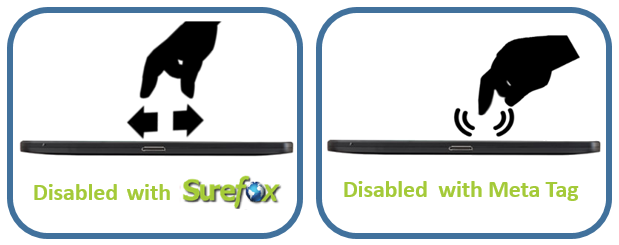
Disabled Zoom - Pinch and Double Tap

And if you want your webpage to have disabled 'double-tap to zoom' feature, you can use following Meta Tag.


Disable Double-Tap to Zoom


Disabled Double-Tap to Zoom

Download SureFox Free Trial Version

“Written with expertise and passion to help you understand the topic better.”

4
42Gears Team – Content Author
Published on July 2, 2013

Subscribe to our newsletter

Stay updated with the latest news, articles, and resources on enterprise mobility.

Weekly articles
Actionable insights delivered once a week. No noise.
No spam
Your privacy matters. Unsubscribe anytime.