 Worried about the security of your confidential online data getting stored on shared mobile devices. Well, SureFox can be your savior. Besides the regular browser lock-down features, SureFox now comes with a Private Browsing functionality(also known as the Incognito Mode) which lets you browse the web without storing any information locally on the device. This means when you enable private browsing, SureFox stops storing your:
- Session Information
- Cache data
- Forms Data
- Passwords
To provide you complete control over the browser activity, SureFox allows you to individually configure these options too.
Follow the steps below to configure the Privacy Settings in SureFox:- Access SureFox Admin Settings by tapping on the screen 5 times within 3 seconds.
- Enter the SureFox Settings password.
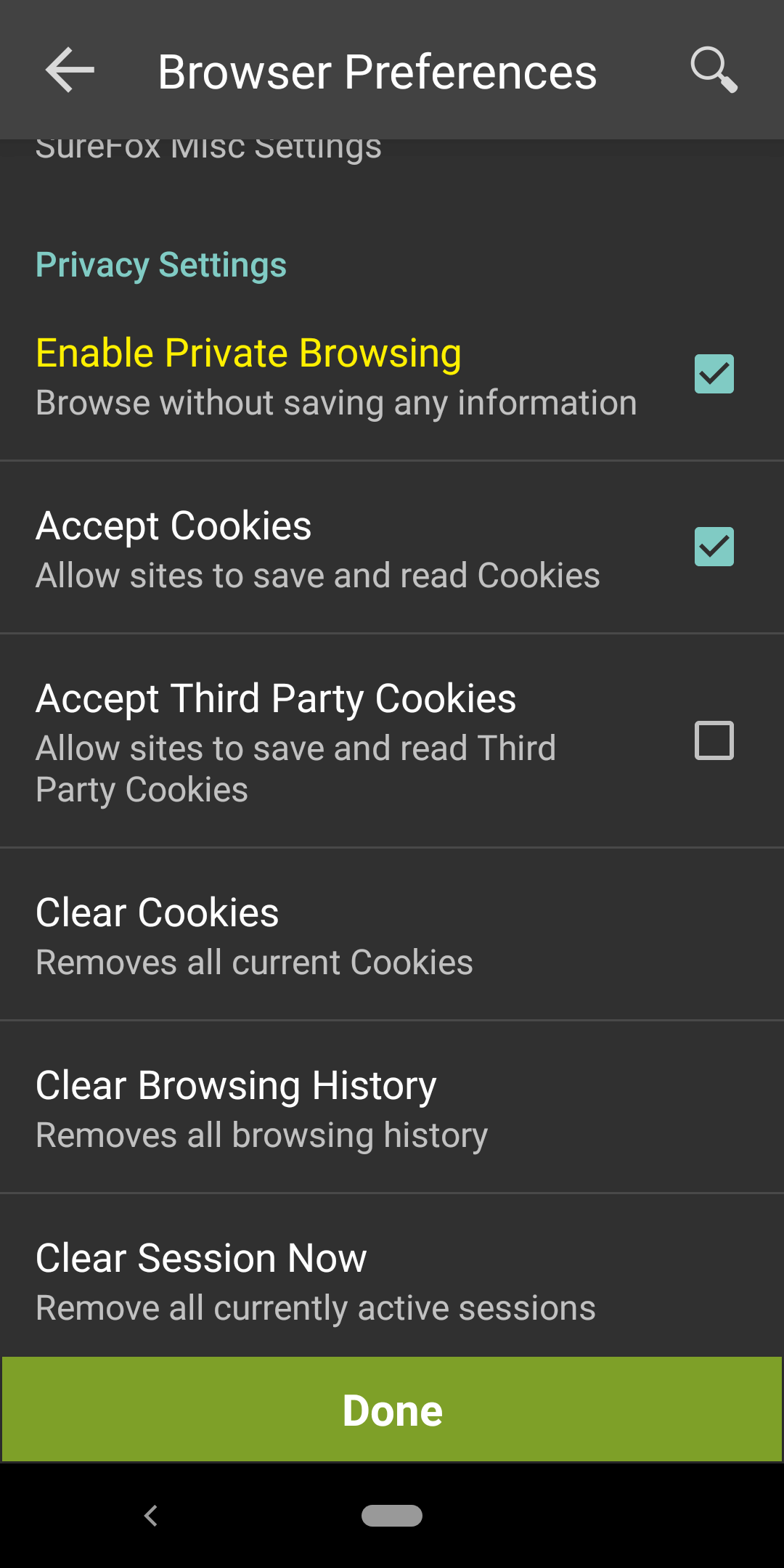
- On SureFox Settings screen, tap Browser Preferences and select Enable Private Browsing.
You can configure privacy options of SureFox as displayed in the screen below.
To learn more on how to secure and manage Android and Windows Mobile/CE devices efficiently, visit us at www.42gears.com