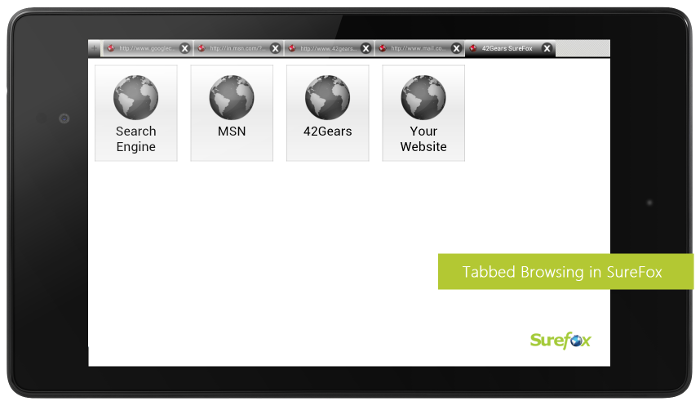
Tabbed Browsing in SureFox Kiosk Browser for Android

By 42Gears Team
Applies to:
Product SureFox
Platform Android

SureFox Tabbed Browsing

The much awaited feature upgrade for SureFox is here. SureFox Browser now lets you open multiple tabs at one time in Lockdown Mode. It helps you increase the productivity, thus making it a preferable web browser for business or any other purpose where multi-tasking is required.

Configuring tabbed browsing in SureFox is quick and easy. Just follow the below mentioned steps:

1. Create your list of Allowed Websites.

2. Access SureFox Settings and tap Browser Preferences.

3. Under Browser Preferences, tap Tabbed Browsing and select Allow Tabbed Browsing option.

4. You can even set the number of maximum tabs allowed by entering a value in Maximum Number of Tab(s) option.

Note: Maximum of 8 tabs are allowed in a single browsing window.

5. Once done, your tabbed kiosk browser is ready to use.

The device administrator can disable the tabbed browsing at any point by disabling Allow Tabbed Browsing option in SureFox Settings.

To learn more on how to secure and manage Android, iOS, and Windows Mobile/CE devices efficiently, visit us at www.42gears.com.

“Written with expertise and passion to help you understand the topic better.”

4
42Gears Team – Content Author
Published on July 5, 2012

Subscribe to our newsletter

Stay updated with the latest news, articles, and resources on enterprise mobility.

Weekly articles
Actionable insights delivered once a week. No noise.
No spam
Your privacy matters. Unsubscribe anytime.