How to Hide Bottom Bar in Android Tablets using SureLock

By 42Gears Team
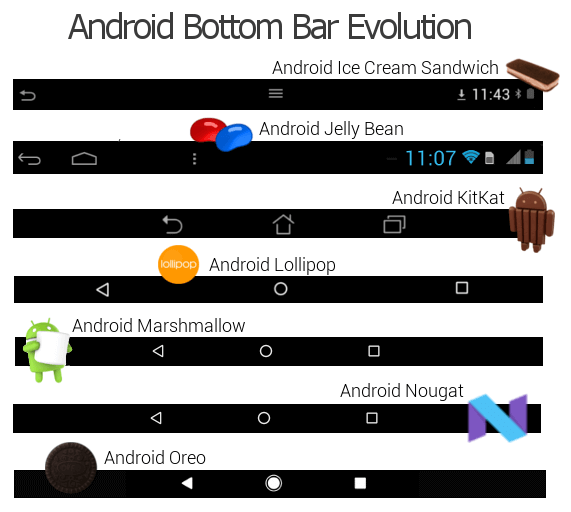
Android versions
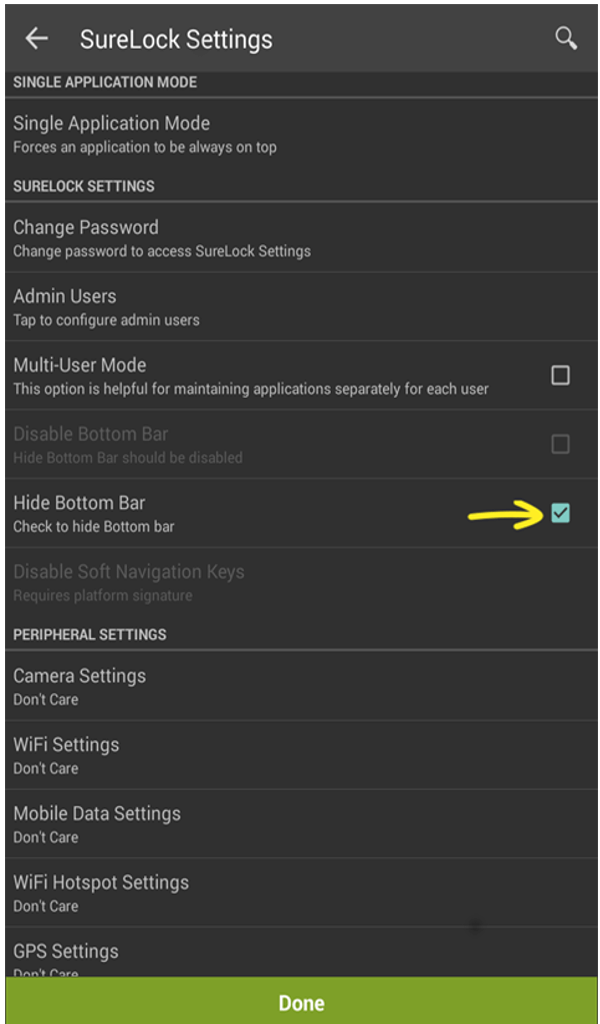
Hidden Bottom Bar
  1. Download and install SureLock from here.
  2. Launch SureLock.
  3. Tap SureLock Home Screen 5 times within 3 seconds to launch the password prompt.
  4. On the password prompt, enter SureLock default password as 0000(four zeros) to launch Admin Settings screen.
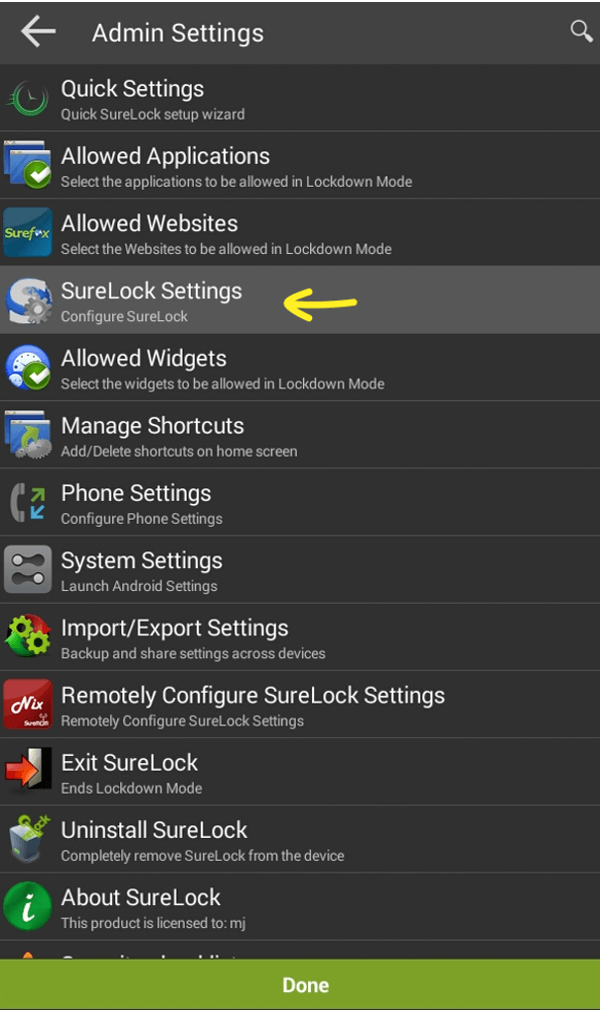
5. On AdminSettings screen, tap SureLockSettings > HideBottombar.
surelock settings
hide bottom bar
Done
SureLock
Note: For Samsung devices, ensure EnableKNOX
this, for other advanced lockdown features available in SureLock for Samsung devices

“Written with expertise and passion to help you understand the topic better.”

4
42Gears Team – Content Author
Published on: April 26, 2012

Subscribe to our newsletter

Stay updated with the latest news, articles, and resources on enterprise mobility.

Weekly articles
Actionable insights delivered once a week. No noise.
No spam
Your privacy matters. Unsubscribe anytime.