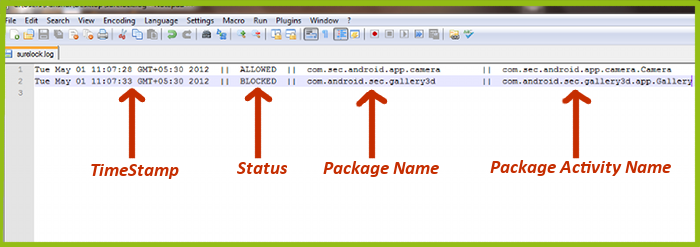
Time Stamp: Displays the time at which the application activity was performed
Status: Indicates whether the application activity is allowed in SureLock or blocked.
Package Name: Displays the package name of the application which was accessed in SureLock
Package Activity Name:
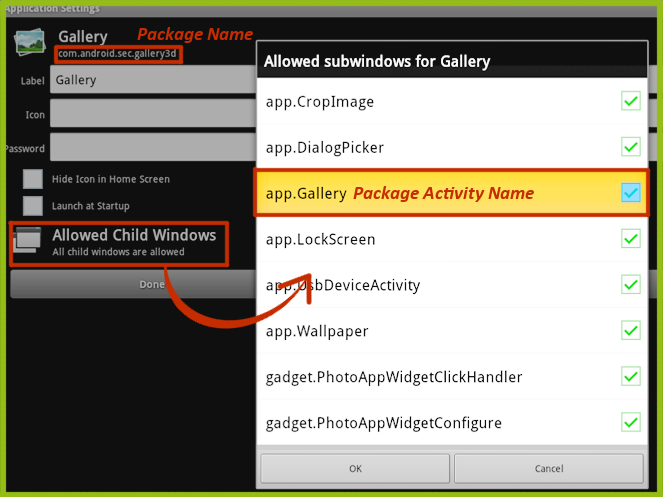
Package Name helps in choosing the application name which should be added to the "Allowed Application" list. The Package Activity Name
com.android.sec.gallery3d" package for the Gallery button to work correctly. The "com.android.sec.gallery3d" corresponds to "Gallery" application. So we need to add "Gallery" to "Allowed Applications" list.
The following screen is displays the "Application Settings" screen of "Gallery
To learn more on how to secure and manage Android and Windows Mobile/CE devices efficiently, visit us at www.42gears.com