Easy way to play videos in Full Screen – SureVideo

By 42Gears Team

sufevideo_42gears_details_video

SureVideo
What is latest with SureVideo ?
SureVideo. With the new update, you don't have to save the videos and other media files in SureVideo
SureVideo will identify the compatible files to play
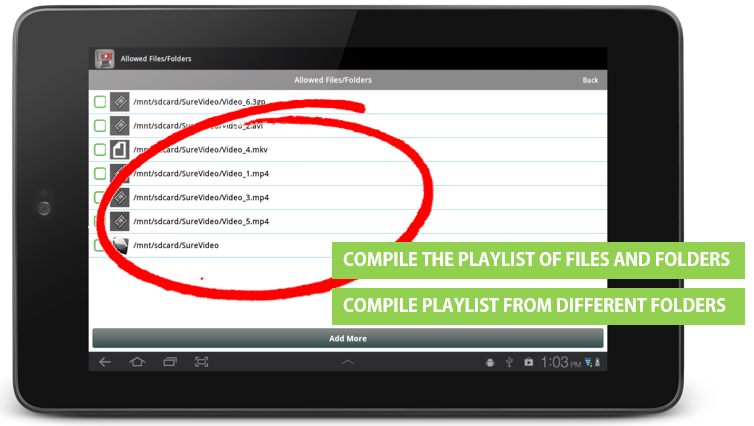
surevideo_andriod_devices_new

To select a video file(s)/folder(s), follow below mentioned procedure:
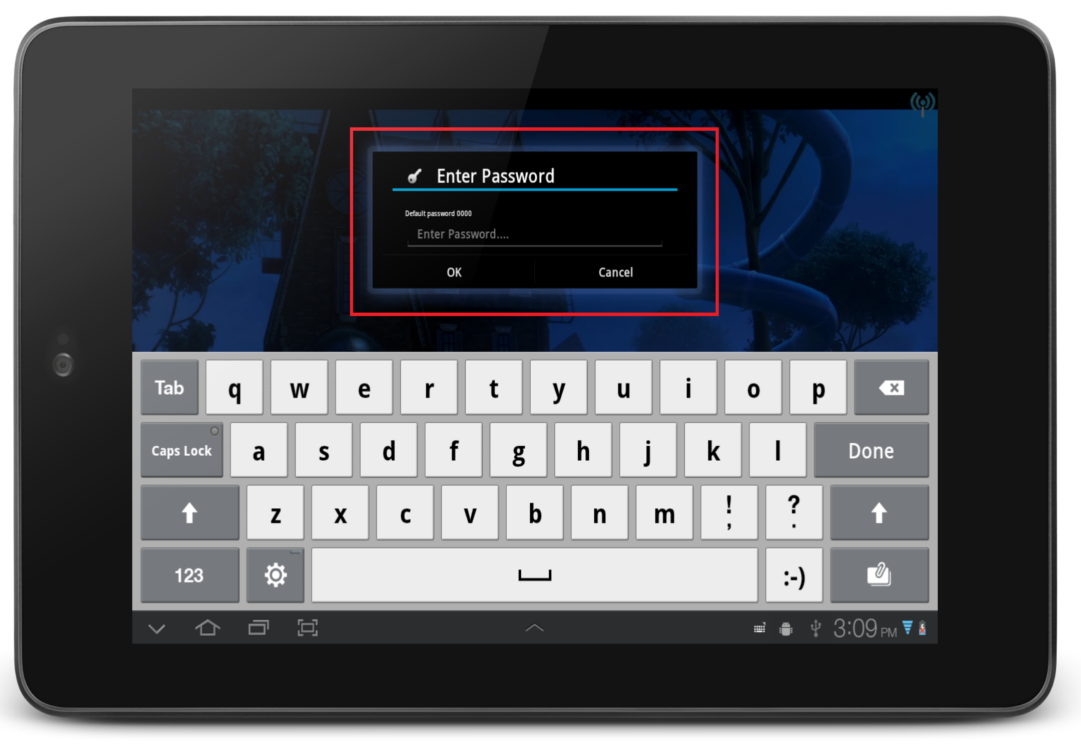
SureVideo Settings by tapping five times on the screen within three seconds and use your password to login
surevideo_login

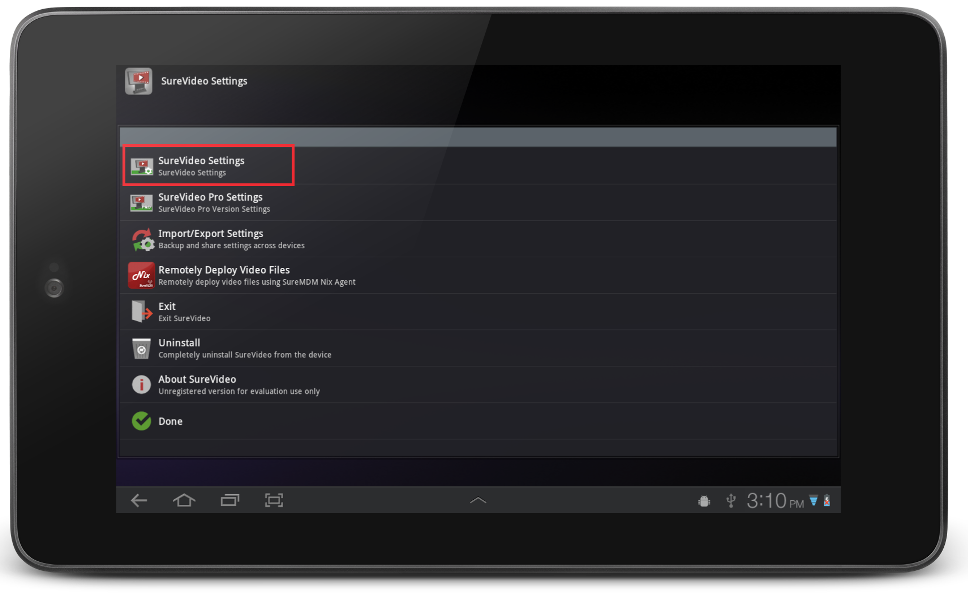
2. On SureVideo Settings screen, tap on SureVideo Settings option

surevideo_settings

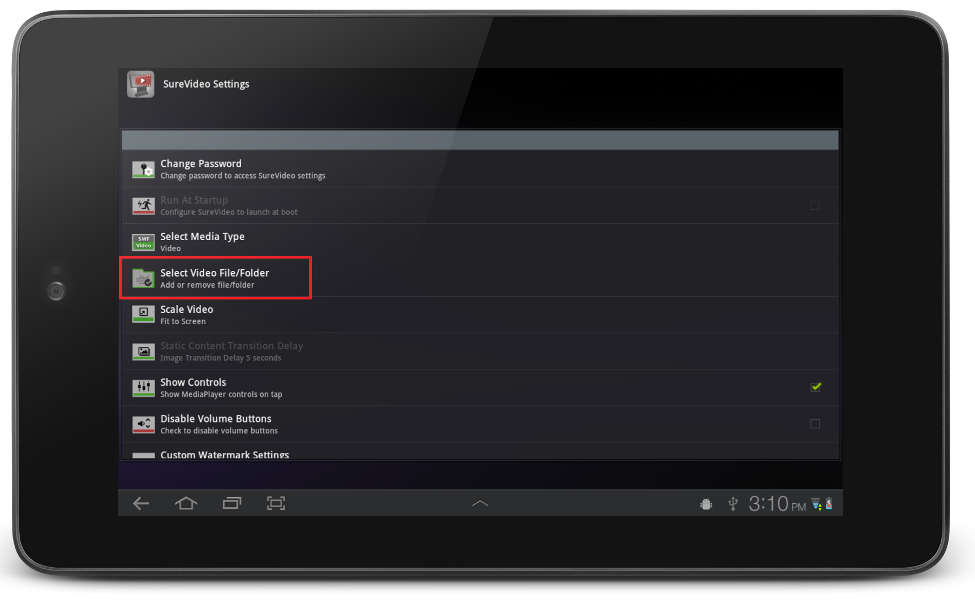
3. On SureVideo Settings screen, tap on Select Video File/Folder to go to Allowed Files/Folder screen

surefox_add_files

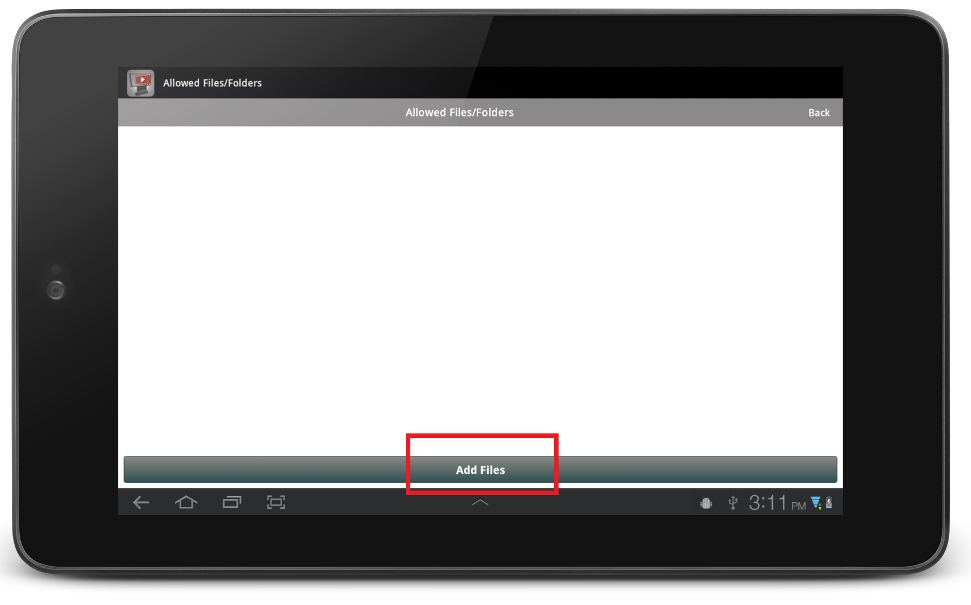
4. On Allowed Files/Folder screen, tap in Add Files

surevideo_add_files

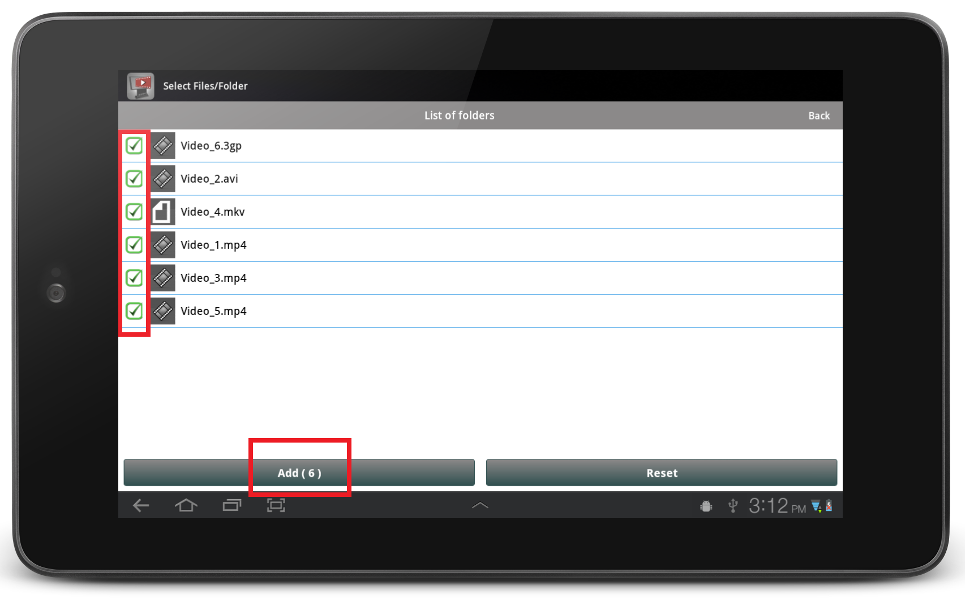
5. Browse the files in device, identify and select the video files or folder and tap on Add

surevideo_add_video_files

Note : SureVideo will identify only those types of files specified in Select Media Type option and if multiple files are selected, SureVideo will play the files in an alphabetical order.
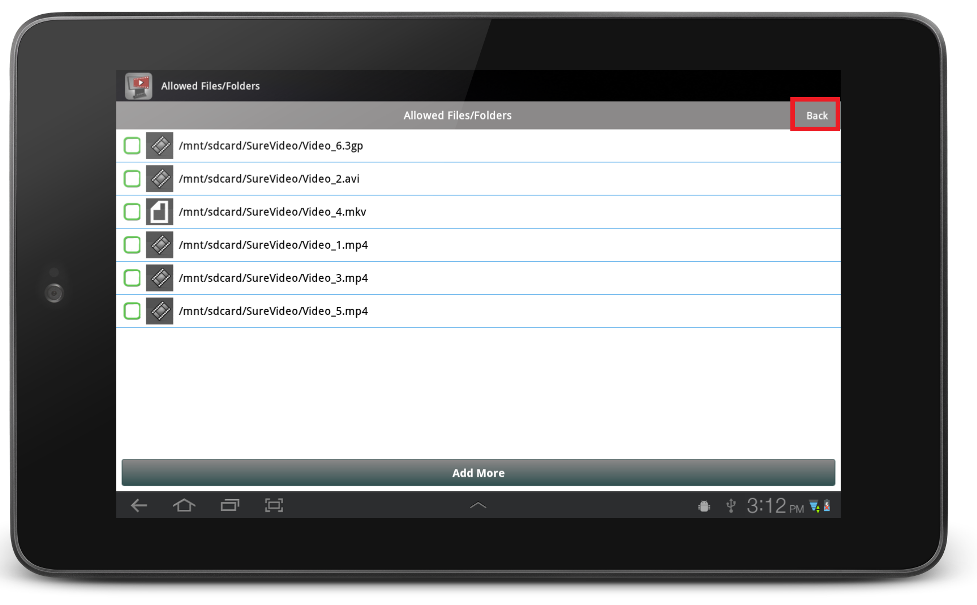
Back and return to SureVideo Settings screen to complete
surevideo_complete

To know more, visit http://live-42gears-site.pantheonsite.io/surevideo/

“Written with expertise and passion to help you understand the topic better.”

4
42Gears Team – Content Author
Published on: July 17, 2013

Subscribe to our newsletter

Stay updated with the latest news, articles, and resources on enterprise mobility.

Weekly articles
Actionable insights delivered once a week. No noise.
No spam
Your privacy matters. Unsubscribe anytime.