| Applies to: | |
| Product | SureLock with Samsung |
| Platform | Android |
There are times when you want to upgrade SureLock on devices which are not physically present with you and you also don't want any interruptions of activities on those devices during upgrades. Running silent or unattended upgrades will solve this problem.
Now with SureMDM Nix Agent for Samsung, you can perform a silent or unattended upgrade of SureLock for Samsung, which means:
No need to disable the lockdown for upgrade
No interaction required from the user
No display or indication of upgrade in device
No device reboot required
Here is how you can perform silent or unattended upgrade SureLock for Samsung using SureMDM Nix Agent for Samsung:
1. Access SureLock for Samsung Admin Settings
2. Check and enable Disable Other Home Screens and Enable Watchdog Service
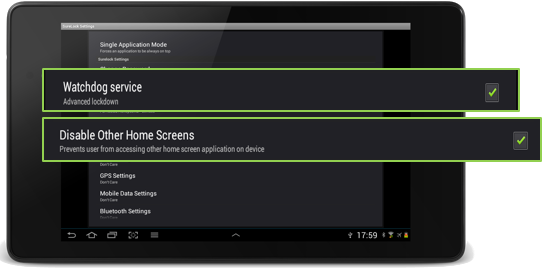
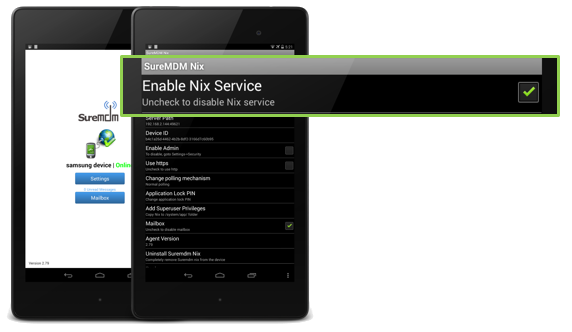
3. Now, Enable Nix Services in SureMDM Nix Agent for Samsung
4. Tap and enable, Enable Admin option
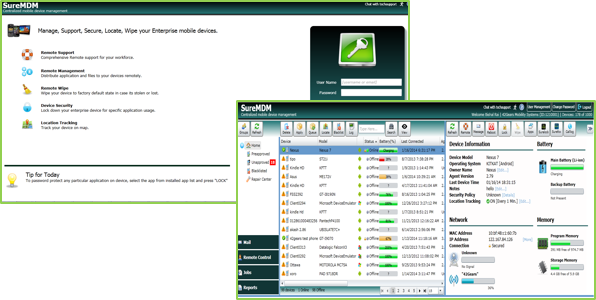
5. Next, Login to SureMDM Web Console
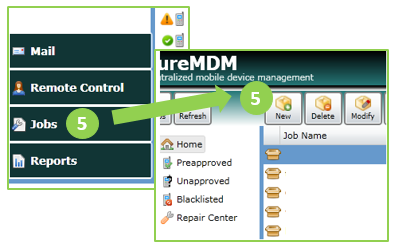
6. Go to Jobs and click on New
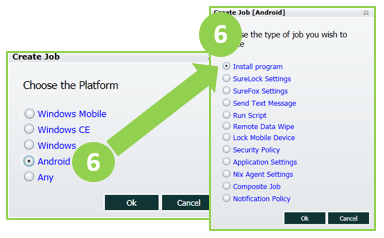
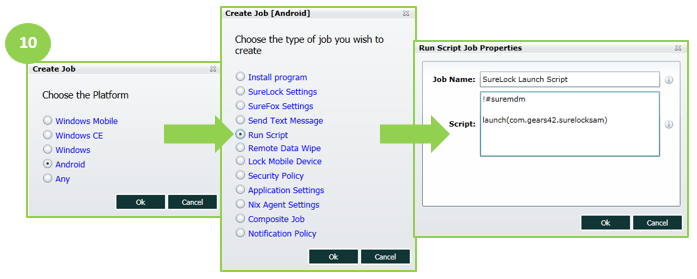
7. Select Android and then Install Program
8. On Multiple Install Job Properties prompt, tap on Add
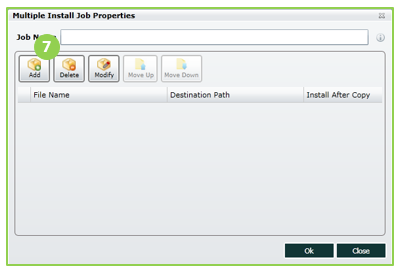
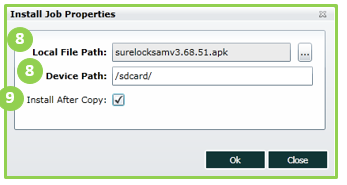
9. Next, browse and select the new SureLock apk file and specify the path on device for the installation
10. Check Install After Copy and click on OK
11. Now, create Run Script Job with following script:
!#suremdm
launch(com.gears42.surelocksam)
12. Now create a Composite Job with above Install Program and Install Script
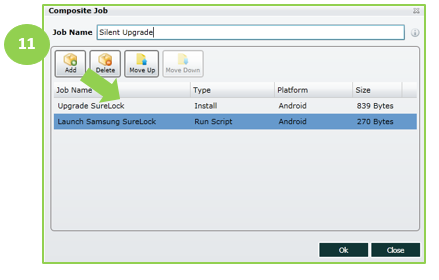
13. Select the device from the list of devices and Apply the Composite Job
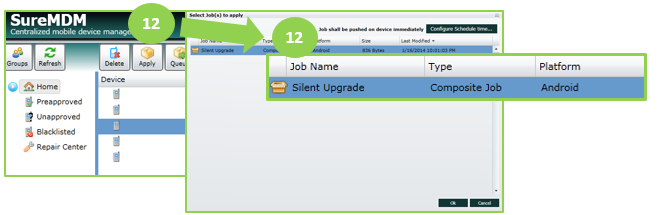
14. Once the Job is applied, SureLock for Samsung will be silently upgraded in the device
To know more about SureLock for Samsung, click here
To download a SureLock for Samsung trial version, click here
To signup for a SureMDM 30 days trial, click here
Read more about our products: