| Applies to: | |
| Product | SureVideo |
| Platform | Android |
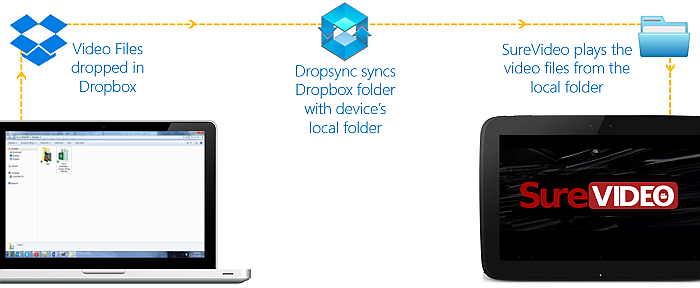
SureVideo - Provides device lockdown and loops video (downloaded in the device)
Dropbox
Dropsync - Syncs Dropbox
Once you have installed all the applications, follow below mentioned process:
Dropbox
SureVideo Playlist
SureVideo
Dropsync
Settings
Settings screen, tap on Synced Folders
Synced Folders screen, tap on Add Synced Folders
SureVideoFiles
Select
Select Dropbox Folder screen, select SureVideo Playlist
Select
Sync Method screen, select Download mirror and tap on Next
Enable/Disable Sync screen, tap on Sync Enable
Done
SureVideo Settings
Main Menu screen, tap on SureVideo Settings
SureVideo Settings, tap on Configure Playlist
Configure Playlist screen, tap on Add Video File/Folder
Add Files/Folders
SureVideo Files
Back and return to Main Menu
Done
SureVideo will start playing the contents of the local SureVideo File folder which automatically gets synced with Dropbox
SureVideo, click here