Quick and easy way to share Log Files using Cloud in SureLock

By 42Gears Team
Applies to:
Product SureLock
Platform Android
Logs help you to maintain, manage and track records of all events and activities on a device or an application. Log Maintenance
SureLock, working with logs files is quick and easy because it comes with inbuilt option to export log files to cloud. You can simply use Export Log Files to Cloud feature to export files to cloud and share the Cloud ID
Note: This feature will export Device Logs, Settings File and Diagnostic Logs for SureLock,
1. Access SureLock Settings
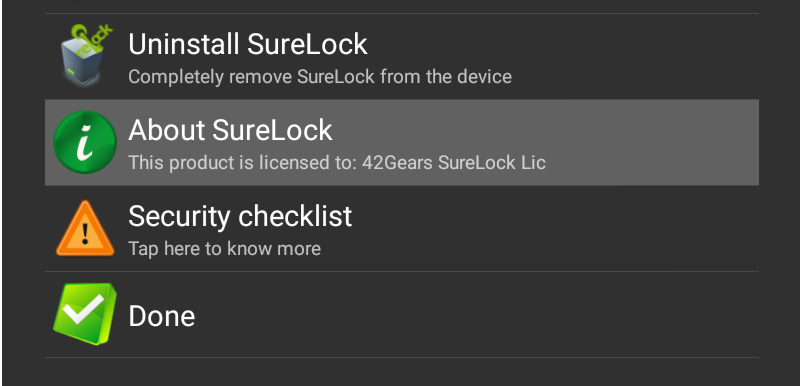
2. On the SureLock AdminSettings screen, tap on About SureLock
about_surelock

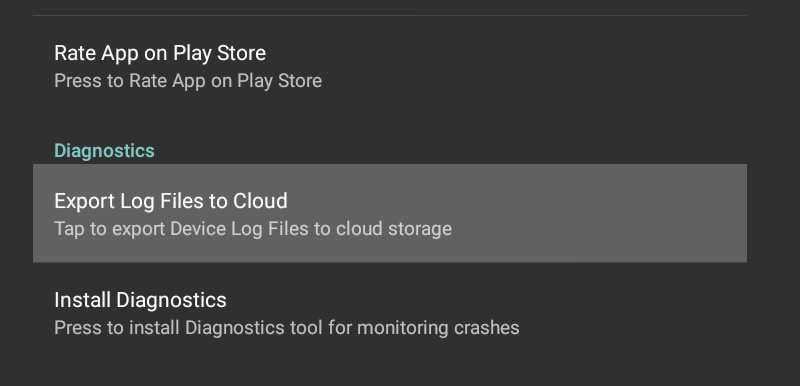
3. On AboutSureLock screen, tap on Export Log Files to Cloud option under Diagnostics section

enable_log_files

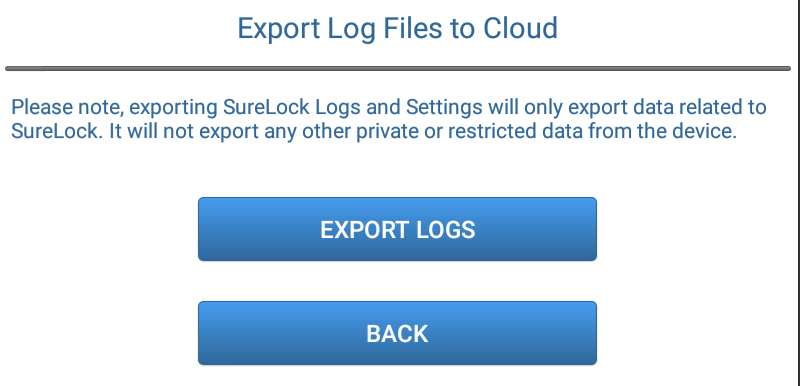
4. On Export Log Files to Cloud screen, tap on Export Logs

export_log_files

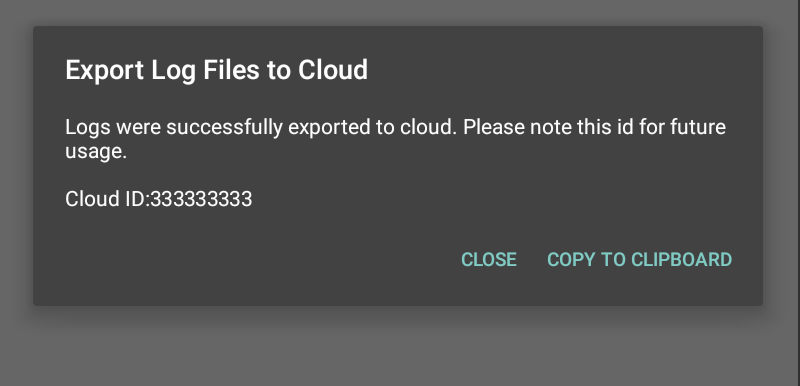
5. Next prompt will give you a CloudID for the exported file. You can share this ID with concerned team for assistance.

export_log_files_cloud_id

Read more about cloud options in our products:

“Written with expertise and passion to help you understand the topic better.”

4
42Gears Team – Content Author
Published on: March 19, 2015

Subscribe to our newsletter

Stay updated with the latest news, articles, and resources on enterprise mobility.

Weekly articles
Actionable insights delivered once a week. No noise.
No spam
Your privacy matters. Unsubscribe anytime.