How to exit SureVideo on Android

By 42Gears Team

SureVideo is a kiosk video player which allows you to transform any Android device such as tablet or TV into a dedicated video player. SureVideo is designed to play your videos in kiosk mode and prevents any one from exiting the app other than the authorized person.

To exit from SureVideo, follow the steps below:

  1. Tap/Click on the screen for 5 times to open up the password prompt.
  2. Enter your admin password. By default it is set to 0000.
  3. Once you enter the admin screen of SureVideo, you can tap on Exit to exit from SureVideo app.
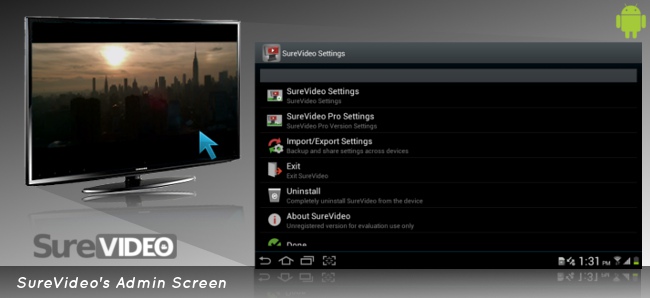
Accessing SureVideo Admin Screen

To know more about other features of SureVideo, click here

To learn more on how to secure and manage Android, iOS and Windows Mobile/CE devices efficiently, visit us at www.42gears.com

“Written with expertise and passion to help you understand the topic better.”

4
42Gears Team – Content Author
Published on March 13, 2013

Subscribe to our newsletter

Stay updated with the latest news, articles, and resources on enterprise mobility.

Weekly articles
Actionable insights delivered once a week. No noise.
No spam
Your privacy matters. Unsubscribe anytime.