
There are few applications available on Google Play store (Android Marketplace) which gives an error message like below when you try to uninstall them.
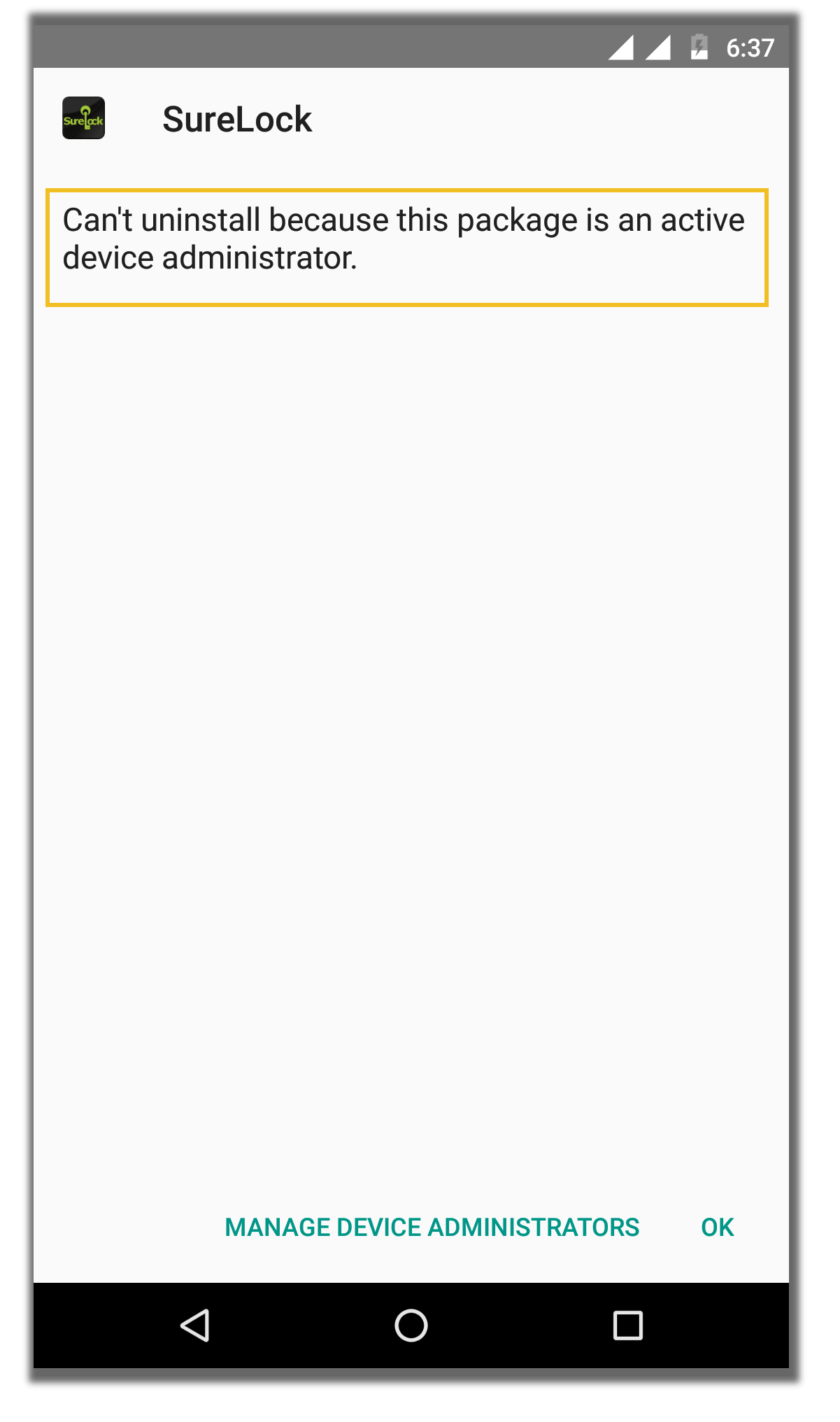
This error message does not carry any further description and leaves the user with little or no idea as to what went wrong and what can possibly be done to successfully uninstall the application from the device.
Why it happens:
Some applications, require device administration permissions to work as expected. Usually, during installation or during execution, these applications prompt the user to grant Administrator privileges. Once granted, these applications become capable of performing privileged tasks like locking the device, erasing data on the device, resetting the password on the device, etc.
Android does not allow direct uninstallation of applications with Administrator privileges. Any attempt to uninstall such applications would result in an error, shown in the screen shown above. This is to make sure that user doesn’t remove such vital privileged applications accidentally.
Solution:
In order to uninstall such applications, we first need to deactivate it as a Device Administrator. Device Administrator setting is located under System Settings on Android devices.
Steps to disable Device Administrator permissions: Go to System Settings on an Android device, select Security-> Device Administrators -> Uncheck the permission for the application.
Note: You can also click on Manage Device Administrators option present at the bottom of the screen of error message option and navigate directly to this option
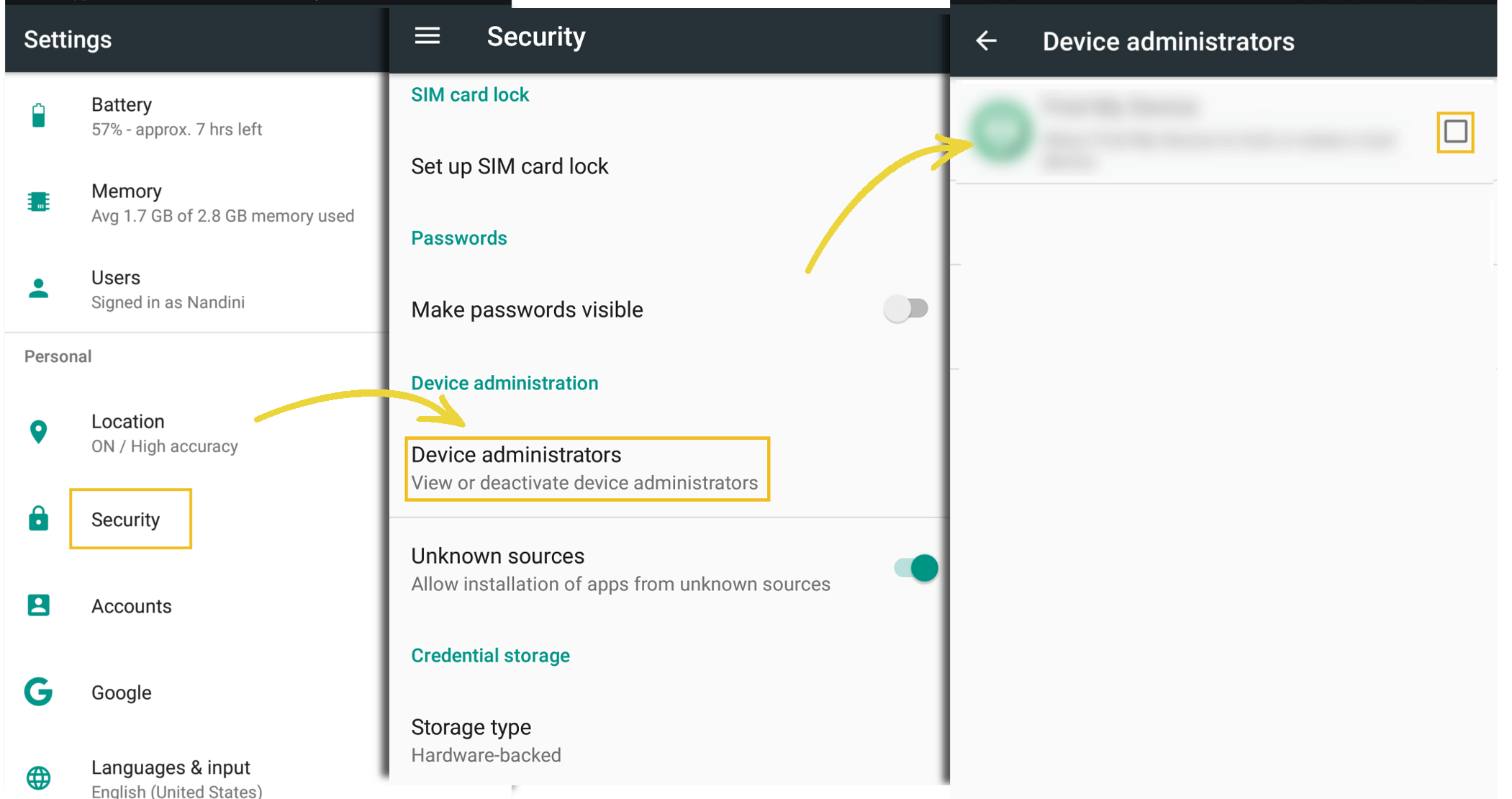
Once done, now you can go to Applications settings in System settings and uninstall the application.