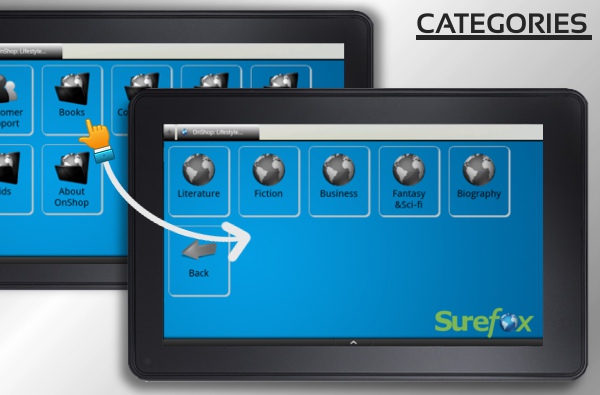
Create Categories in SureFox
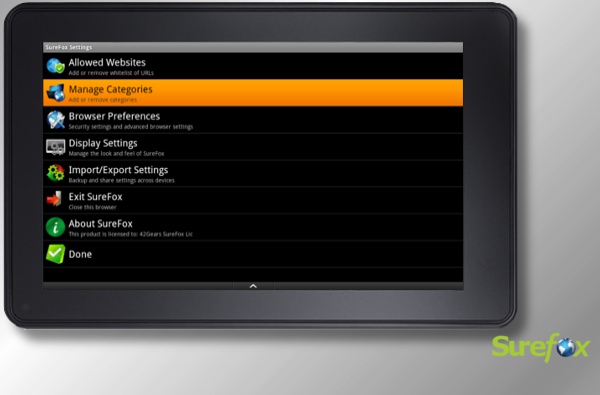
- Go to SureFox Settings
- Tap on "Manage Categories"
- Tap on "Add" to create a new category
- Tap on any existing category to Rename or Delete it.
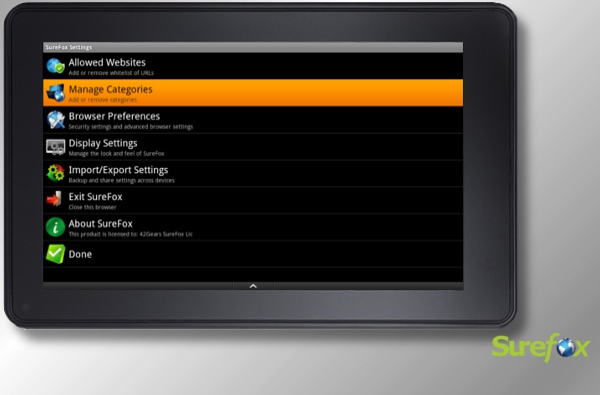
Add allowed websites to Categories
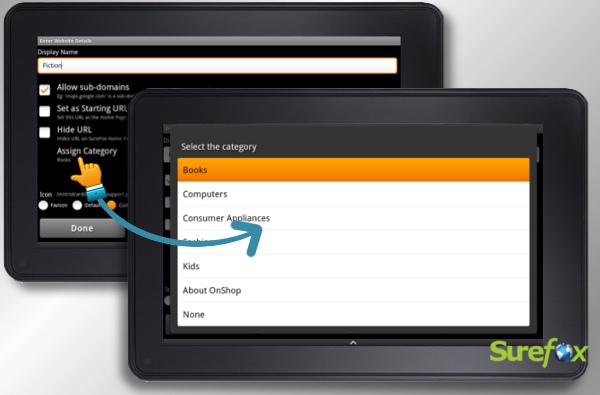 Assign Categories for allowed websites in SureFox[/caption]
- Tap on "Allowed website" in SureFox settings
- Tap on the allowed website to which you want to assign a category
- Tap on "Assign Category" to open the list of categories(Shown in figure above)
- Select the category of your choice.
- That's it. The selected website will be visible within the category you selected
Note: When a category is deleted, all the websites within that category will be brought back to SureFox homepage.
Author: Panshul Srivastava
42Gears Mobility Systems
To learn more on how to secure and manage Android and Windows Mobile/CE devices efficiently, visit us at www.42gears.com