Managing and controlling applications on corporate mobile devices

By 42Gears Team

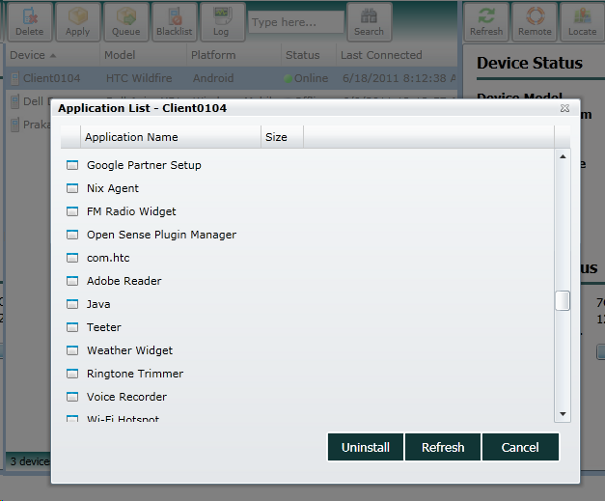
SureMDM now has a brand new feature that provides a view into what all applications are installed on the phone. Go to the SureMDM web console, select the phone and click the Apps button the toolbar. Whats more, you also uninstall any unneccesary applicaitons right from the web console even if the actual mobile device is out in the field.

List of installed applications on the phone

List of installed applications on the phone

Application protection, application locking, software inventory reporting etc will be added in the next release.

Use SureMDM and take control of your corporate mobile phones. You can learn more about SureMDM at http://live-42gears-site.pantheonsite.io.

“Written with expertise and passion to help you understand the topic better.”

4
42Gears Team – Content Author
Published on June 18, 2011

Subscribe to our newsletter

Stay updated with the latest news, articles, and resources on enterprise mobility.

Weekly articles
Actionable insights delivered once a week. No noise.
No spam
Your privacy matters. Unsubscribe anytime.