| Applies to: | |
| Product | SureVideo |
| Platform | Android |
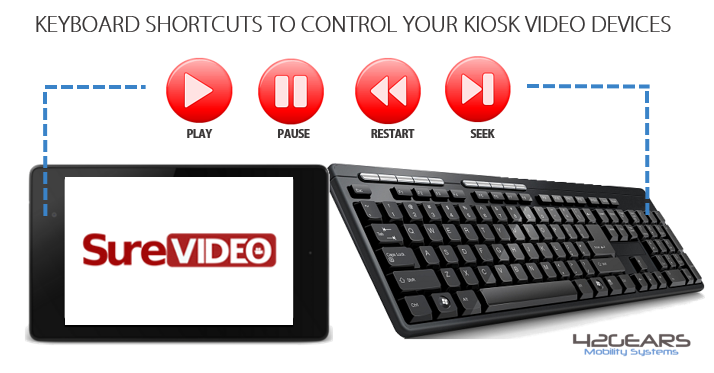
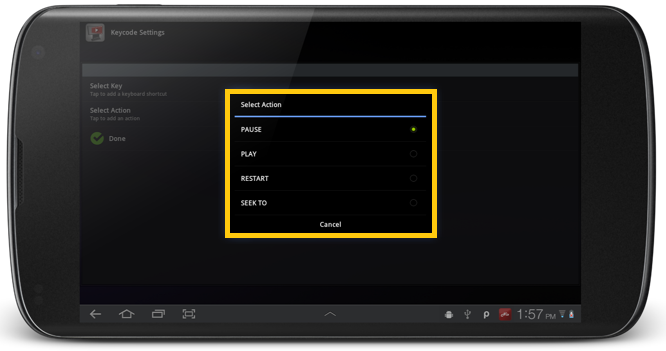
With this new feature - Custom Media Control Setting, you can configure your keyboard keys with media controls like:
- Pause
- Play
- Restart
- Seek
SureVideo Settings by tapping 5 times anywhere on the screen within 3
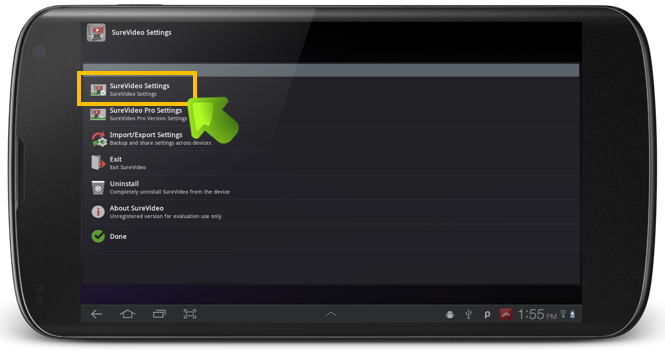
SureVideo Settings screen, tap on SureVideo Settings
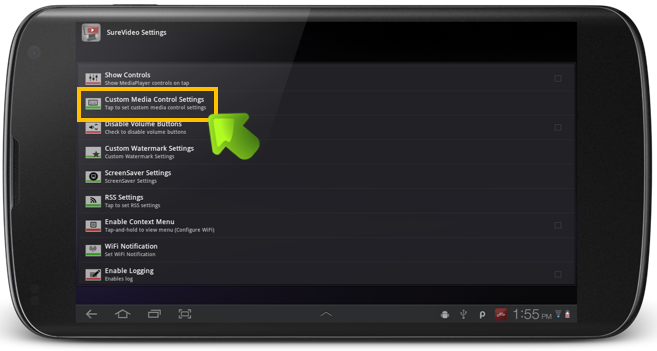
SureVideo Settings, tap on Custom Media Control Settings
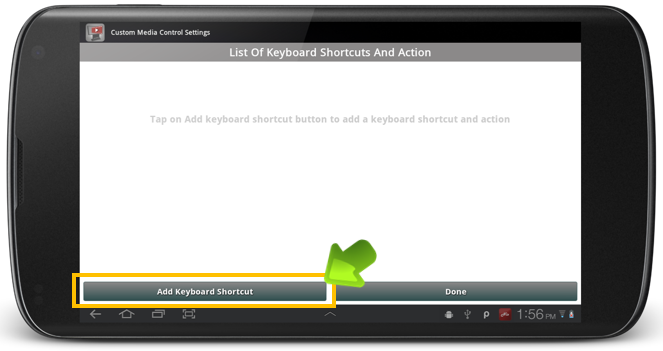
Custom Media Control Settings screen, tap on Add Keyboard Shortcut
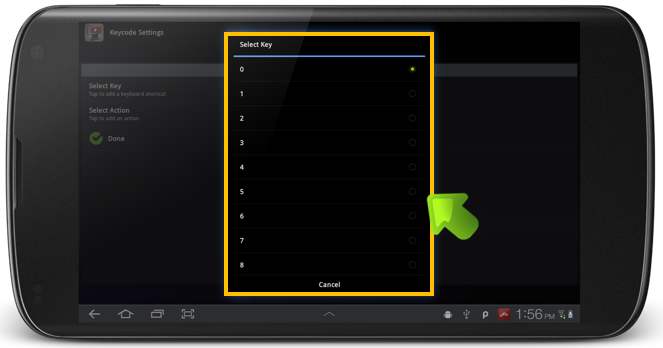
Key Settings screen, tap on Select Key to launch Select Key
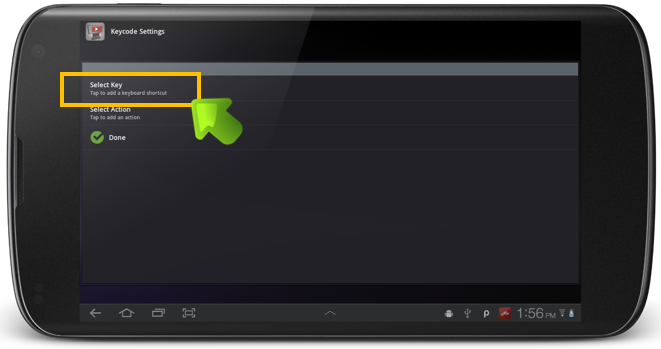
Select Key
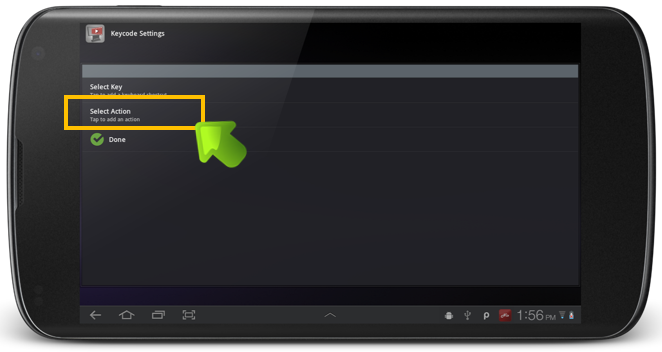
Select Action to launch Select Action
Select Action
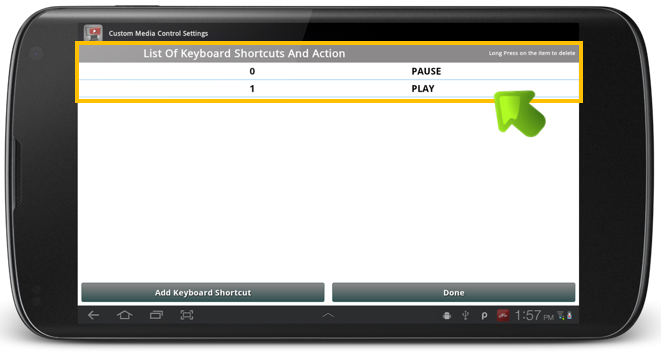
Custom Media Control Settings screen will now show all the configured Keyboard Shortcuts
To know more, visit https://www.42gears.com/surevideo/