
Apple’s Device Enrollment Program (DEP) has been designed to help enterprises quickly enroll, configure and deploy iOS and OS X (Mac OS) devices.
Follow the steps below to enroll Apple devices into SureMDM using Apple DEP:
1. Login to https://deploy.apple.com
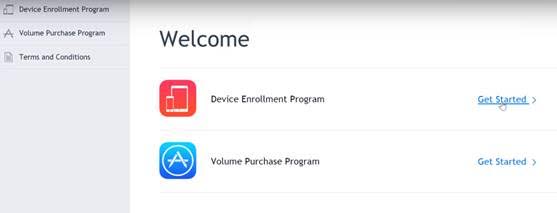
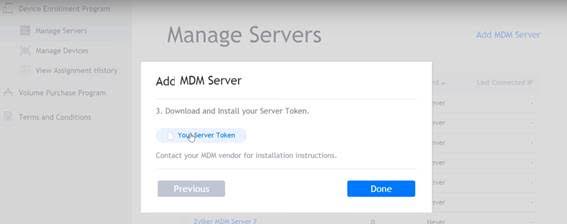
2. Go to Manage Server > Add a new MDM Server with name 42Gears SureMDM
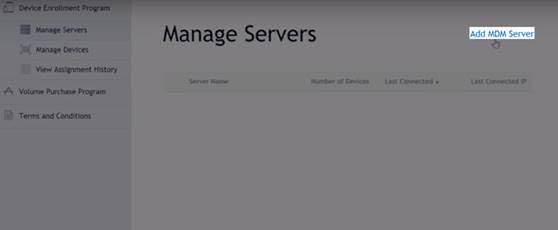
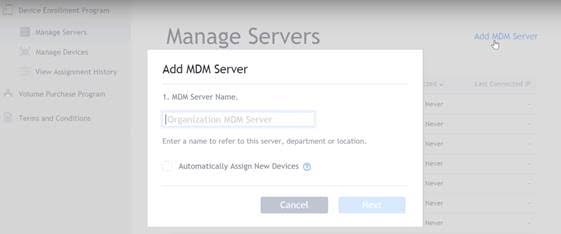
3. On a prompt to select a public key, browse and select the public.pem. This file can be downloaded from SureMDM Web Console > Account Settings > DEP tab.
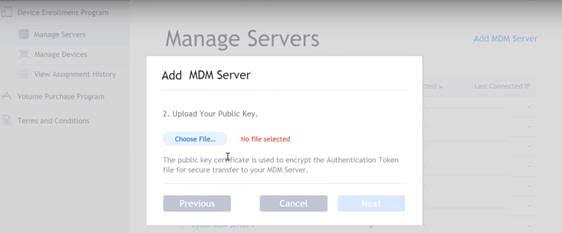
4. It will then give an option to Download a server token. Download and upload it at the same place (SureMDM Web Console > Account Settings > DEP tab)
Once done, do make sure that all your devices listed in Apple portal are assigned the MDM server created in Step 2.
To get further assistance on DEP enrollment and related technical queries, please contact 42Gears Technical Support.