| Applies to: | |
| Product | SureVideo |
| Platform | Android |
When your are playing videos in your kiosk directly from a URL, there are chances that you may face problems like:
1. No video playback when kiosk not connected to Internet
2. Patchy streaming and disrupted video playback
3. High Internet bandwidth consumption
With SureVideo's new option to cache URL videos, your video requires to stream only once and is cached for subsequent playbacks. Thus minimum Internet bandwidth consumption, no disrupted playback and no worries even if the kiosk device goes offline.
Here is how you enable URL video caching in SureVideo:
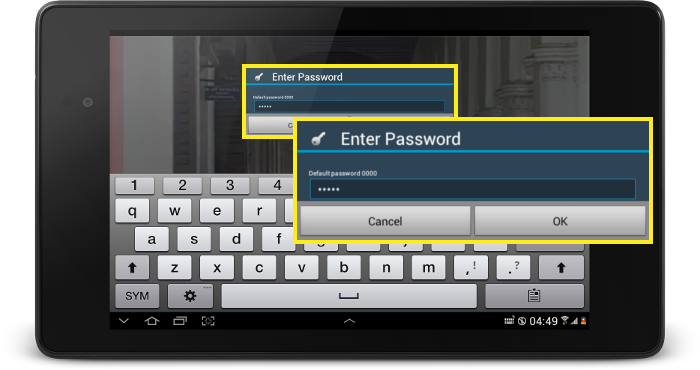
1. Tap on SureVideo screen 5 times within 3 seconds
2. On password prompt, enter password and tap on OK

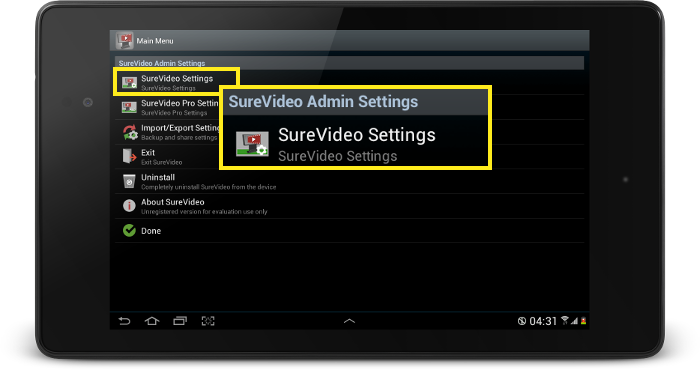
3. On SureVideo Settings Main Menu, tap on SureVideo Settings
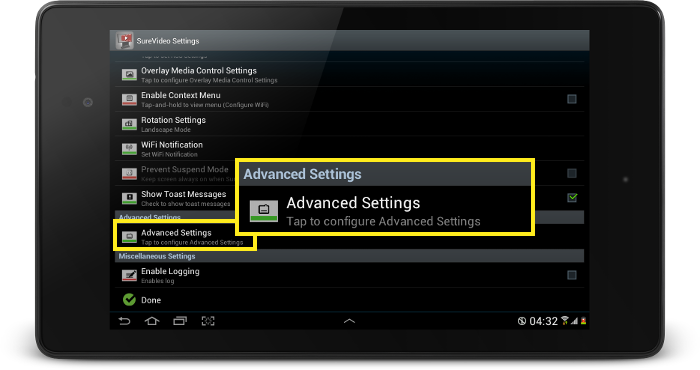
4. On SureVideo Settings screen, tap on Advanced Settings
5. On Advance Settings screen, tap and enable Enable Caching option
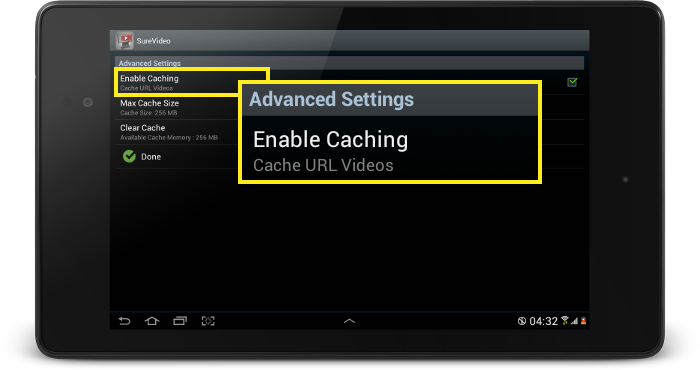
Now, SureVideo will start caching the URL video. You can set a maximum size for SureVideo to cache using Max Cache Size option.
To read more about SureVideo, click here
To download SureVideo trial version, click here
For any further question, write to us on info@42gears.com