Feature Roundup: Android – February 2026
Feb 04, 2026 | Nareddy Saivikas Reddy
Last Updated: Apr 01, 2026
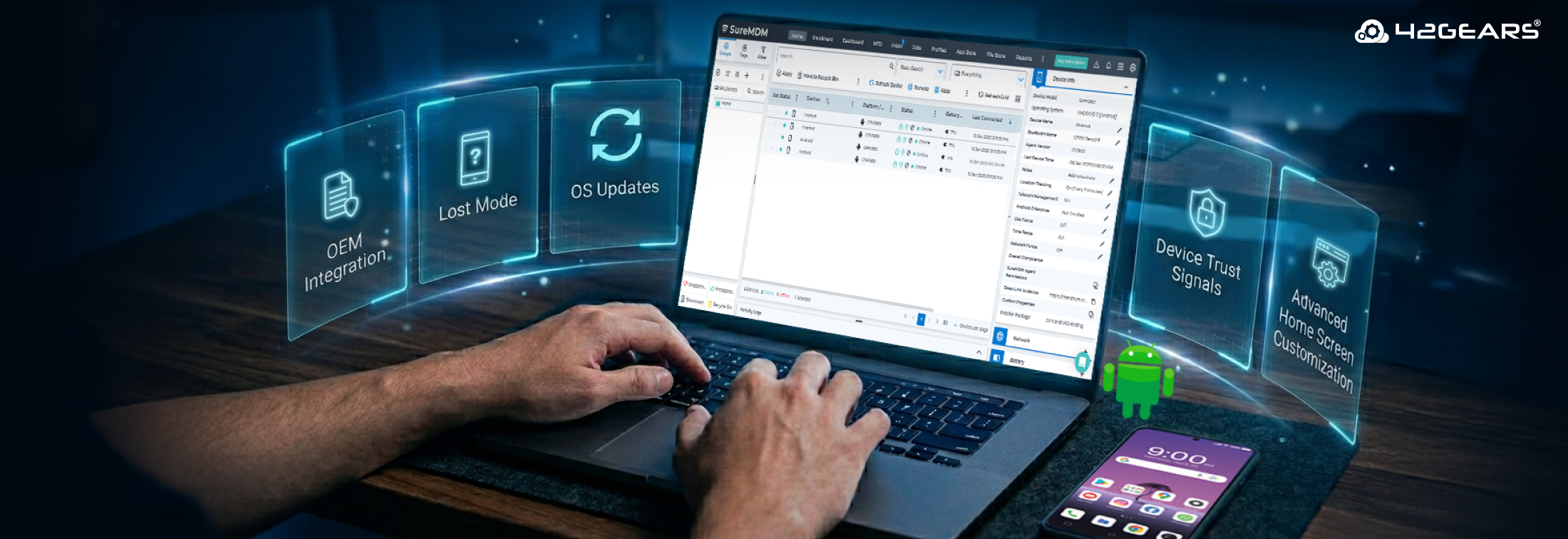
Android device management isn’t just evolving—it’s accelerating. As organizations scale their device fleets and face increasingly complex security, compliance, and operational demands, IT teams need smarter controls, deeper visibility, and stronger automation than ever before.
From advanced Mobile Threat Defense integrations and intelligent policy automation to next-generation remote support and OEM-specific enhancements, our latest Android MDM features are built to give IT teams greater precision, stronger security posture, and streamlined operations at scale. Whether you're managing frontline devices, shared deployments, or mission-critical endpoints, these latest Android MDM features empower you to respond faster, enforce policies more effectively, and deliver a seamless user experience.
Here’s a complete roundup of the latest SureMDM Android features—designed to strengthen security, simplify management, and future-proof your enterprise mobility strategy.
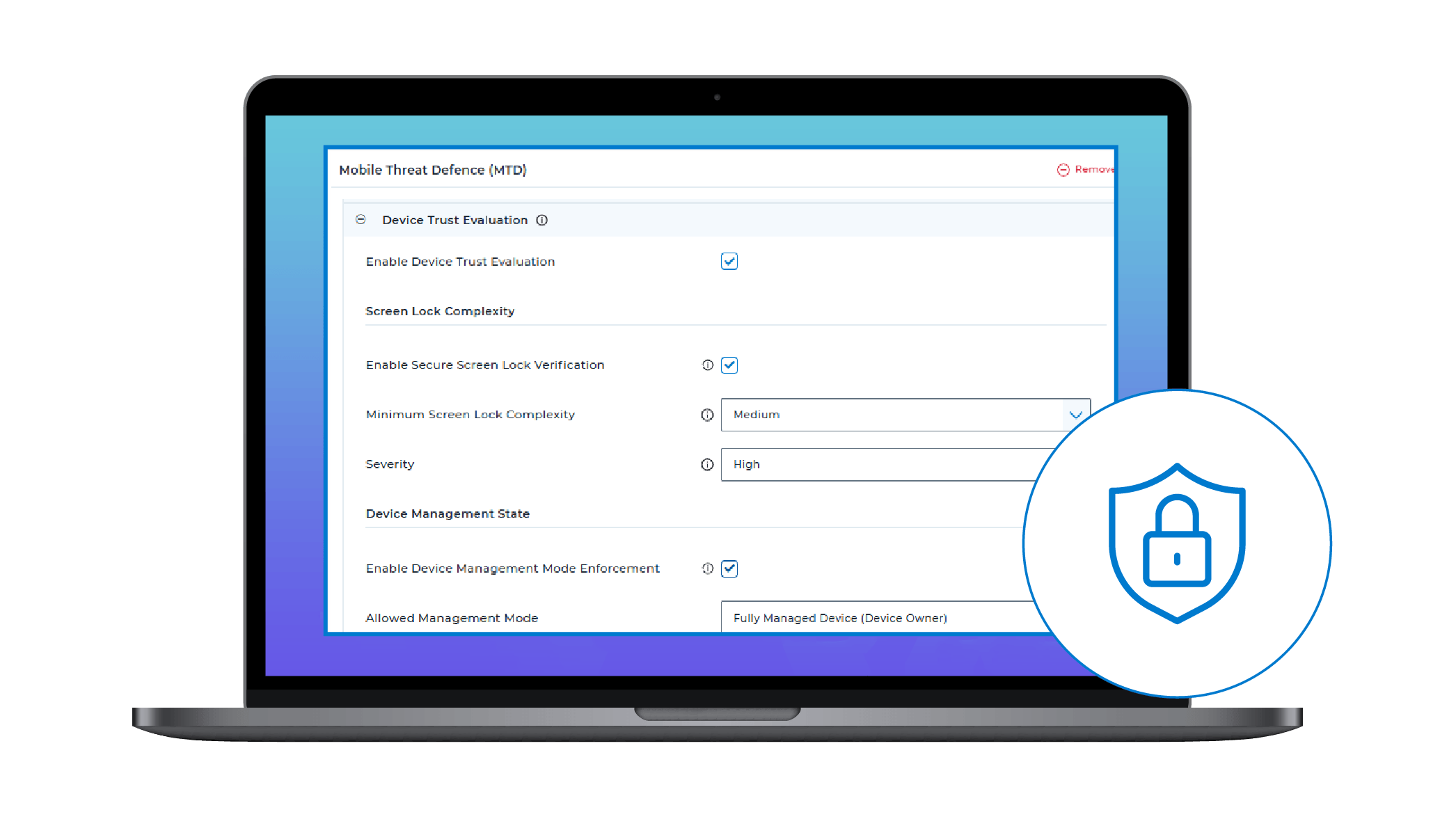
- Device Trust Signals with SureDefense: SureMDM Mobile Threat Defense (MTD), got stronger with Device Trust Signals. By integrating directly with SureDefense (Mobile Threat Defense agent), admins gain deeper visibility into device risk indicators, anomalous behavior patterns, and application-level threats.
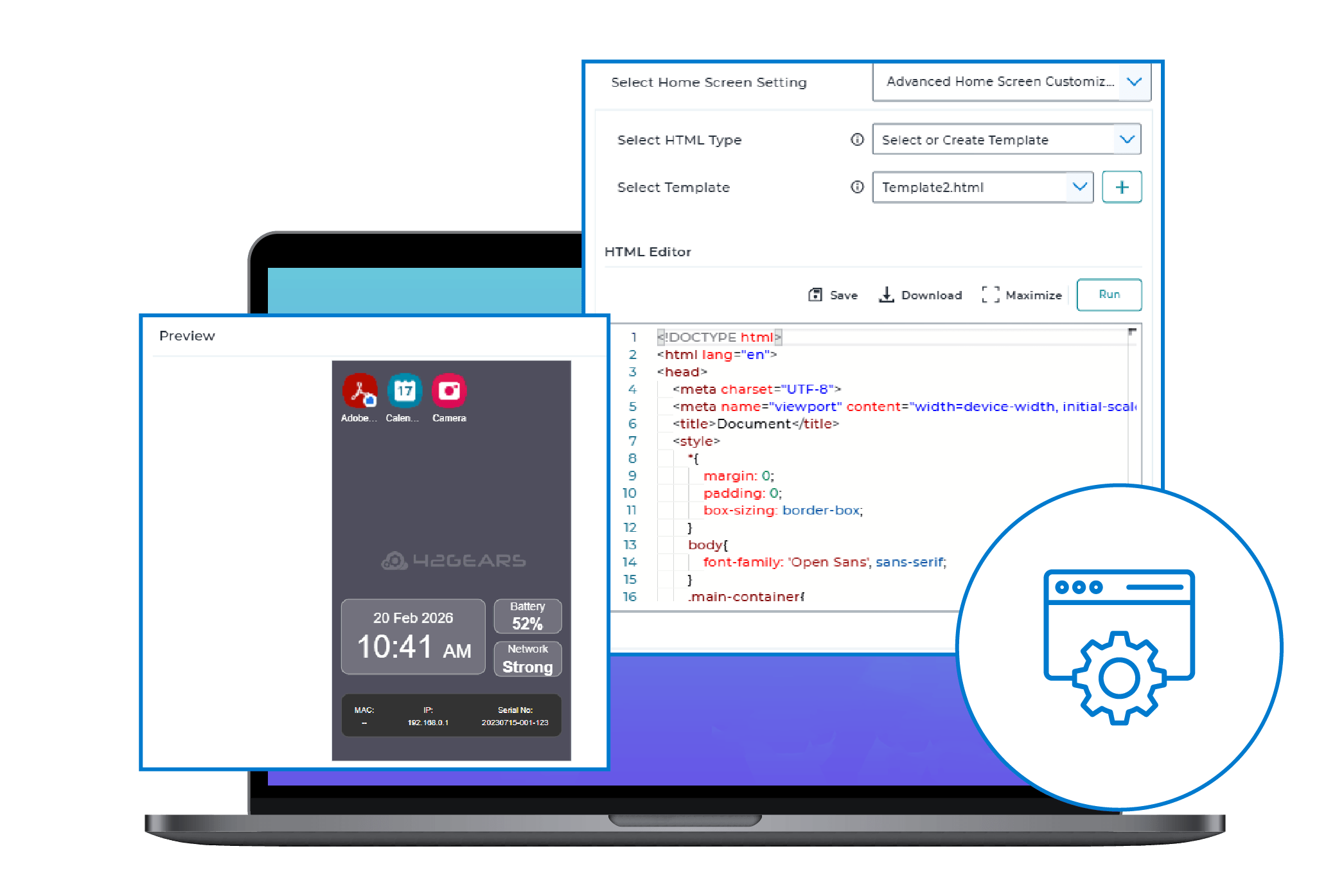
- SureLock Advanced Home Screen Customization: Thinking of a more flexible and polished device home screen? The SureLock Job now features an advanced editor for home screen design. Admins can use pre-defined templates, direct HTML editing, or external URLs, with a "Live Preview" feature to verify the UI before deployment.
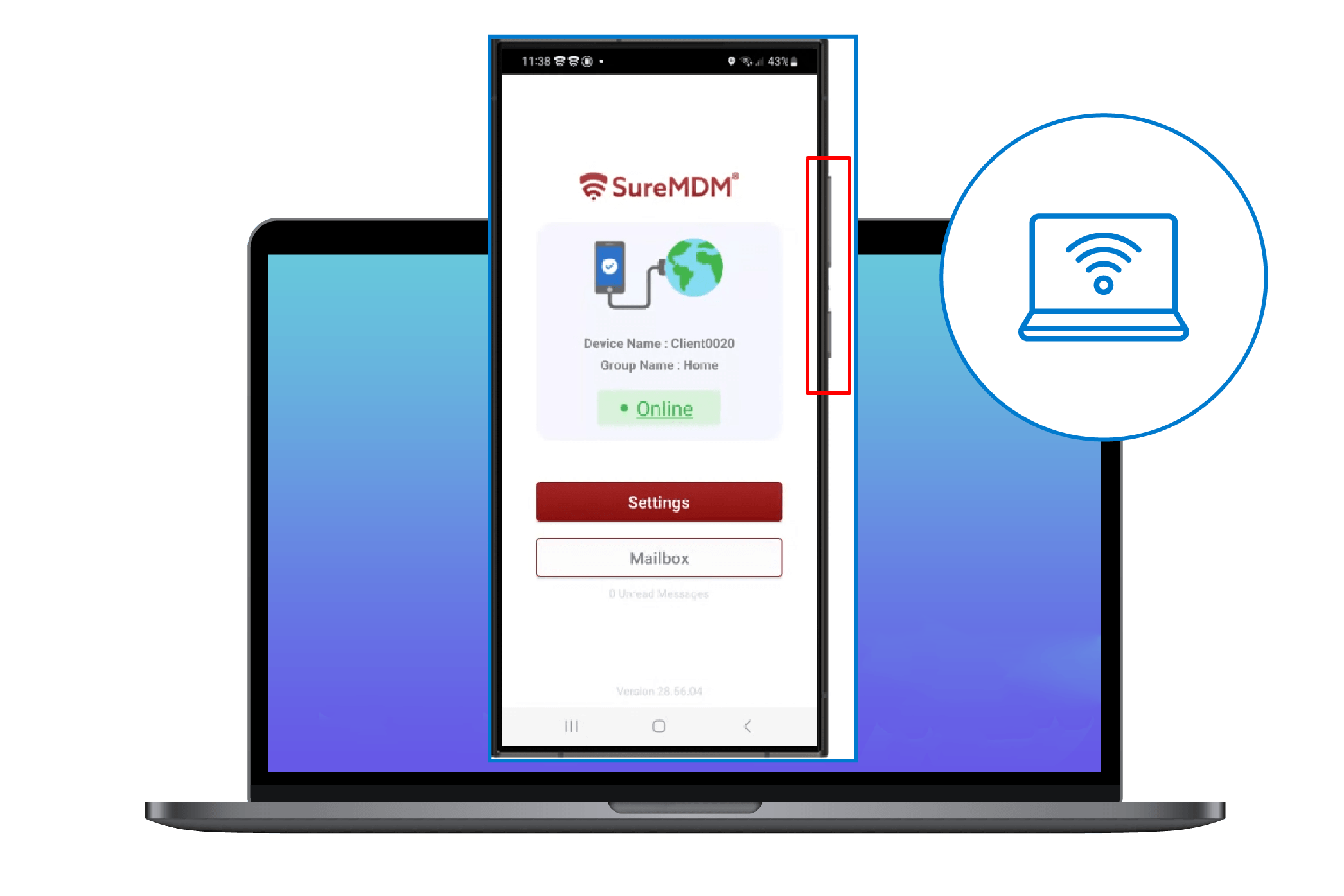
- Next-Gen Remote Control Enhancements: The Remote Control interface now features hardware-style Volume and Power buttons for a more intuitive experience. We’ve also added exact Samsung and Zebra device skins, making remote sessions feel more realistic and true to actual hardware.
- Smart Assignments: Automatically assign jobs or profiles to devices as soon as they meet predefined filter criteria, reducing manual effort and ensuring faster policy enforcement.
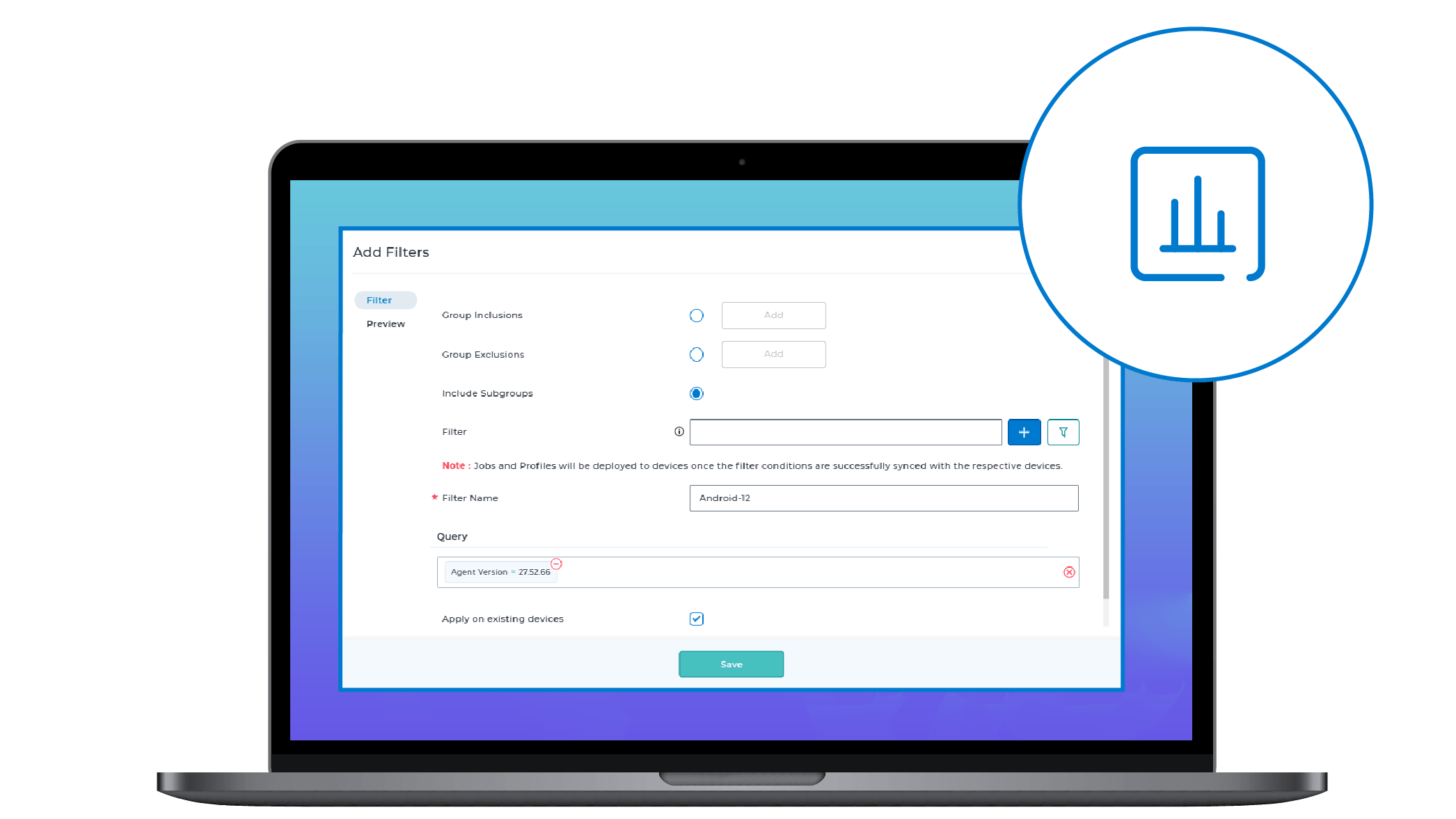
Deploy Jobs or Profiles using Advanced Query Filters, reducing manual efforts
- APN & MNC/MCC Configuration: Configure APN settings on DO-enrolled devices and use MNC/MCC values to trigger automated compliance rules for better network control.
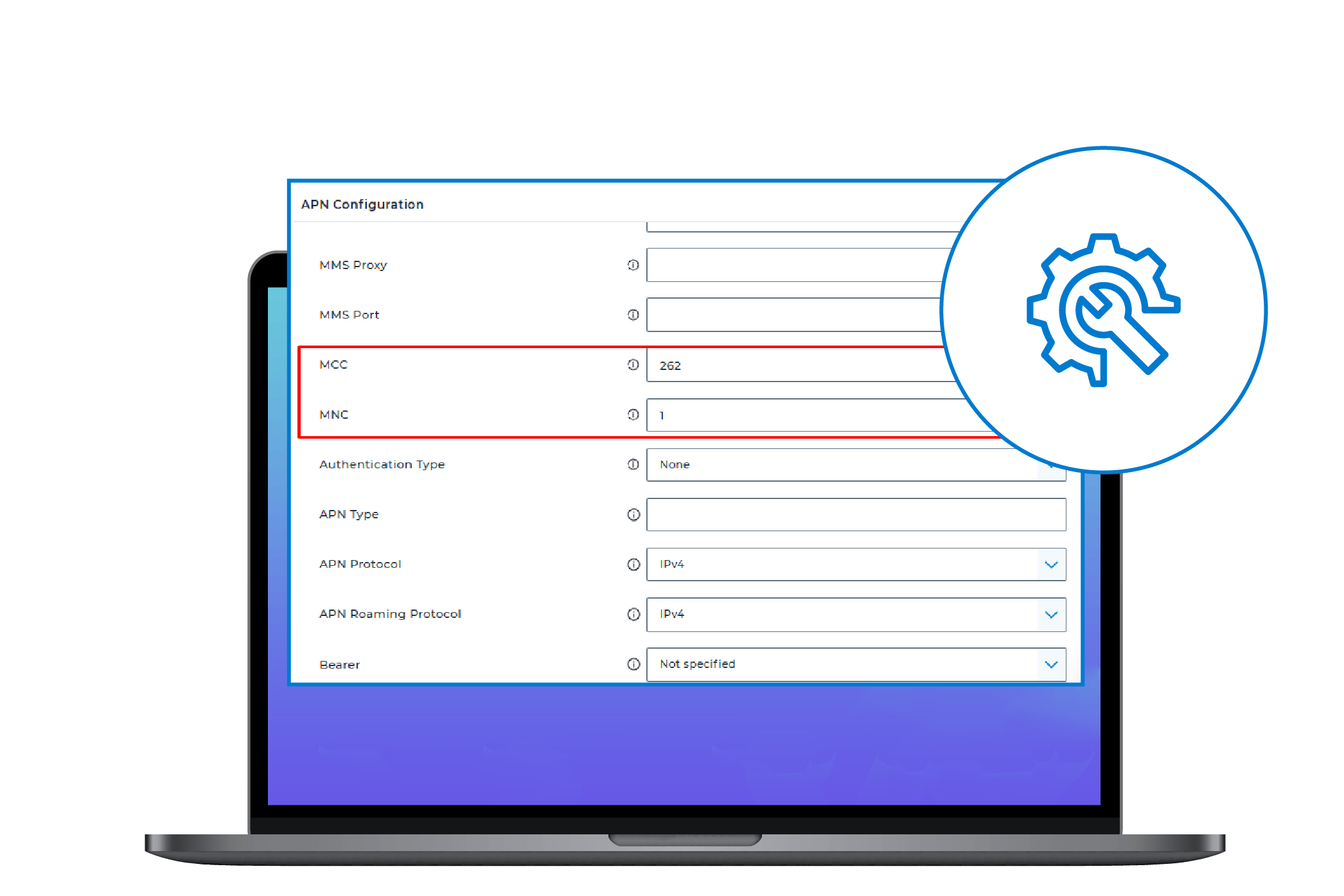
Configure APN settings and leverage MNC/MCC values to trigger automated compliance rules
- Point-Mobile OEM Integration: SureMDM now officially supports Point Mobile devices. Manage Point Mobile–specific settings via Android Profiles.
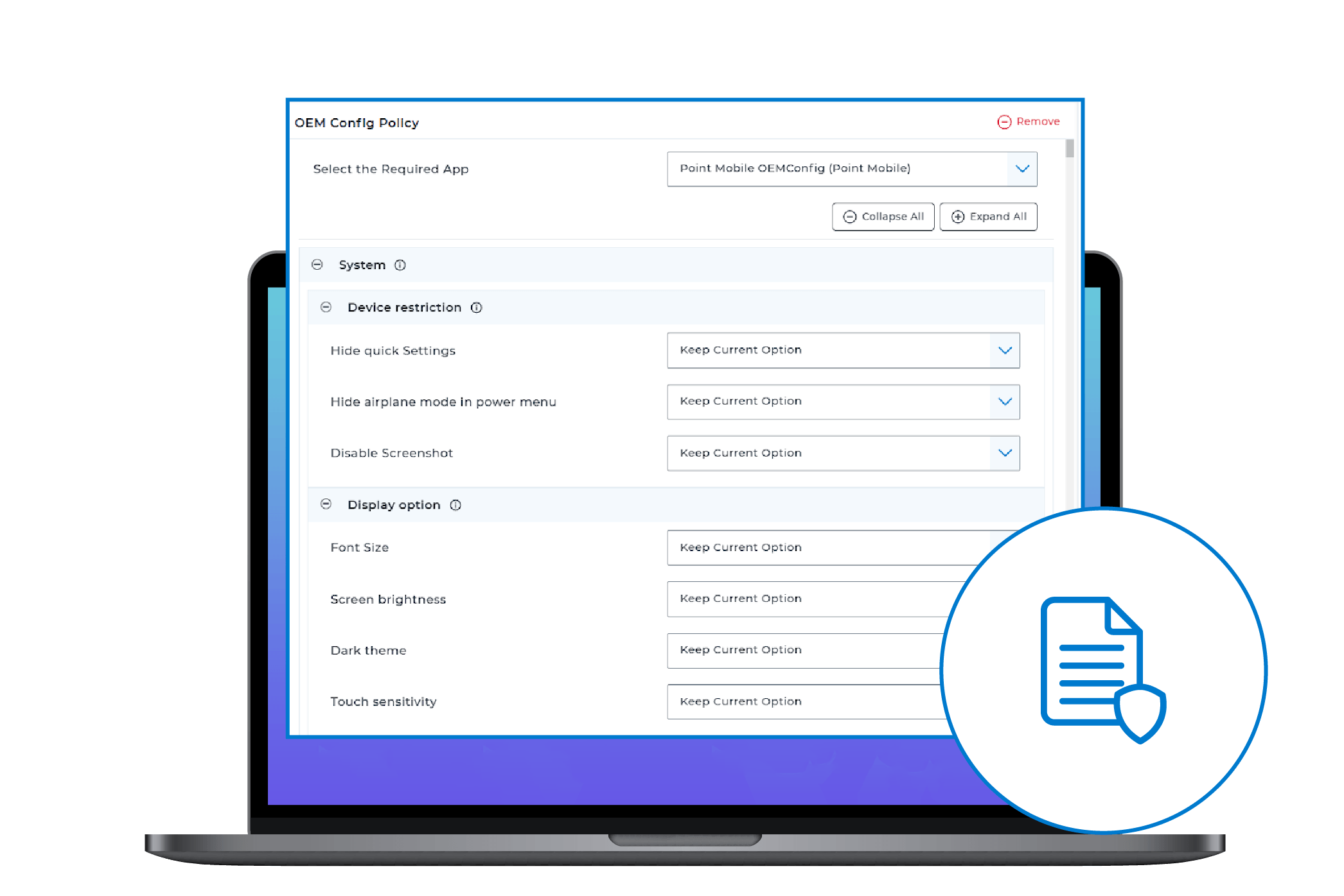
SureMDM now supports Point Mobile devices; manage Point Mobile device-specific settings
- Auto-Grant App Permissions: Admins can now enable Auto-Grant Permissions in Install Application jobs to automatically approve all required permissions during app installation.
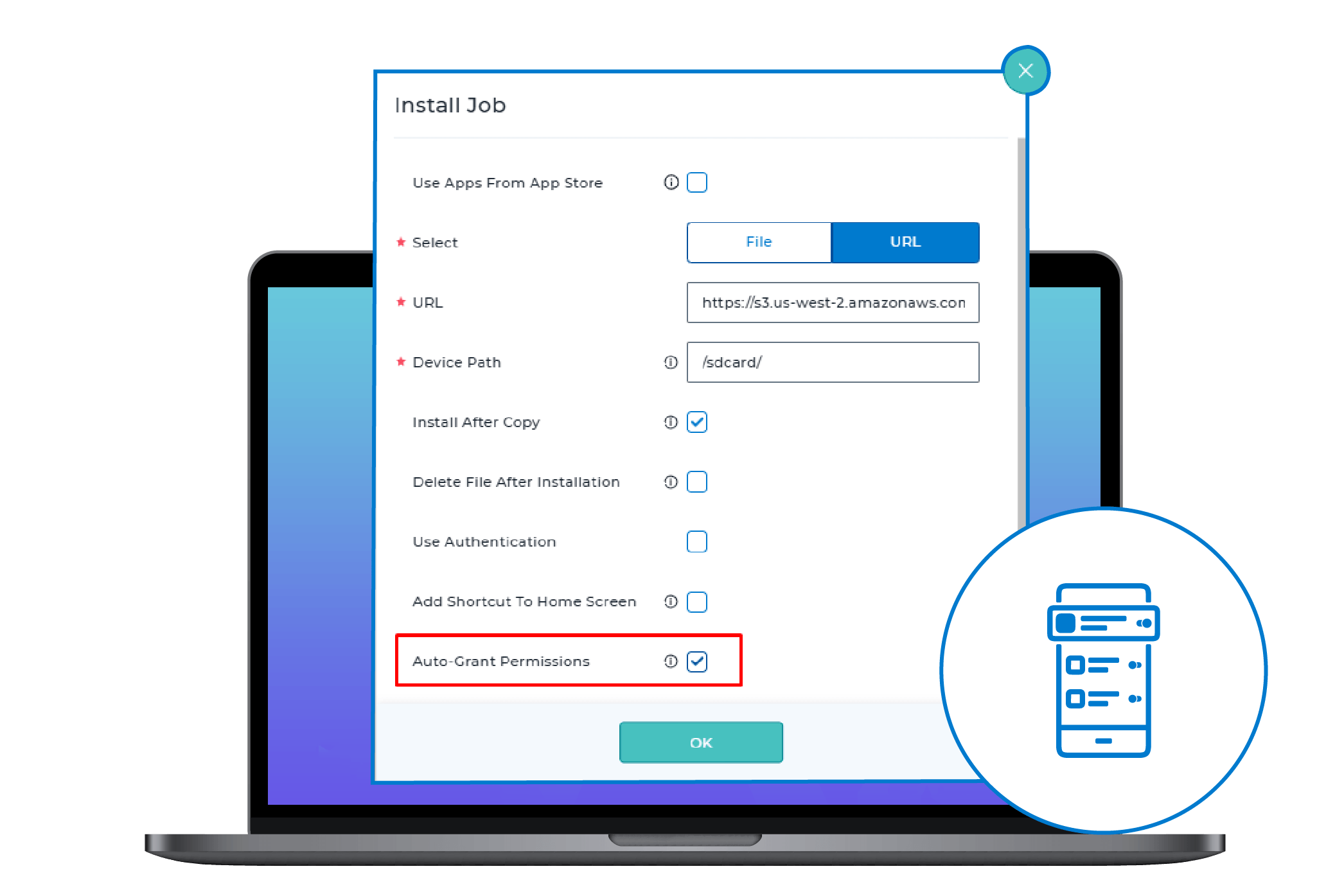
Automatically approve all required app permissions during installation
- Shared Device Mode with Microsoft 365 Conditional Access: Configure Shared Device Mode with Microsoft 365 Conditional Access directly through Android Application Policies, eliminating the need for manual scripts.
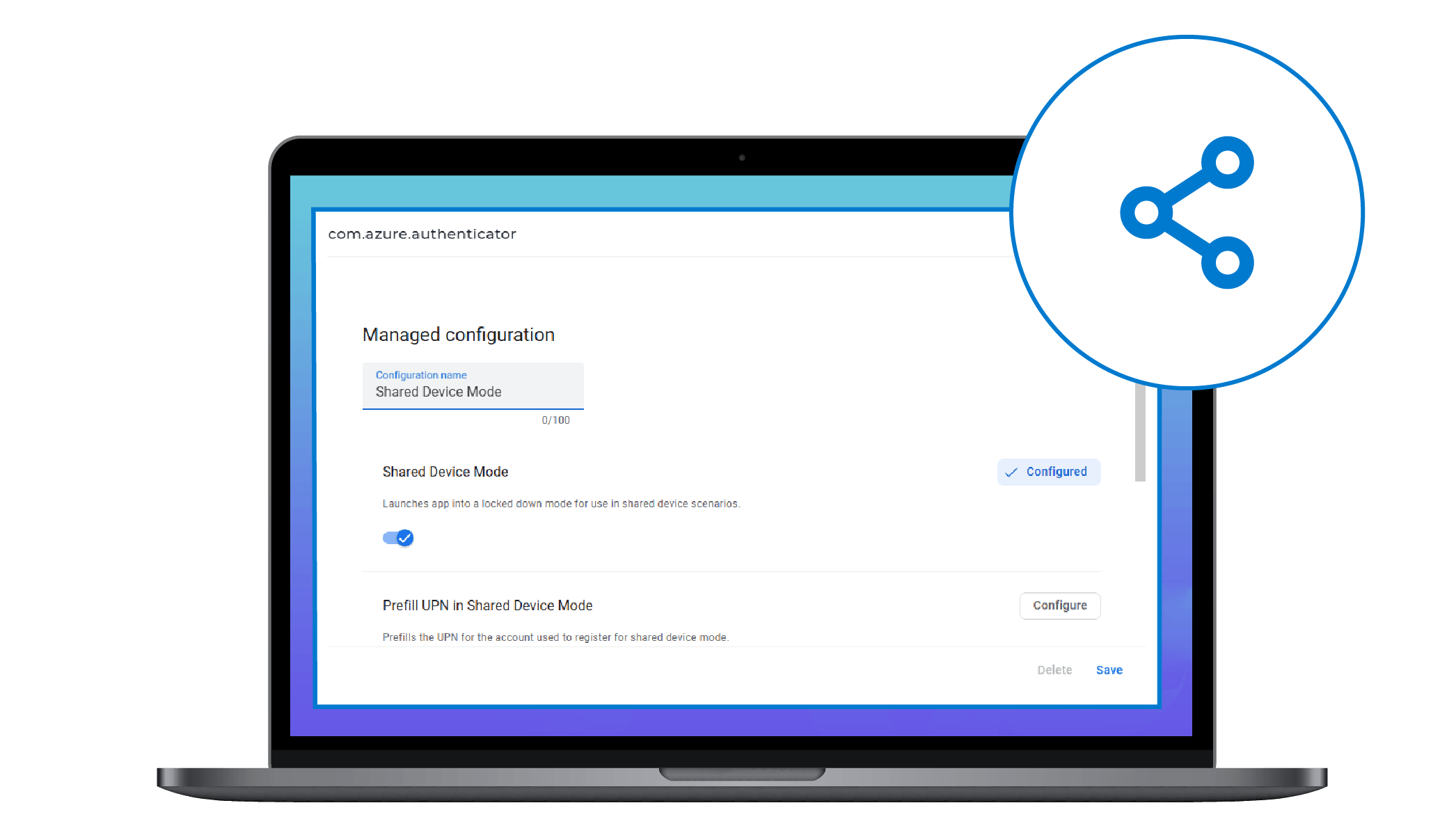
Conditional Access for Microsoft 365 Apps in Shared Device Mode
- Lost Mode Support: Protect lost or stolen devices by remotely locking them, tracking their location, and displaying a custom lock screen message with contact details.
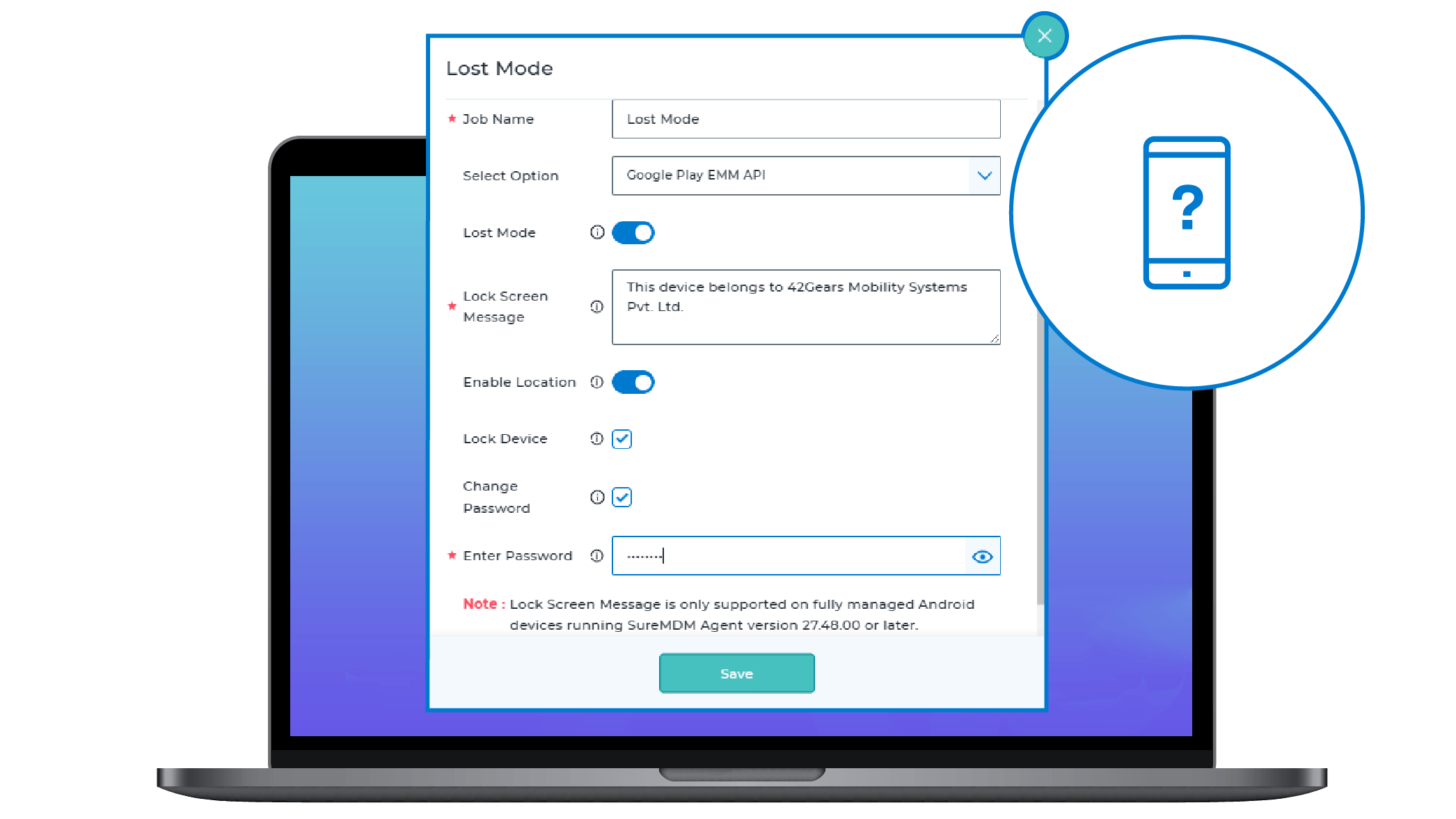
Remotely lock, locate, and display a contact message on lost or stolen devices
- OS Update Job Support: Remotely upgrade operating systems on Device Owner and WPCO devices using specific update files for controlled and secure Android OS updates.
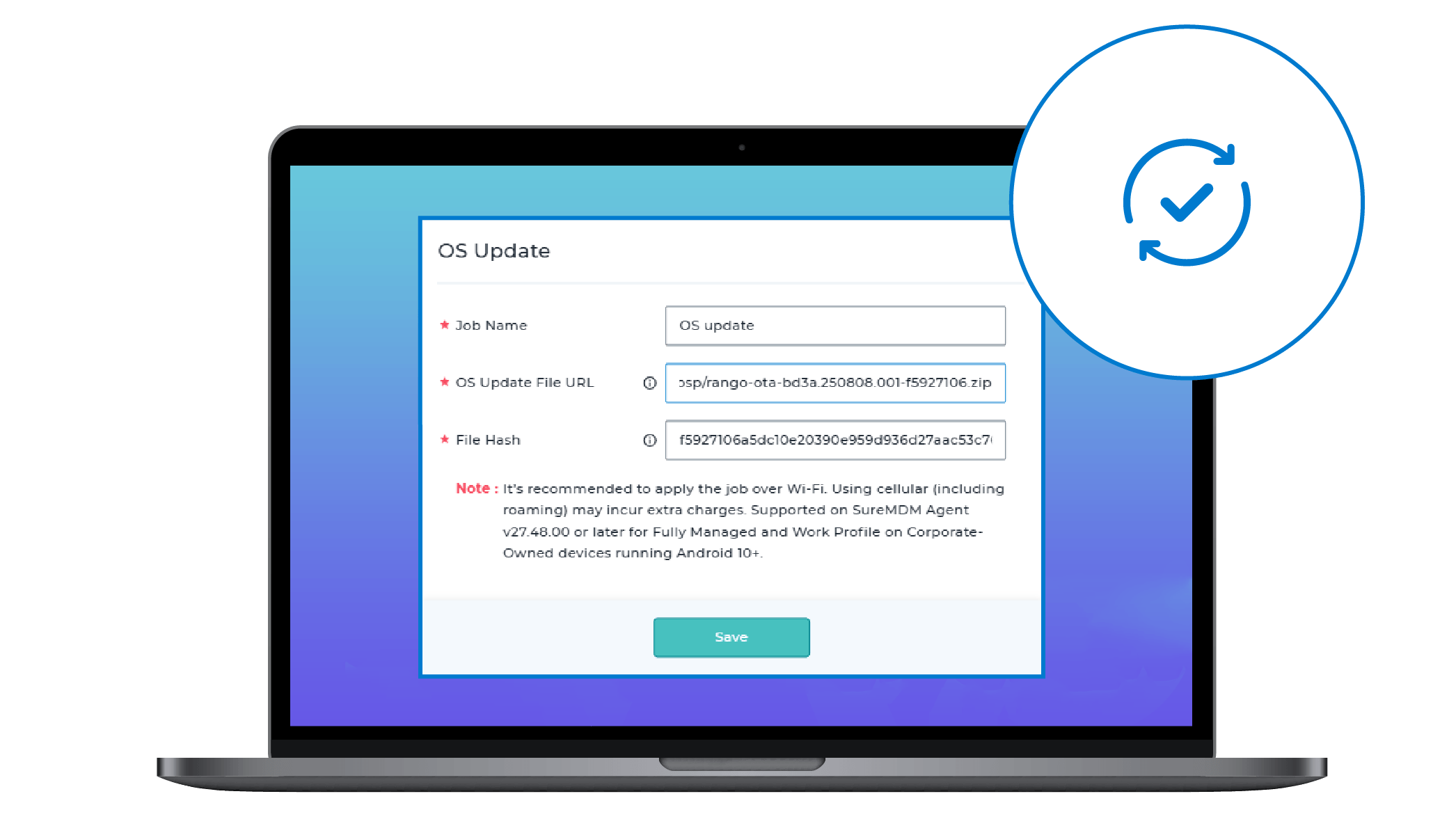
Simplify Android OS Updates Across Your Fleet
Enhancements to SureAccess
- VPN Policy: Blocklisted FQDN List: Admins can now explicitly block specific FQDNs within VPN policies to prevent access to restricted domains. Supported across Android, iOS, macOS, and Windows.
- Category-Based Web Filtering: Block web traffic by predefined categories like Social Networking or Online Ads for easier access control across platforms. Requires VPN policy deployment for traffic inspection.
- Enhanced “All Devices” Visibility in SureAccess: The All Devices view now lives in a dedicated Device List tab with new columns such as Serial Number, Connection Duration, and Assigned VPN IP for better auditing.
- Advanced Authentication for SureAccess: Secure remote access using configurable authentication methods, including Password protection, OAuth, and integration with SureIdP.
- Expanded Infrastructure Support (Up to 5 BE Nodes): SureAccess now supports up to five backend nodes, enabling improved scalability, load balancing, and high availability for enterprise deployments.
Other Key Feature Enhancements
- Zimbra Support for MEM: Deploy and manage Zimbra email accounts on Android devices with enforced corporate security via MEM.
- JavaScript Engine: Deploy JavaScript commands on Android devices to automate various tasks.
- AppStore Launch Authentication: Require user authentication before accessing the AppStore for added device security.
- MAC Address Visibility: View MAC address type and randomized Wi-Fi MAC details directly in Device Info.
- Remote Bluetooth Pairing: Initiate Bluetooth pairing remotely on platform-signed devices using run scripts.
- Application Management Enhancement: Manage multiple app versions, assign from App Store, and track deployment status in real time.
- Application Permission Job Enhancement: Enforce app-specific permissions and restrictions across devices for consistent compliance.
- PAC URL Support for Wi-Fi: Configure PAC URLs in Wi-Fi profiles and jobs for advanced proxy management.
- Device Skin Temperature Monitoring: Monitor CPU, GPU, and skin temperatures with reports and compliance triggers.
- Sectigo Certificate Integration: Fetch, renew, and revoke Wi-Fi certificates remotely via the Sectigo portal.
- SureMDM Agent Theme Customization: Switch to a Blue Theme for improved accessibility and visual clarity.
- File Download Visibility: Display real-time file and APK download progress on device notifications.
- Shared Device Mode Enhancements: Customize shared login screens and enable OKTA SSO authentication.
- DNS & Network Visibility: View DNS values and active network types directly in the device grid.
- Abort In-Progress Jobs: Instantly cancel all active jobs and profiles using the AbortAllJobs run script.
- WPA3-Personal Support: Enable WPA3 security for Wi-Fi profiles on Android 12+ devices.
- Application SSO with SureIdP: Use SureIdP for secure enrollment and single sign-on across applications.
- Enhanced SureKeyboard Customization: Customize keyboard languages, themes, layout, and gestures.
- Automatic OEM Agent Installation: Auto-install Zebra, Lenovo, or Chainway OEM agents after enrollment.
- Application Scope Delegation: Allow approved apps to manage system functions like certificates and logs.
- Enhanced Network Usage Visibility: View last Wi-Fi, Ethernet, and mobile data usage per device.
- Device Posture Policy: Block or remediate compromised devices during enrollment based on health checks.
- Admin Access Visibility Columns: Audit SureMDM and SureLock admin password protection at a glance.
- Control Data Saver: Remotely enable or disable Data Saver on platform-signed devices.
- Reset Network Settings: Reset mobile, Wi-Fi, or Bluetooth settings via run scripts on Android 12+.
- Remote Support Optimization: Faster loading and connection times for remote support sessions.
- Remote Language Management: Manage device languages remotely on platform-signed and KNOX devices.
- IPv6 Enable/Disable Support: Control IPv6 settings for Wi-Fi on Enterprise Agent devices.
- Mobile Data Toggle for Lenovo: Remotely enable or disable mobile data on Lenovo Android 15+ devices.
- Settings Access Protection: Temporarily block SureMDM Agent settings after repeated failed attempts.
- High-Accuracy Location Permission Support: Silently grant high-accuracy location permissions via a run script.
Final Thoughts
The latest Android MDM updates mark a significant step forward in our commitment to address enterprise mobility challenges. With the latest enhancements, IT teams are now better equipped to manage complex Android environments with precision and confidence.
Got feedback or need help getting started with any of these features? Reach out to us—we’re here to support your Android device management journey.
Start your free trial and experience
smarter Android management today
Subscribe for our free newsletter

Exclusive News and Updates on Enterprise Mobility!