Simplify App Installation and File Transfer with Smart Scripting
Ene 13, 2026 | Nareddy Saivikas Reddy
Are you an IT admin who regularly pushes apps, updates, and content to devices?
If so, you’ve probably realized that real-world deployments involve more than clicking “install”—they often require tasks that happen before and after the actual installation. Maybe you want to stop a running service before the install begins, import the app custom configuration during app installation, or clean up residual files during uninstallation.
These kinds of actions demand extra manual efforts from IT admins and are often critical for a smooth user experience and improved device performance. That’s where “Pre and Post Script” comes into play.
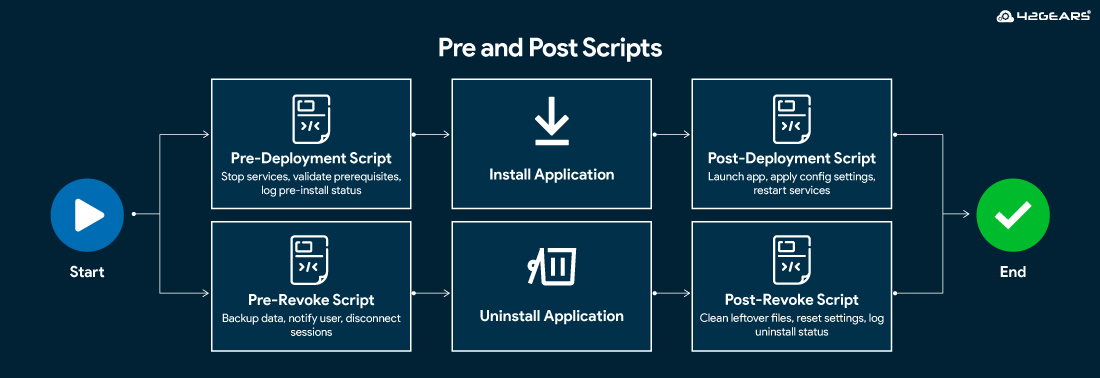
To make the installation process easier and more flexible, the “Pre and Post Script” feature in App Installation and File Transfer Job allows you to attach custom scripts to your package—scripts that run before or after installation or uninstallation. Whether you're prepping a device, finishing configuration, or ensuring a clean uninstall, these scripts can automate it all.
Different Scripts and Their Uses
| Script Type | Execution | Use cases |
| Pre-Deployment Script | Before the package contents are installed | Stop services, validate prerequisites, and log pre-install status |
| Post-Deployment Script | After the package contents are installed | Launch app, apply config settings, restart services |
| Pre-Revoke Script | Before the package contents are uninstalled | Backup data, notify user, disconnect sessions |
| Post-Revoke Script | After the package contents are uninstalled | Clean leftover files, reset settings, log uninstall status |
How Scripts works with SureMDM
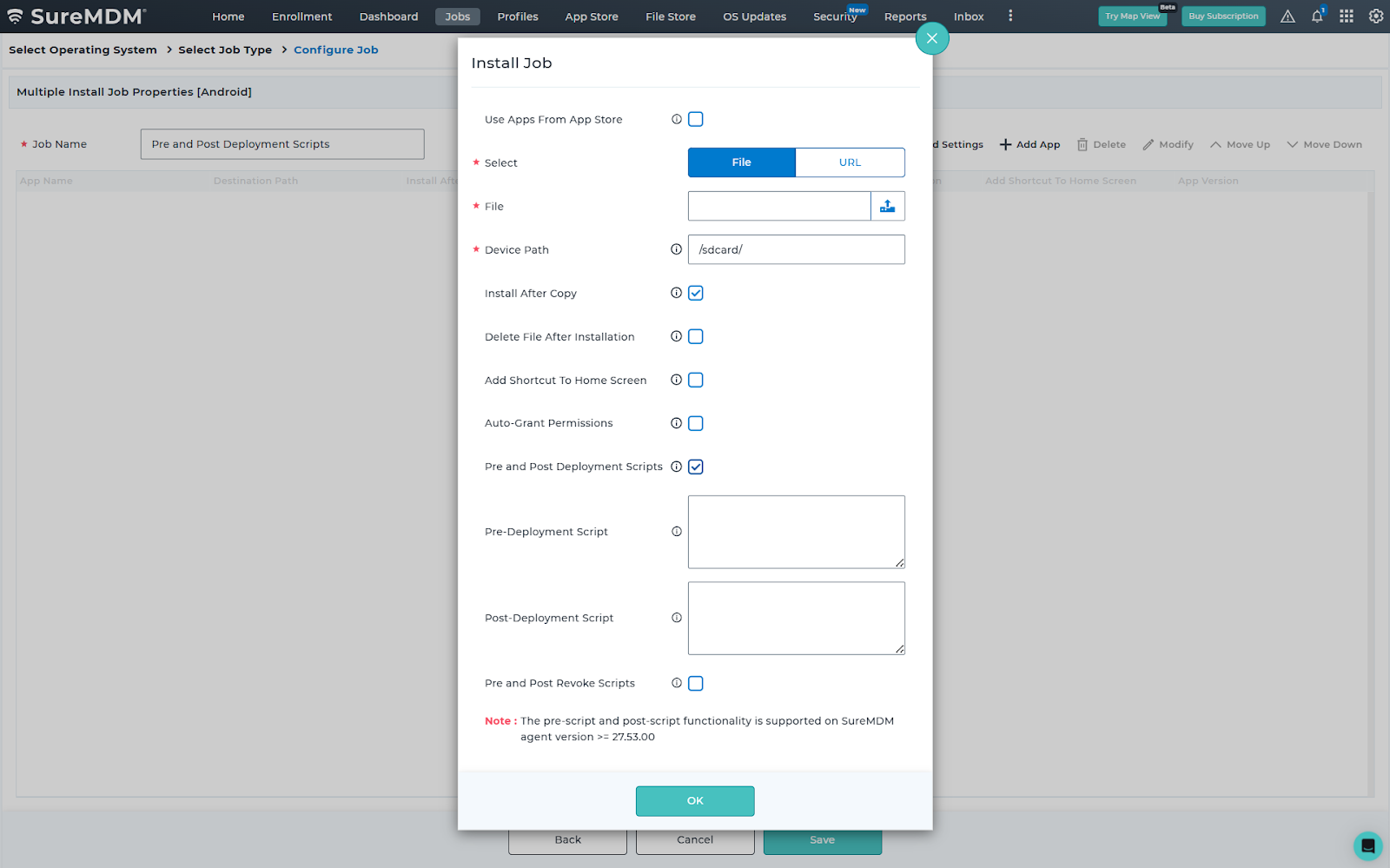
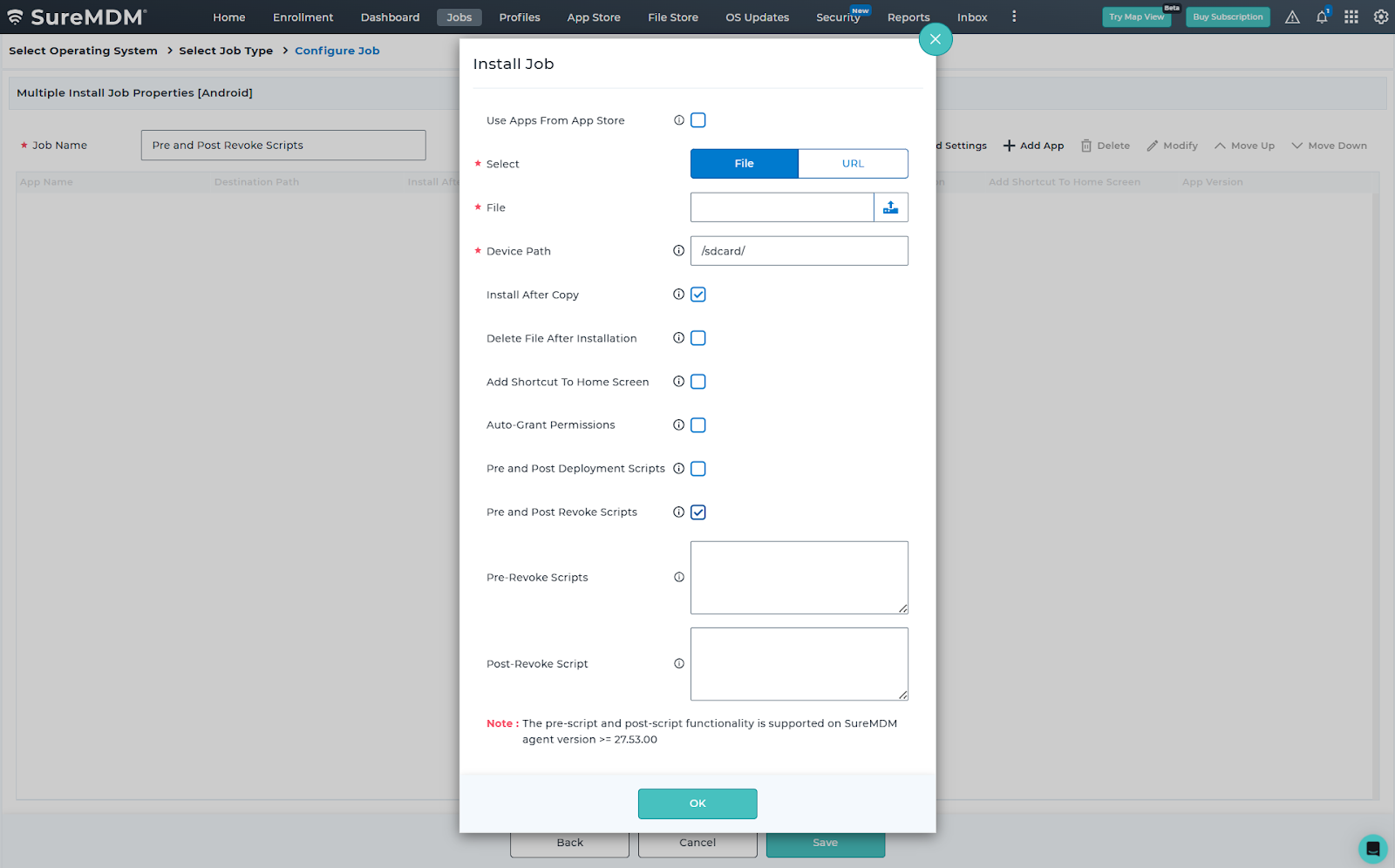
- On the SureMDM console, navigate to “Jobs”
- Click on “Install Application” or “File Transfer” Jobs
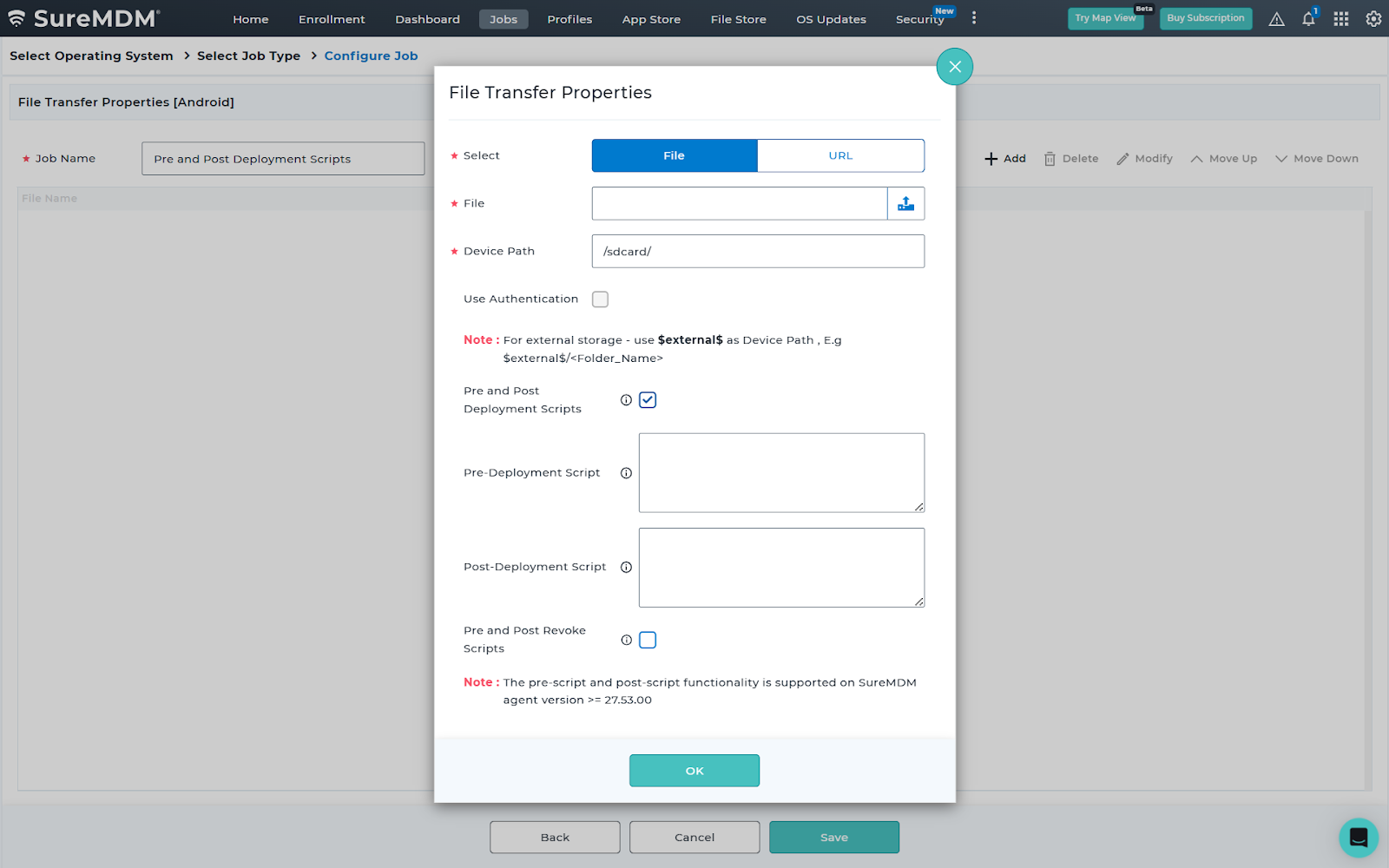
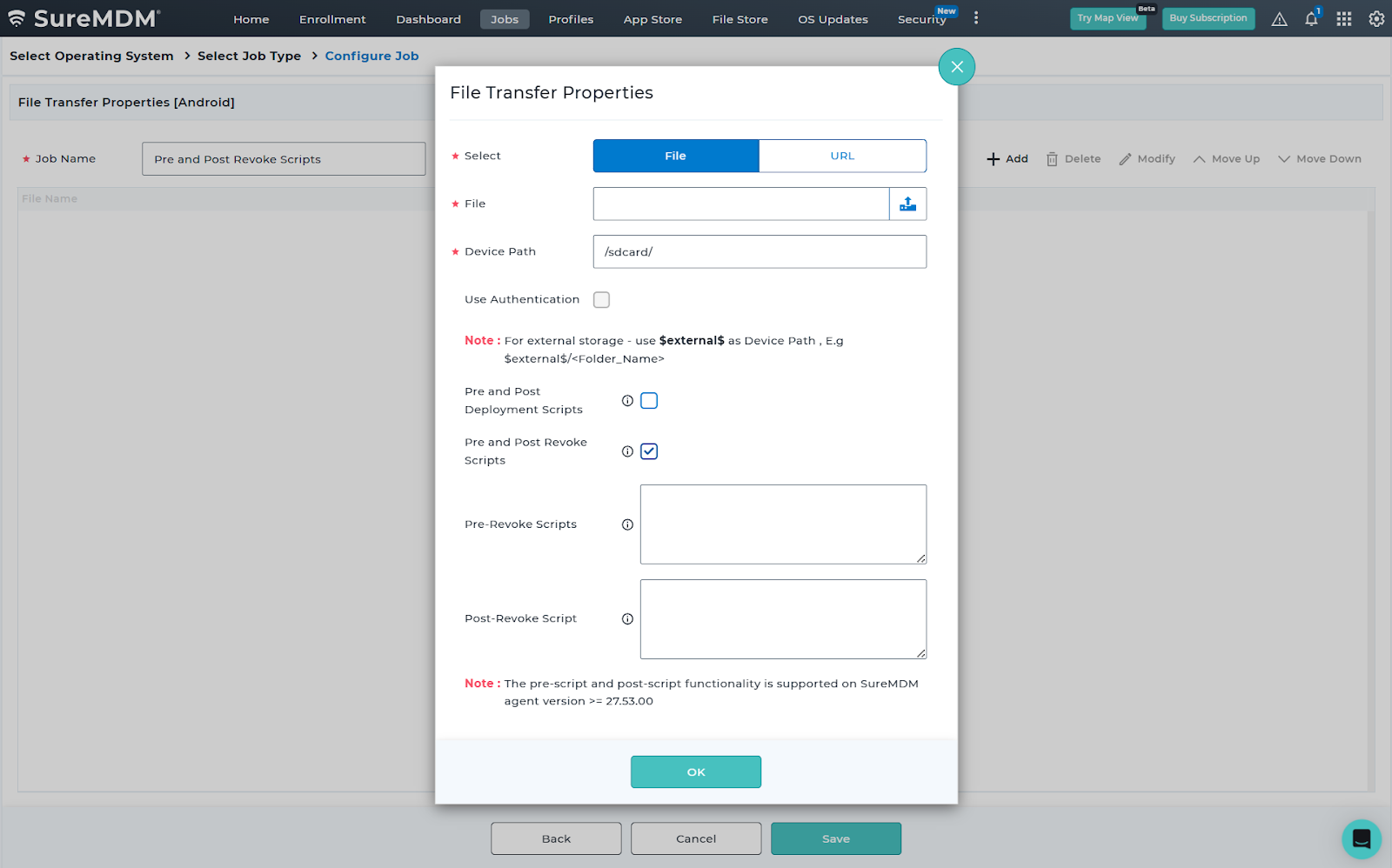
- Click on Pre and Post Deployment Script or Pre and Post Revoke Script
- Admins can enter the script and save
- Deploy the Job onto devices
Check out this article on How to install Apps on Android using the Pre and Post Deployment Scripts
This is how Pre and Post scripts look on your console:
Why Pre and Post Scripts Matter:
- Automation
Reduce manual steps by chaining tasks together—no more running commands manually.
- Consistency
Ensure every deployment follows a predictable, standardized workflow across all devices.
- Flexibility
Customize deployment and removal processes to meet your organization's unique operational or compliance needs.
- Time Savings
Accelerate deployment cycles by eliminating repetitive post-deployment tasks and reducing admin intervention.
- Reduced Errors
Automated scripts eliminate the risk of human mistakes that occur with repetitive manual tasks.
- Improved Compliance
Enforce organizational standards—such as security checks, configurations, or cleanup routines—every time a job runs.
- Scalable Operations
Whether deploying to 10 devices or 10,000, scripts help maintain uniform behavior at any scale.
Conclusion
Pre and Post-script feature allows IT admins to customize software deployment workflows. Enabling script execution at strategic points in the install/uninstall process gives IT teams better control, reduces manual intervention, and improves automation. If you're managing deployments at scale, taking advantage of this scripting capability can significantly enhance your provisioning process.
Start Automating Your App Deployments
and File Transfers Today
Subscribe for our free newsletter

Exclusive News and Updates on Enterprise Mobility!