Windows Update Management in 2026: Why Automated Patch Management Needs Governance
Ene 23, 2026 | Nareddy Saivikas Reddy
The IT world loves automation. But here's the uncomfortable truth: when it comes to Windows update management in 2026, automation without governance isn't progress; it's a risk waiting to materialize.
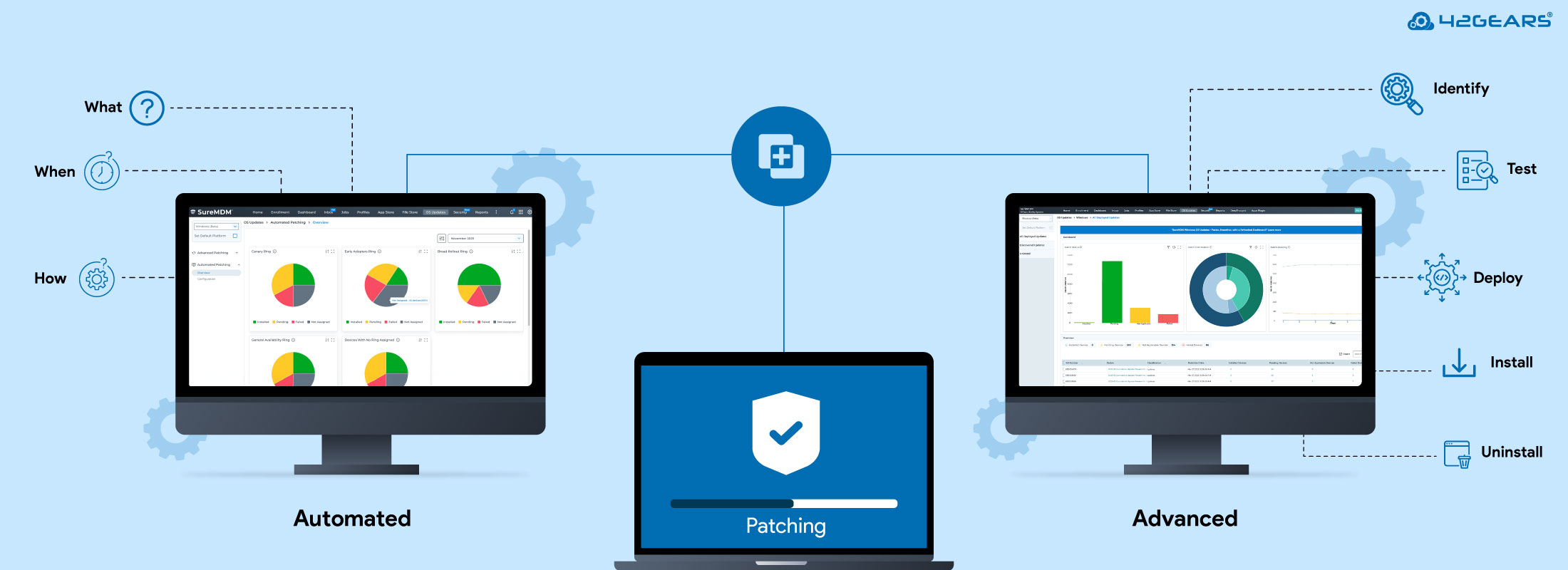
At 42Gears, we've learned this lesson well. That's why SureMDM offers two complementary approaches: Windows Automated Patching and Advanced Windows Patching. They're not competing solutions; they're strategic partners giving you both efficiency and precision.
The Automated Patching Paradox
Windows Automated Patching represents the modern approach. Using ring-based deployment, it automatically rolls out Microsoft updates across your fleet in a staggered phase:
- Canary Ring: Immediate deployment for early validation
- Early Adopters Ring: 7-day deferral for limited rollout
- Broad Rollout Ring: 15-day deferral for wider deployment
- General Availability Ring: 30-day deferral for full rollout
This is how it looks on your SureMDM console.
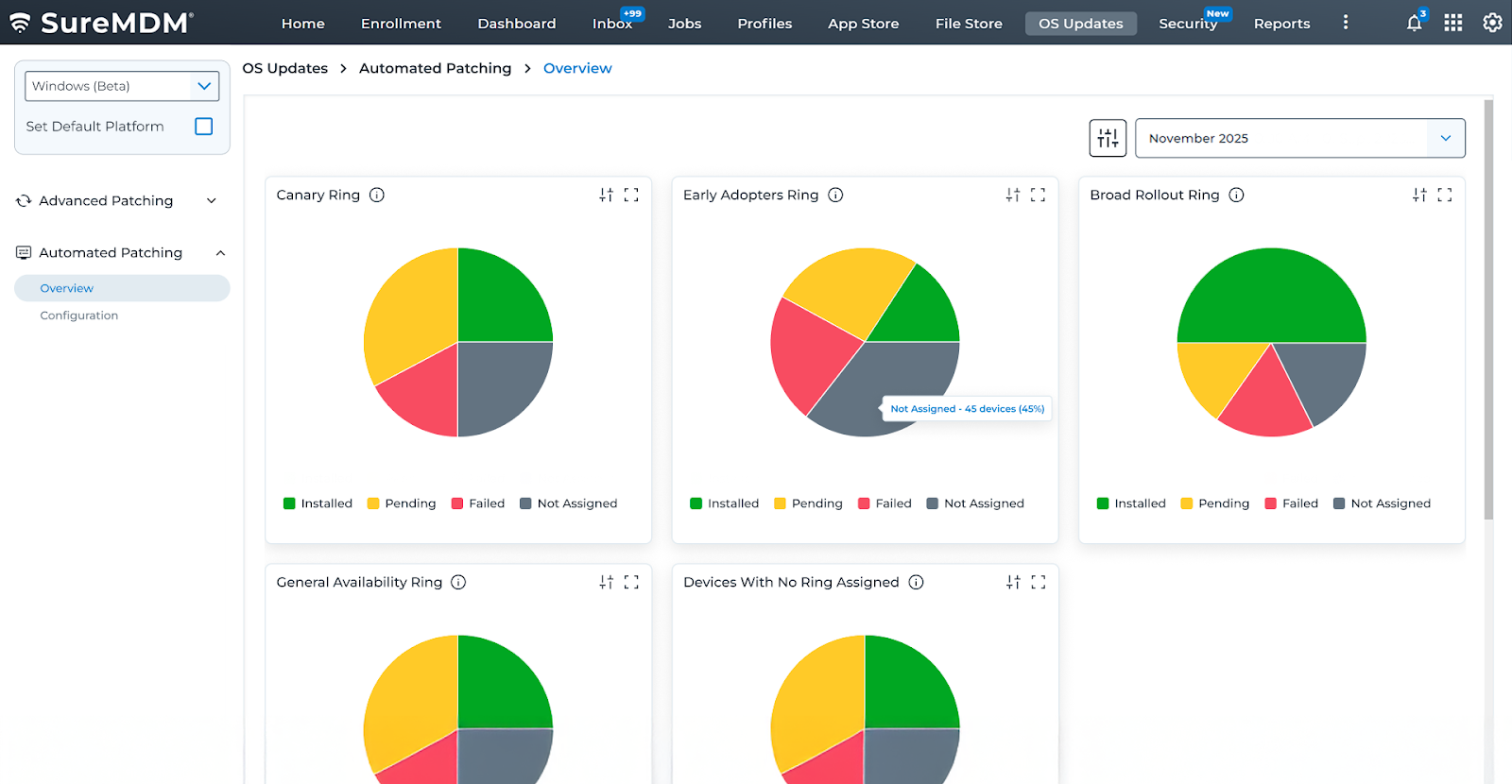
You can create up to 15 custom rings with granular controls over update types, enforcement deadlines, active hours, and delivery optimization.
Sounds perfect, right? Set it and forget it?
Not quite.
When Automated Patch Management Meets Reality
Here's what pure automation patching can't handle:
- A critical app that breaks with a specific KB update
- A manufacturing workstation that can't restart during production
- A quality update is causing driver issues on specific hardware
- Emergency rollback of a problematic patch
- A zero-day vulnerability requiring immediate global deployment
With pure automation, you're betting that Patch Release cycle and schedule, your ring configurations, and your environment will align perfectly every time. In 2026's complex Windows landscape, that's a bet many organizations can't afford.
Automated Patch Management: Surgical Precision When You Need It
This is where Automated Patching becomes indispensable. It provides four critical capabilities:
1. All Deployed Updates: Your Realm
Real-time visibility showing exactly which updates are installed, pending, or failed across every device. When an update fails in your automated ring, Advanced Patching comes to the rescue, telling you where, why, and on which devices with precise reasons, actionable intelligence, not just reporting.
2. Discovered Updates: Your Intelligence Repository
Two critical catalogs: updates scanned from your actual device fleet and Microsoft's latest catalog. The killer feature? Deploy targeted patches to specific devices or groups, a precision medicine for your Windows environment.
3. Uninstall Capability: Your Safety Net
When a patch causes problems after rollout, quickly identify the KB, see which devices have it, and execute targeted uninstallation. This isn't luxury, it's essential business continuity.
4. Emergency Response: The Zero-Day Override
When a critical zero-day vulnerability is announced, you can't wait for ring deferrals. Advanced Windows Patching lets you override the automated schedule and force-push a specific security patch to every device globally, immediately bypassing your carefully configured rings when security demands it.
The Complementary Strategy: Better Together
The most sophisticated IT organizations don't choose between these approaches they orchestrate both:
Use Automated Patching as Your Baseline: Let routine updates flow through configured rings automatically, reducing administrative overhead for standard patch cycles.
Deploy Advanced Patching as Your Governance Layer: Monitor deployments through dashboards, investigate failures in real-time, deploy emergency patches outside the ring schedule when zero-day threats emerge, and execute surgical interventions when needed.
Real-World Windows Automated Patching Workflow
Week 1: Patch Tuesday arrives. Canary devices receive updates automatically. Dashboard shows real-time status.
Week 2: Dashboard alerts you that 3 of 50 Canary devices failed. You investigate, find a driver conflict, manually exclude that KB, and pause the next ring.
Week 3: You deploy a fixed version using Advanced Windows Patching. Once verified, you resume automated rollout.
Week 4: Updates flow normally through the remaining rings, monitored continuously.
This is governance in action—automation with accountability.
Why 2026 Demands Automated Patching and Advanced Patching
The enterprise landscape has evolved:
Complexity is the New Normal: Hybrid work, cloud-first architectures, and specialized hardware create more dependencies.
Risk Tolerance has Decreased: A bad update can be as devastating as a missed security patch.
Compliance has Intensified: Regulations increasingly require documented Windows update processes and demonstrated control.
User Expectations have Risen: End users expect both security and stability.
In this environment, pure automation is naive. Pure manual management is untenable. The answer is intelligent orchestration.
Implementation Recommendations
- Start with Automated, Monitor with Advanced: Use Automated Patching for your standard strategy, but configure Advanced Patching dashboards as your additional monitoring layer when need be.
- Define Clear Escalation Paths: Establish criteria for when you'll pause rings and switch to manual intervention.
- Use Advanced Patching for Exceptions: Reserve it for scenarios that justify the overhead critical patches outside ring schedules, emergency rollbacks, specialized device groups.
- Train for Both: Ensure your team understands both systems and when to use each.
Final Thoughts
In 2026, the question isn't whether to automate Windows updates. It's how to automate responsibly.
SureMDM's dual approach acknowledges that not every scenario fits predefined rings, visibility is as important as velocity, and the ability to intervene quickly is non-negotiable.
Windows Automated Patching gives you the efficiency to manage thousands of devices. Advanced Windows Patching gives you control to ensure that efficiency doesn't sacrifice stability, security, or compliance.
Together, they represent what update management should look like: fast enough to protect you, controlled enough to trust, and flexible enough to handle the inevitable exceptions that make enterprise IT both challenging and rewarding.
See how SureMDM balances speed and control
in Windows update management.
Subscribe for our free newsletter

Exclusive News and Updates on Enterprise Mobility!