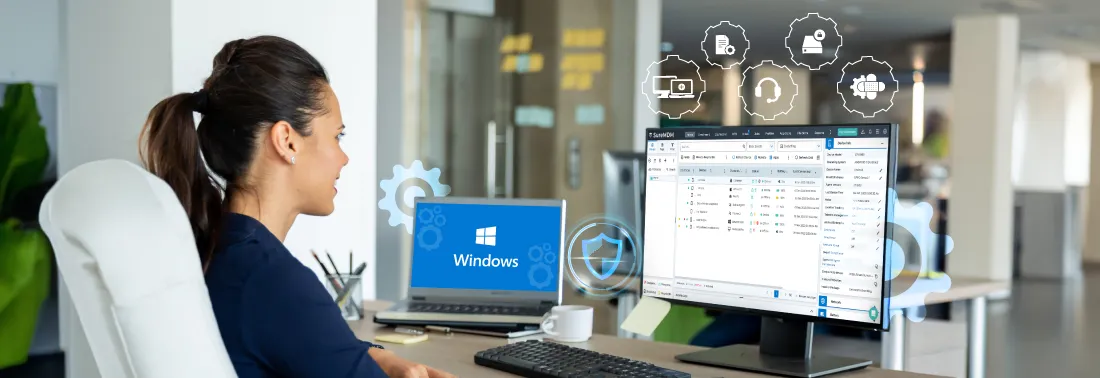
Is managing your Windows device fleet driving you crazy, IT admin? With new hires opting to bring their own laptops (82% of organizations offer BYOD programs), and a growing hybrid workforce increasingly embracing the work-from-anywhere trend, securing your Windows device fleet becomes a major challenge. Keeping Windows desktops, laptops, and tablets secure, updated, and consistently configured adds to the complexity. If you’ve been searching for “Windows MDM solutions” or wondering, “What is Windows MDM?”, you’re in the right place to get answers.
Imagine a central platform where you can manage your fleet of Windows devices, enforce essential security policies, and streamline app deployment–all from a single, web-based console. Sounds too good to be true, doesn’t it? A Windows MDM solution doesn't just keep your existing devices in check. It also scales effortlessly as your organization grows, allowing you to easily onboard new devices and enforce consistent policies across your entire fleet.
But with so many features, even an MDM pro can get overwhelmed. This blog will be your roadmap to mastering the 5 most essential Windows MDM features–whether you're a seasoned veteran or a wide-eyed new IT admin. Let’s begin.
Windows Device Enrollment
Device enrollment is the foundation of the device management lifecycle. While manual enrollment might suffice for a single device, it can quickly become cumbersome when managing a larger deployment. Your MDM solution should offer a variety of flexible enrollment options and simplify the onboarding process for both personal and company-owned devices. This will ensure a smooth and efficient experience for your IT team and end-users alike.BitLocker Management
For any organization, the data stored on employee devices is a critical asset. Even a single data breach can expose sensitive information, putting customer trust, intellectual property, and even financial data at risk. Using BitLocker encryption will protect your Windows devices with a layer of ironclad encryption. Should a device fall into the wrong hands, your data will remain safe.Patch Management
Keeping all your devices up-to-date with the latest security patches is crucial, but manually deploying patches can be a time-consuming nightmare. Ideally, these updates should happen seamlessly, without disrupting user workflow. The Patch Management feature streamlines patch deployment across all your Windows devices. This ensures your entire fleet is protected against the latest threats without affecting user productivity.Compliance Management
As an IT admin, you must continuously check if your organization's Windows 10/11 devices meet security compliance requirements. Use Compliance Management in your MDM to check device compliance factors like OS versions, connectivity, storage, and update policies. Beyond default compliance checks, see if your MDM offers custom compliance. This lets you script custom rules for deeper device security evaluation.Remote Support
Now that your devices are enrolled and configured, there’s one vital piece missing: a clear channel for employees to report issues. Your team will expect a quick response, and they shouldn't have to physically track down your IT team. Let’s not even talk about how frustrating email exchanges can be. This is where Remote Support comes in! By leveraging remote support, you can provide real-time assistance, and resolve tech issues quickly and efficiently – all without needing physical access to the device.
Bonus Feature: VPN Configuration
Secure access is essential for your distributed workforce. As IT admin, you need to equip them with a safe tunnel to access company resources. It’s important to ensure that your MDM has a built-in VPN configuration, leverage this feature to configure network access, and ensure your distributed employees can work securely.
Take Windows Device Management to the Next Level
By implementing a robust Windows MDM solution, you've taken a significant step towards streamlining IT operations and securing your organization's data. The features mentioned in this blog are just the tip of the iceberg and the journey doesn't end here. As your organization and technology need to evolve, your MDM solution should evolve with them. Evaluate your current MDM capabilities–does it offer the flexibility and scalability you require? If it does not, it’s time to explore a new solution.
SureMDM is a comprehensive solution that offers all these capabilities and more, streamlining Windows device management for IT admins. But don’t take our word for it 😀 Explore SureMDM with a free 30-day trial and experience the difference it can make for yourself.