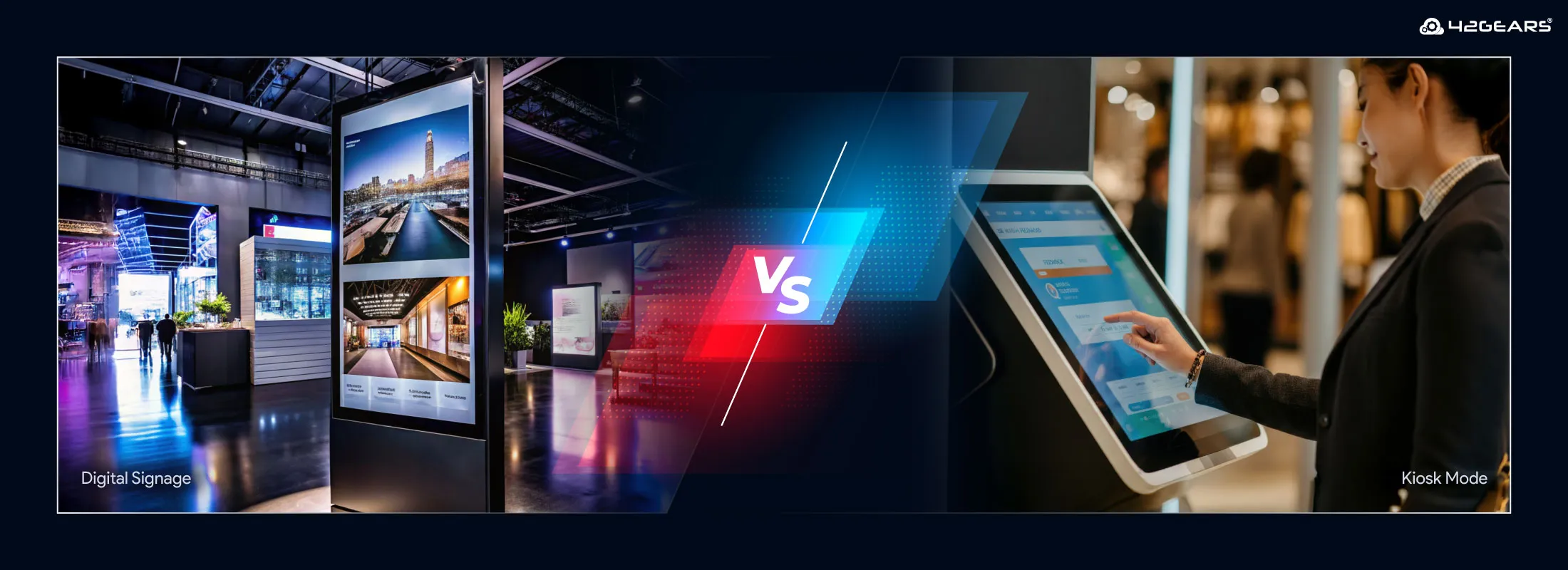
When it comes to purpose-built business devices, two terms often get used interchangeably: Digital Signage and Kiosk Mode. While both involve repurposing off-the-shelf hardware like tablets, monitors, or TVs for specific business functions, they serve fundamentally different purposes and offer distinct user experiences.
Choosing the wrong approach can lead to security vulnerabilities, poor user engagement, or unnecessary management overhead. For IT managers and business owners, understanding when to use digital signage versus kiosk mode is essential for optimizing digital touchpoints.
What is Kiosk Mode?
Kiosk mode is a software configuration that locks a device down to a specific application or a limited set of applications. The primary goal of kiosk mode is interactivity and security.
When a device is in kiosk mode, the user is typically meant to interact with the screen—whether it's to check in for a flight, browse a product catalog, or complete a purchase at a Point of Sale (POS).
Key Features of Kiosk Mode
- Device Lockdown: Prevents users from accessing the underlying operating system, settings, or unauthorized apps.
- Interactivity: Designed for active user input via touch, keyboard, or mouse.
- Peripheral Support: Often integrates with external hardware like barcode scanners, card readers, and printers.
- Security: Essential for public-facing devices to prevent tampering or unauthorized use.
42Gears offers SureLock, a comprehensive kiosk management solution that supports Android, iOS, Windows, Linux, and ChromeOS, allowing businesses to turn any device into a dedicated kiosk.
What is Digital Signage?
Digital signage refers to the use of digital displays to broadcast informational or promotional content to an audience. The primary goal of digital signage is communication and engagement through passive viewing.
Unlike a kiosk, digital signage is generally not interactive. It is meant to be seen from a distance, displaying a loop of videos, images, or live data feeds.
Key Features of Digital Signage
- Content Scheduling: The ability to play specific content at predetermined times or intervals.
- Brand-Focused Display: Primarily used to showcase branding, promotions, advertisements, and informational content rather than user interaction.
- Remote Management: Allows IT admins to update content across hundreds of screens from a central console.
- Diverse Media Support: Handles everything from simple images to 4K video and live web streams.
42Gears provides SureVideo, a dedicated digital signage solution that transforms tablets and displays into powerful video delivery tools with OS-level management capabilities.
Digital Signage vs. Kiosk Mode: Comparison at a Glance
| Feature | Kiosk Mode | Digital Signage |
|---|---|---|
| Primary Goal | Interactivity & Task Completion | Communication & Brand Awareness |
| User Interaction | High (Touch, Input) | Low to None (Passive Viewing) |
| Typical Content | Applications, Websites, Forms | Videos, Images, News Feeds |
| Security Needs | High (Lockdown is critical) | Moderate (Preventing unauthorized playback) |
| Hardware | Tablets, POS Terminals, Self-Service Kiosks | Large Screens, Wall-Mounted Displays, Tablets |
When to Use Kiosk Mode
Kiosk mode is the right choice when your objective involves user input and specific task execution.
- Self-Service Terminals: For check-ins, ticketing, or ordering in restaurants and airports.
- Point of Sale (POS): Locking down a tablet to a single payment application.
- Information Desks: Providing a way for users to search for information or navigate a facility.
- Dedicated Employee Tools: Ensuring field workers use tablets only for business-specific applications.
When to Use Digital Signage
Digital signage is the ideal solution when you need to convey information to a larger audience without requiring them to touch the screen.
- Advertising and Promotions: Showcasing products or deals in retail environments.
- Corporate Communications: Displaying internal news, metrics, or announcements in office lobbies.
- Wayfinding and Directories: Providing non-interactive maps or building directories.
- Menu Boards: Showing dynamic pricing and food items in Quick Service Restaurants (QSRs).
The Best of Both Worlds: Hybrid Solutions
In many modern environments, the line between digital signage and kiosk mode can blur. For example, a retail kiosk might display digital signage (a video loop) when not in use and then switch to interactive kiosk mode when a user touches the screen.
Using a Unified Endpoint Management (UEM) platform like SureMDM, businesses can manage both SureLock (kiosk) and SureVideo (signage) from a single pane of glass, ensuring that every display—whether interactive or passive—is secure, updated, and performing as intended.
Conclusion
Whether you need the interactive security of kiosk mode or the visual impact of digital signage, choosing the right tool is critical for success. By leveraging specialized solutions like SureLock and SureVideo, 42Gears ensures that your business delivers the right message and functionality every time.
FAQs
What is the main difference between digital signage and kiosk mode?
Digital signage is designed for displaying content such as advertisements, announcements, branding messages, and promotions to a passive audience. Kiosk mode, on the other hand, enables user interaction by locking a device into a specific application or workflow for tasks like self-check-in, ticket booking, or product browsing.
Can a single device support both digital signage and kiosk mode?
Yes, many modern Android-based devices can support both. Businesses often use digital signage for promotional content and switch to kiosk mode when user interaction is required, depending on the use case and software capabilities.
Which industries commonly use digital signage?
Digital signage is widely used across retail, healthcare, hospitality, education, transportation, and corporate environments for advertising, wayfinding, internal communication, and brand promotion.
When should businesses choose kiosk mode instead of digital signage?
Businesses should choose kiosk mode when they need users to interact with the device directly. Common examples include self-service kiosks, visitor management systems, POS systems, feedback collection stations, and digital catalogs.
Can MDM solutions manage both digital signage and kiosk devices?
Yes, Unified Endpoint Management (UEM) and Mobile Device Management (MDM) solutions like 42Gears can remotely manage, secure, monitor, and update both digital signage displays and kiosk-mode devices from a centralized dashboard.