The modern workforce thrives on flexibility and innovation. Today's professionals are constantly on the move, juggling work and personal lives with the help of their trusty smartphones. Whether it's a quick check for client calls or a critical text from a colleague, personal devices are gradually becoming extensions of our professional selves. As such, 95% of organizations now allow employees to leverage their own devices for work.
However, with this flexibility comes a new challenge for IT admins–ensuring that corporate data remains protected without infringing on employee privacy. This is where BYOD (Bring-Your-Own-Device) Management comes in.
What is BYOD Management?
BYOD management involves the strategies and policies organizations use to securely add employee-owned devices, such as smartphones, tablets, and laptops, into the corporate network. Implementing a BYOD policy in your organization can empower employees with greater work flexibility, leading to increased productivity and higher job satisfaction. But how can your IT team ensure corporate data security across a diverse array of personal devices? The solution is to implement a Mobile Device Management (MDM).
BYOD vs. MDM: Understanding the Difference
BYOD is the practice itself, allowing employees to use their personal devices for work. In other words, BYOD programs define acceptable use of security policies for accessing corporate data and resources on personal devices. MDM (Mobile Device Management) is the technology that acts as a central control center, enforcing the security policies you define on employee devices.
Is BYOD good or bad?
BYOD offers a win-win situation for both employers and employees. The advantages are compelling. Here's a look at some key stats:
Reduced Costs:
With a BYOD program in place, companies no longer have to budget for corporate-issued devices. Studies show a potential savings of $341 per employee by switching from work-issued devices to BYOD smartphones.Increased Productivity:
A whopping 68% of organizations report a productivity boost after implementing BYOD. Employees also gain 58 minutes of work time each day when they use smartphones to get work done. That’s over 240 hours per year!Streamlined Onboarding:
Since most people already own personal devices, BYOD eliminates the need to ship equipment to new remote hires, significantly speeding up the onboarding process. This benefit is especially valuable in today's remote work environment.
Many employees wonder, “What can my company see on my BYOD phone?” or “Can my company see my phone data?” Your personal data remains protected with proper BYOD policies in place. BYOD programs typically limit employer monitoring to work-related aspects of your device. This might include basic information like device type, data usage, battery level, etc. IT admins can only access information within the work container (a secure, isolated virtual workspace on your device), such as your work apps, and location data used for work purposes. Your personal apps, browsing history, photos, media, and chats are not accessible.
If you are still on the fence when it comes to implementing a BYOD program in your organization, understanding the pros and cons of BYOD management can help you make better and more informed decisions.
While BYOD offers numerous advantages, security is still a top concern. This can be effectively addressed with a robust mobile device management (MDM) solution.
Why use MDM for BYOD
An MDM solution provides a robust set of features to secure and simplify your BYOD program, ensuring that it serves the purpose it needs to.
Data Containerization:
An MDM solution with BYOD support creates a secure work container on personal devices, separating business data from personal information.Centralized Device Management:
It simplifies device provisioning, configuration, and policy enforcement across various devices.Enhanced Data Security:
An MDM solution encrypts sensitive data and enforces strong password policies, safeguarding corporate information in case of device loss or theft.Compliance Adherence:
With the help of an MDM solution, you can ensure that only devices meeting your organizational standards (versions, models, antivirus, etc.) can access company resources.Security Policy Enforcement:
It distributes and enforces consistent security configurations across devices, minimizing data breaches and vulnerabilities.Application Management:
Leveraging an MDM solution makes providing, managing, and revoking access to corporate applications on employee devices easy.Remote Wipe:
It helps securely erase corporate data from lost or stolen devices or when an employee leaves the organization. It also protects sensitive corporate information while keeping personal data intact.
BYOD with SureMDM
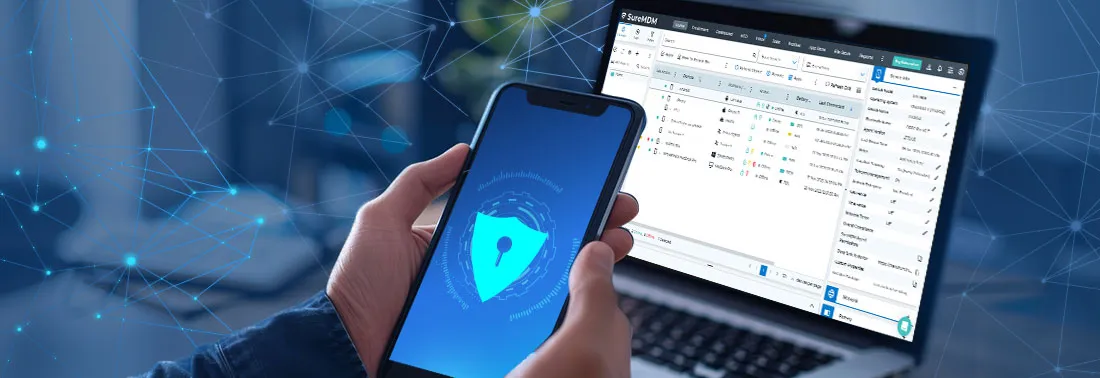
As BYOD continues to transform the modern workplace, the significance of mobile device management solutions becomes ever more crucial. SureMDM, a robust MDM solution, is equipped with features that enable IT admins to confidently adopt BYOD in their organizations.
Secure your company data, protect employee privacy, and simplify device management – all from a single platform. Start your free 30-day trial today and experience the power of secure BYOD.