BIXOLON Printer Management for Retail & Frontline Operations
Enroll • Monitor • Configure • Optimize
Overview
Printer downtime doesn't stay at the printer—it slows down checkout lines, delays kitchen tickets, and holds up shipments.** Whether you're running registers in retail, ordering tickets in food service, managing guest folios in hospitality, or shipping labels in logistics, SureMDM gives you one console to enroll, monitor, and fine-tune BIXOLON printers in your fleet—so issues get caught before they reach the customer.
Challenges with BIXOLON Printer Management

Printer Deployment Complexity
Setting up thermal printers across multiple stores, kitchens, or warehouses is time-consuming and error-prone.

Printer Troubleshooting
Diagnosing printer issues typically requires on-site visits, driving up downtime and support costs.

Configuration Management
Keeping darkness, speed, and cutter settings consistent across a distributed fleet is difficult.

Visibility & Monitoring
Limited insight into printer status, usage counters, and network settings makes proactive maintenance hard.
Centralized Management for Your BIXOLON Printers—Powered by SureMDM
42Gears Things Management Technology (TMT) brings powerful monitoring and management to BIXOLON printer fleets across retail, hospitality, food service, and logistics operations. IT teams can enroll printers to the SureMDM console, monitor 65+ printer properties, and adjust configuration remotely—without physical access.
From cash drawer status to SNMP network settings, SureMDM gives frontline IT teams a single console to reduce downtime and keep every printer running at its best.
Key Features for BIXOLON Printer Management
1
Streamlined Enrollment
Onboard BIXOLON printers individually or in bulk, with minimal setup at the device.
2
Things Info
View 65+ printer properties—model, firmware, connectivity, battery, and component wear—directly from the console.
3
Things Configuration
Adjust darkness, speed, cutter, buzzer, and paper-saving settings remotely, and save them as reusable Jobs.
4
Quick Diagnostics
Instantly check printer status, cash drawer function, and battery or temperature readings.
5
Remote Printer Actions
Reboot, restart, or factory reset printers without sending someone on-site.
6
Firmware Upgrade
Push updates to the entire fleet at once to stay current and secure.
7
Network & Printer Security
Enable and manage SNMP, SNMP Trap, and SNMPv3 settings fleet-wide.
Benefits of Managing BIXOLON Printers with SureMDM

Reduced Printer Downtime
Diagnose and resolve issues remotely, minimizing disruptions at the counter, kitchen, or dock.

Preventive Maintenance
Track motor, TPH, and cutter usage to address wear before it causes failures.

Simplified Fleet Management
Manage BIXOLON printers across all locations from a single dashboard.

Enhanced Network Security
Keep SNMP and network configurations consistent and monitored across the fleet.
BIXOLON Models Supported
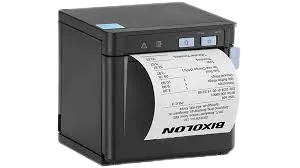 SRP-Q300II
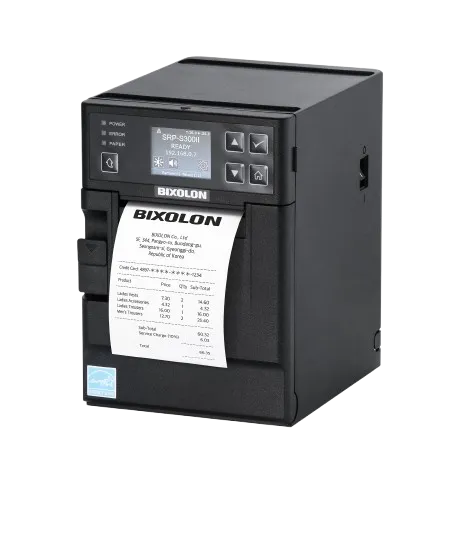 SRP-S300II
Secure and Efficient BIXOLON Printer Management with SureMDM.
All printer capabilities in a single solution.