
Imagine your QA lab at 2 AM.
Hundreds of real devices are connected to your private device farm. An automated test suite is running across different models, OS versions, and configurations. Your CI/CD pipeline is executing tests in parallel, just as it should.
From your automation dashboard, everything might look fine. Tests are running. Devices are connected. Results will eventually show up.
But there's one thing your automation dashboard doesn't always tell you:
What is actually happening on the device screens?
A test can be marked as running while the app is stuck on a screen. A device can be connected while an application has crashed. An automation flow can fail because of something happening on the device that isn't immediately obvious from the test logs.
Now imagine your QA team could look at one screen and see the devices being used by the team — live.
Not by booking each device. Not by interrupting an active session.
Not by opening devices one at a time. Just one live view of what's happening across the devices being monitored.
That's what Fleet Monitoring in AstroFarm brings to your private device farm.
What Is Fleet Monitoring?
Fleet Monitoring is AstroFarm's real-time device monitoring feature that lets authorised users view live screen previews of devices currently in use across the device farm.
Instead of opening individual device sessions, users can monitor multiple devices from a single view.
This is particularly useful for QA and automation teams running tests across multiple real devices, where understanding what is happening on the screen can be just as important as seeing the test result.
Think of it as a live window into your device farm.
Two Ways to Monitor Your Devices
Fleet Monitoring gives users two ways to keep an eye on the devices that matter to them: My Watchlist and My Session.
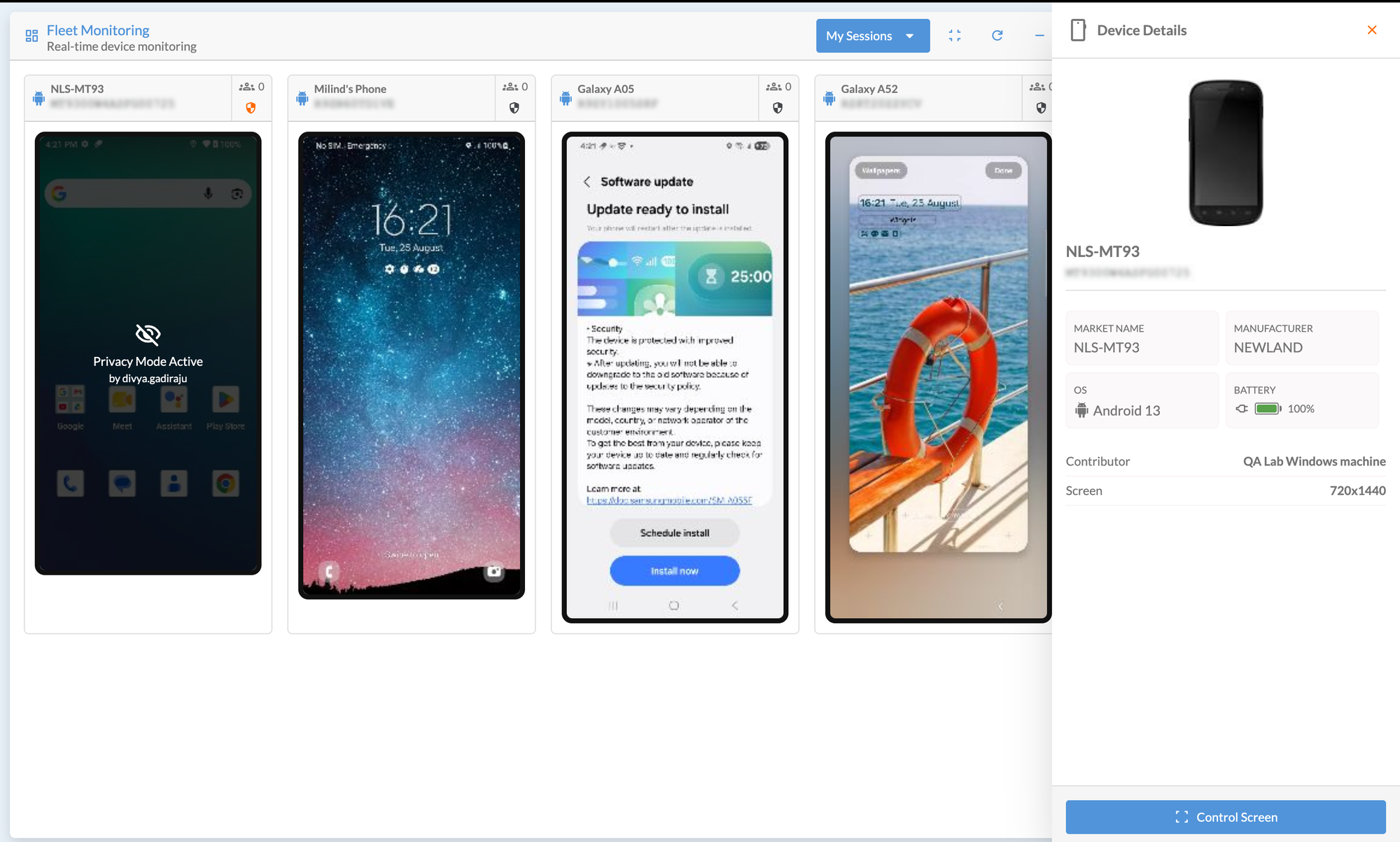
My Session: Keep Your Important Devices in View
My Session contains the devices a user has selected to monitor.
For example, a QA engineer may regularly work with three specific devices for a particular test suite. They can add those devices to their watchlist and quickly access them whenever they need to monitor them.
Instead of searching for the same devices repeatedly, the devices they care about are already grouped together for monitoring.
My Watchlist: Monitor the Devices You Want to Watch
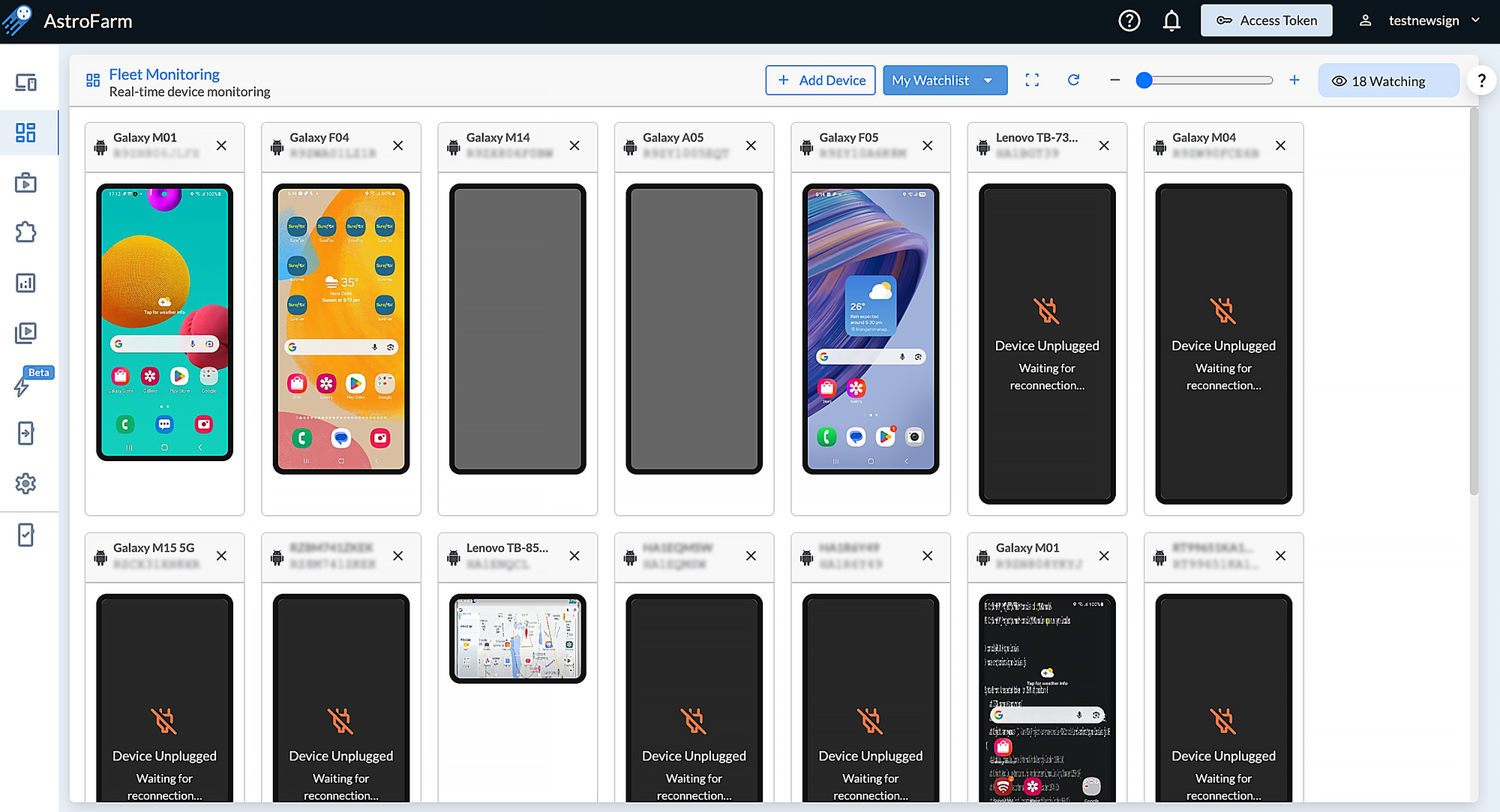
My Watchlist provides a live preview of the devices you have chosen to watch during your monitoring session.
This becomes particularly useful when you're monitoring a larger number of devices at once.
Imagine a QA lead overseeing an automation run across 30 or 50 real devices. Rather than opening each device individually, they can bring the devices they want to monitor into one view and see what's happening across the fleet.
That means the QA lead gets a fleet-level view without taking control of the devices.
What Can You See?
Fleet Monitoring provides real-time screen previews of monitored devices while they are being used.
Users can:
- View real-time screen previews of devices
- Monitor active sessions at a glance
- View multiple devices simultaneously in a grid
- Adjust the grid size using zoom controls
- Switch to full-screen mode for a larger monitoring view
- Enable "Privacy Mode" to prevent your screen/device from being viewed.
When a particular device needs a closer look, the device detail view includes information such as:
- Device make and model
- OS version
- Platform
- Battery percentage
So instead of choosing between seeing the whole fleet and looking closely at one device, teams can move between both views when needed.
Where Can Fleet Monitoring Be Used?
Fleet monitor becomes most valuable in environments where teams need continuous visibility across many real devices without interrupting ongoing testing or automation.
Here are some practical scenarios where it adds the most value:
Overnight Automated Test Runs
When large automation suites run across hundreds of devices, live monitoring gives teams an immediate snapshot of what happened, what completed, what is still running, and which devices may have gone offline or hit unexpected states.
QA Lab or Operations Room Display
A large screen showing the fleet in real time helps teams understand device health at a glance. It becomes a shared visibility layer for QA leads, engineers, and lab administrators without requiring individual device access.
Observing Active Testing Without Interruption
Teams can watch live test execution on real devices without taking control or booking sessions, enabling better oversight while preserving tester autonomy.
Managing Large Shared Device Farms
In environments where multiple teams share hundreds of devices, Fleet monitor provides a unified view of usage, availability, and health across the entire infrastructure.
See Your Entire Device Farm in Action
The future of device farms isn't only about adding more devices. It's about making those devices easier to understand at scale. Fleet monitor brings that visual layer to the entire device farm.
With AstroFarm Fleet Monitoring, teams can view real-time screen previews of devices across their private device farm and monitor active automation and manual sessions from a single view.
Whether you're a QA engineer keeping an eye on a few important devices or a QA lead monitoring a large automation run, Fleet Monitoring helps you see what's happening without interrupting the work happening on those devices.
Because at scale, a test result is only part of the story. The device screen can tell you the rest.