
Managing Apple devices across different operating systems and use cases requires more than basic enrollment and policy enforcement. IT teams need granular control over apps, browsers, user access, software updates, device security, and shared-device workflows—all while keeping management simple and centralized.
The latest SureMDM enhancements expand these capabilities across iOS/iPadOS, macOS, and tvOS, introducing greater flexibility for app and license management, Safari configuration, shared devices, OS update auditing, Recovery Lock, elevated access, and more. These updates help IT teams address diverse Apple management requirements while maintaining visibility and control from a single console.
Here’s a look at the latest features and enhancements now available in SureMDM.
What’s New in Apple Device Management with SureMDM
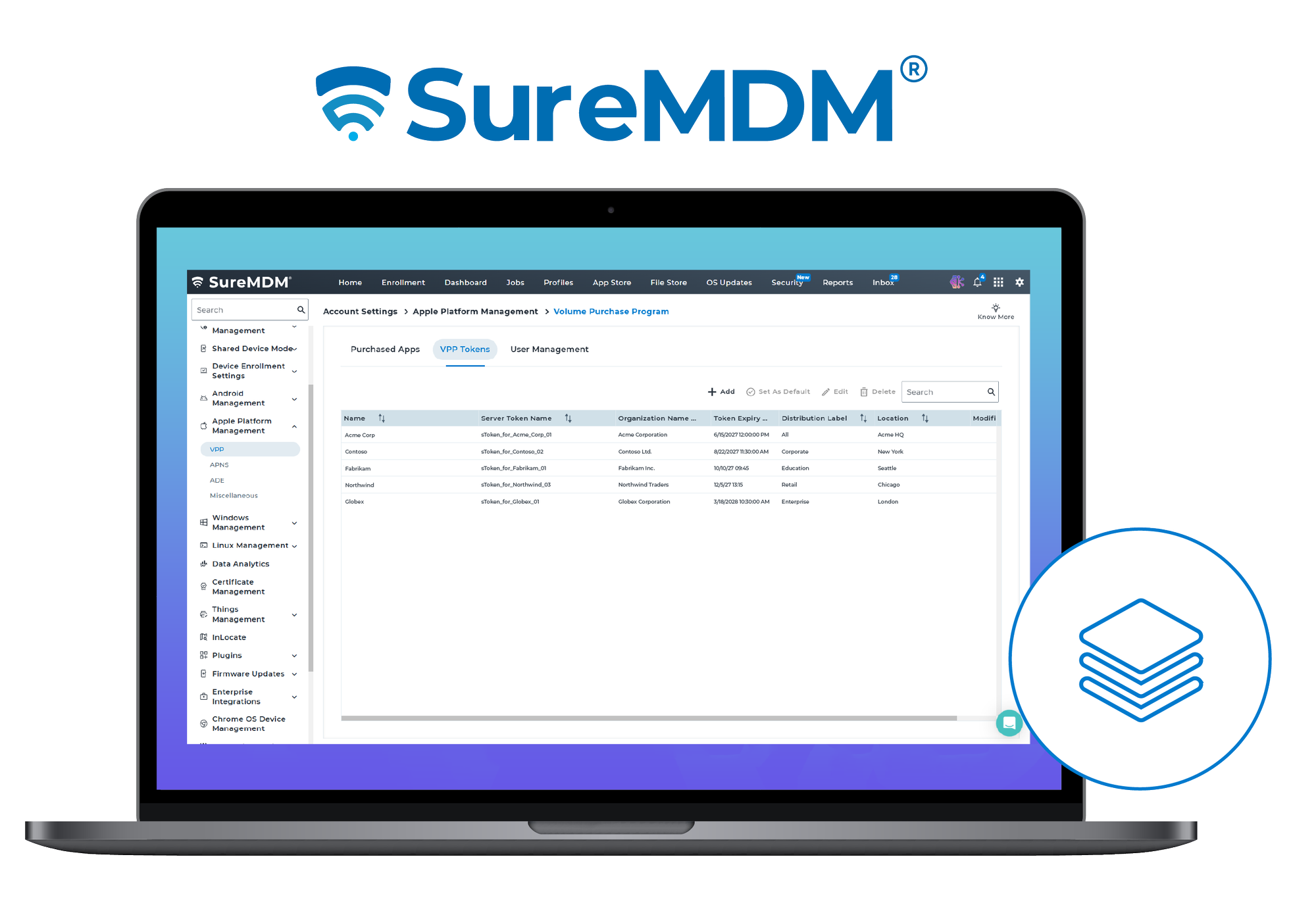
Multiple VPP Token & Application Management
Managing software licenses across distinct business units, global subsidiaries, or regional departments often leads to App distribution headaches. SureMDM now supports multiple Volume Purchase Program (VPP) tokens across Apple platforms.
- No More Conflicts: Admins can assign the exact same application using different VPP tokens to avoid license overlap and cross-department accounting issues.
- Source Clarity: Clear distribution labels help identify which VPP token sourced a particular app deployment.
- Effortless Scale: Bulk license assignment tools accelerate large-scale enterprise deployments.
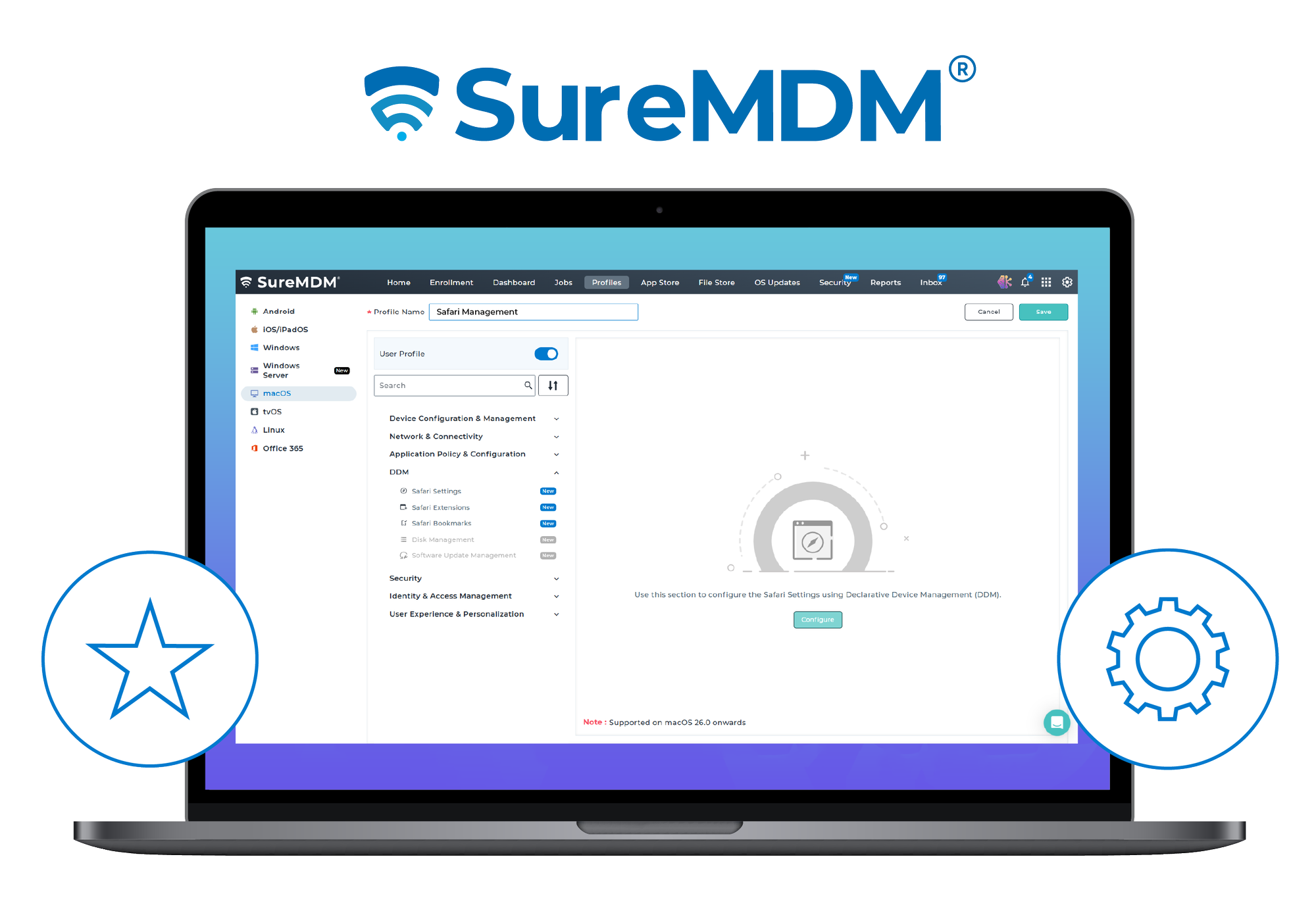
Declarative Safari Management (Settings & Bookmarks)
Leveraging Apple’s autonomous Declarative Device Management (DDM) framework, SureMDM enables admins to manage Safari settings, bookmarks, and extensions with greater control and efficiency.
- Browser Settings Control: Admins can enforce settings for cookies, pop-up blockers, JavaScript, private browsing limits, fraud warnings, and custom Safari start pages across macOS and iOS/iPadOS.
- Centralized Bookmark Structure: Push standardized bookmark folders, individual URLs, and nested folder structures, ensuring employees have immediate access to key internal resources without cluttering their local browser.
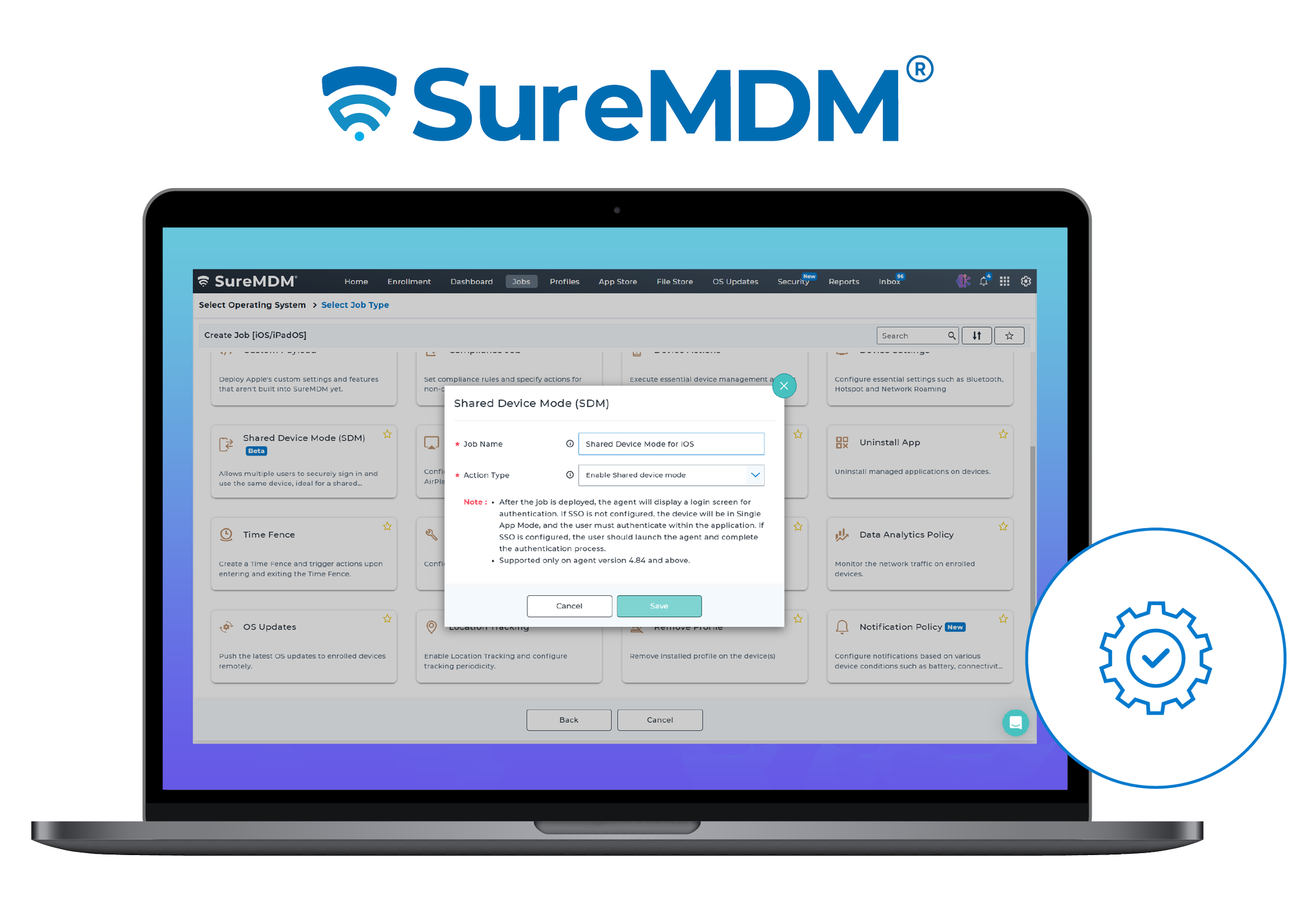
Shared Device Mode for iOS/iPadOS
For shift-based industries—such as healthcare, retail, and logistics—dedicated single-user devices are inefficient. SureMDM’s iOS Shared Device Mode enables seamless device-sharing with robust user-level separation.
- Identity-Driven Login: Integrates directly with Microsoft Entra ID or SureIdP for secure user authentication.
- Personalized Environments: Dynamic profile assignment loads user-specific settings upon login and tears them down securely at logout.
- Audit Transparency: Track active user logins, monitor session durations, and protect profile configurations via dedicated shared-device management jobs.
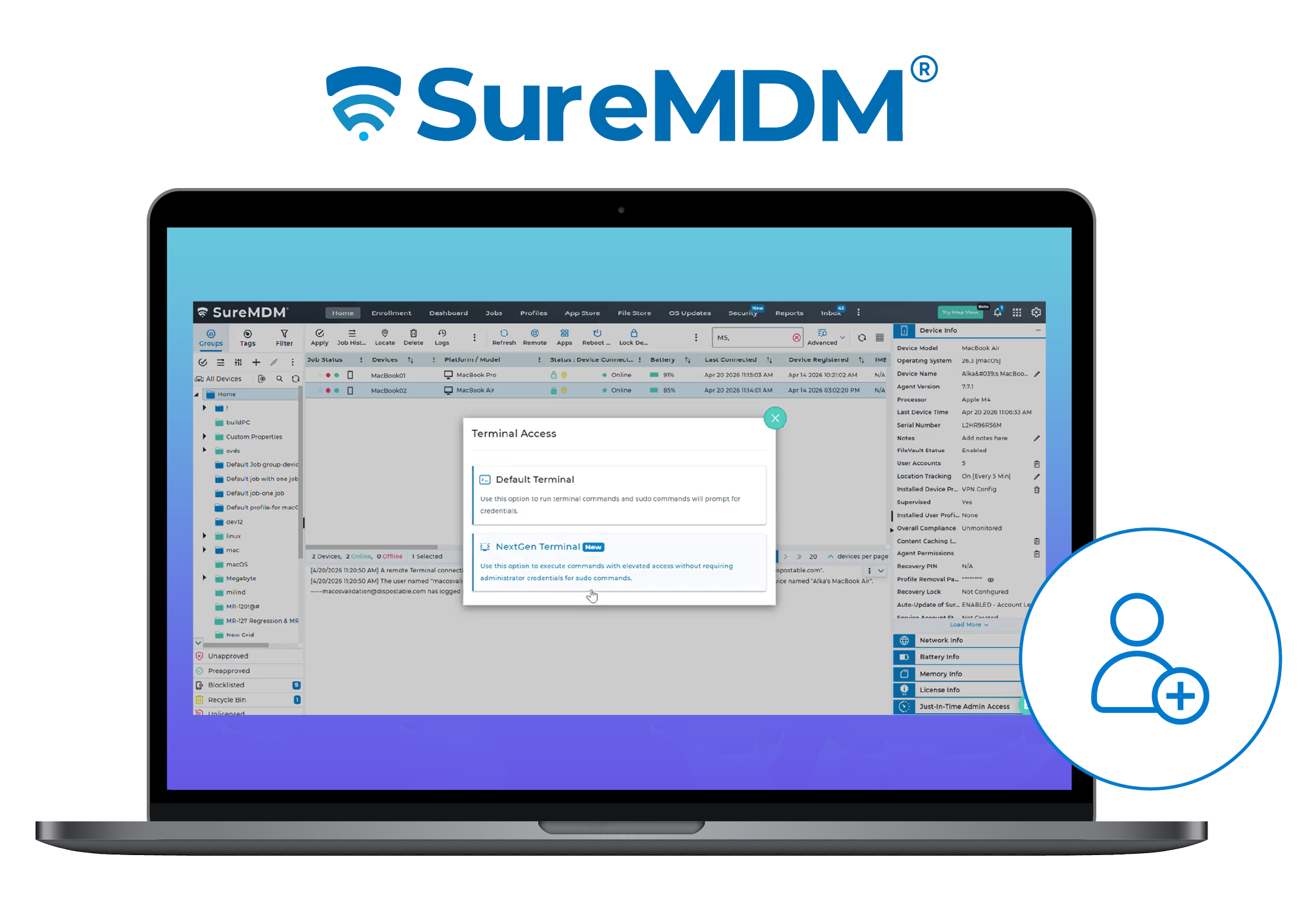
NextGen Terminal with Elevated Access
Executing administrative commands on macOS endpoints typically requires sharing admin credentials or maintaining persistent, elevated user accounts—both of which introduce security risks.
- On-Demand Privilege Elevation: Execute sudo commands through the NextGen Terminal without typing permanent local admin credentials.
- No Persistent Privileges: Elevated access is granted only for the active terminal session and automatically revoked when the session ends or times out.
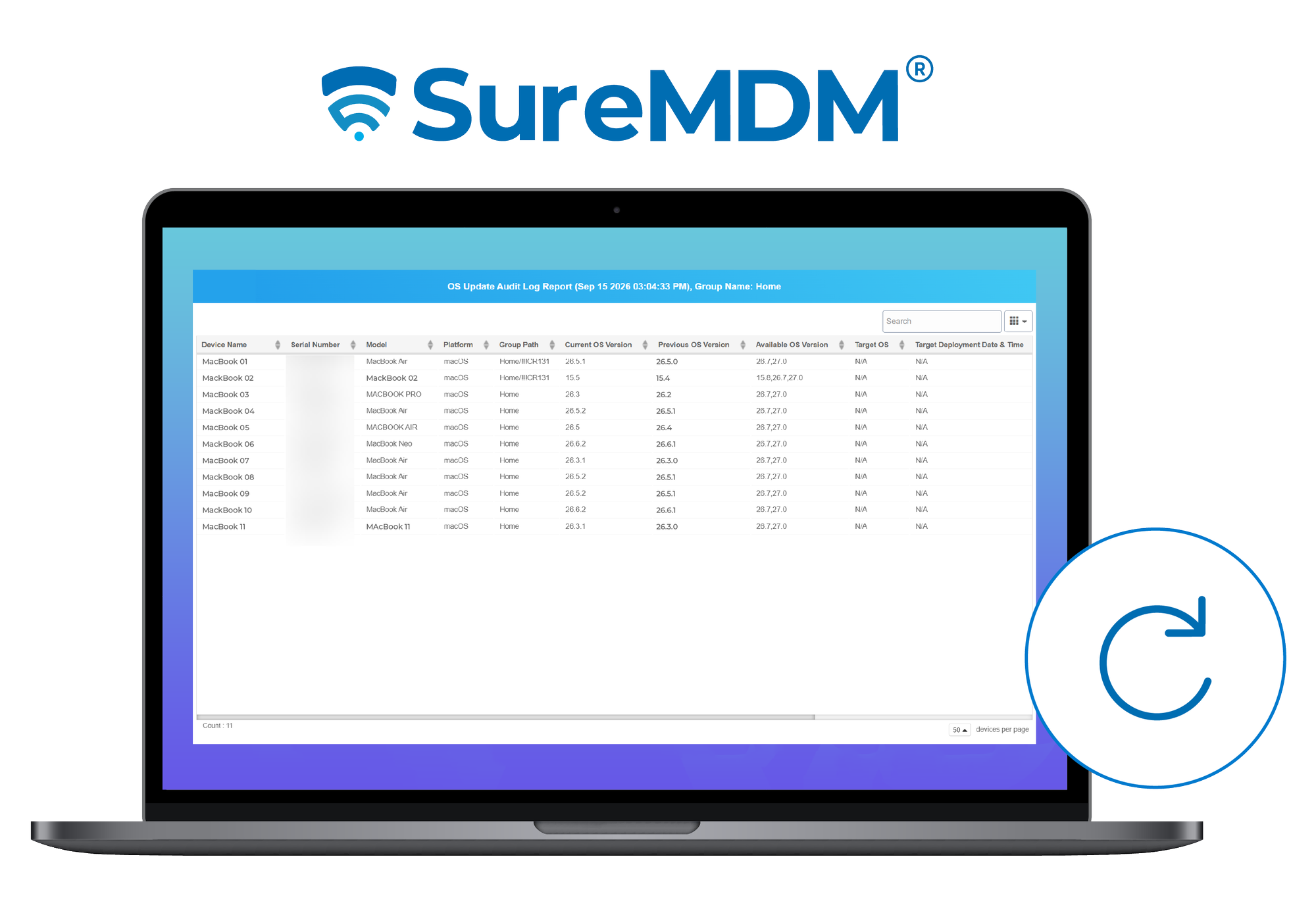
OS Update Audit Log
Compliance standards require clear visibility into system OS update histories. SureMDM now includes a detailed, time-based audit trail tracking OS update activities across macOS and iOS devices.
Admins can track relevant update activities, including:
- Available OS updates
- Update scheduling and deployment
- Installation activity
- Update status and lifecycle changes
- Device-level update history
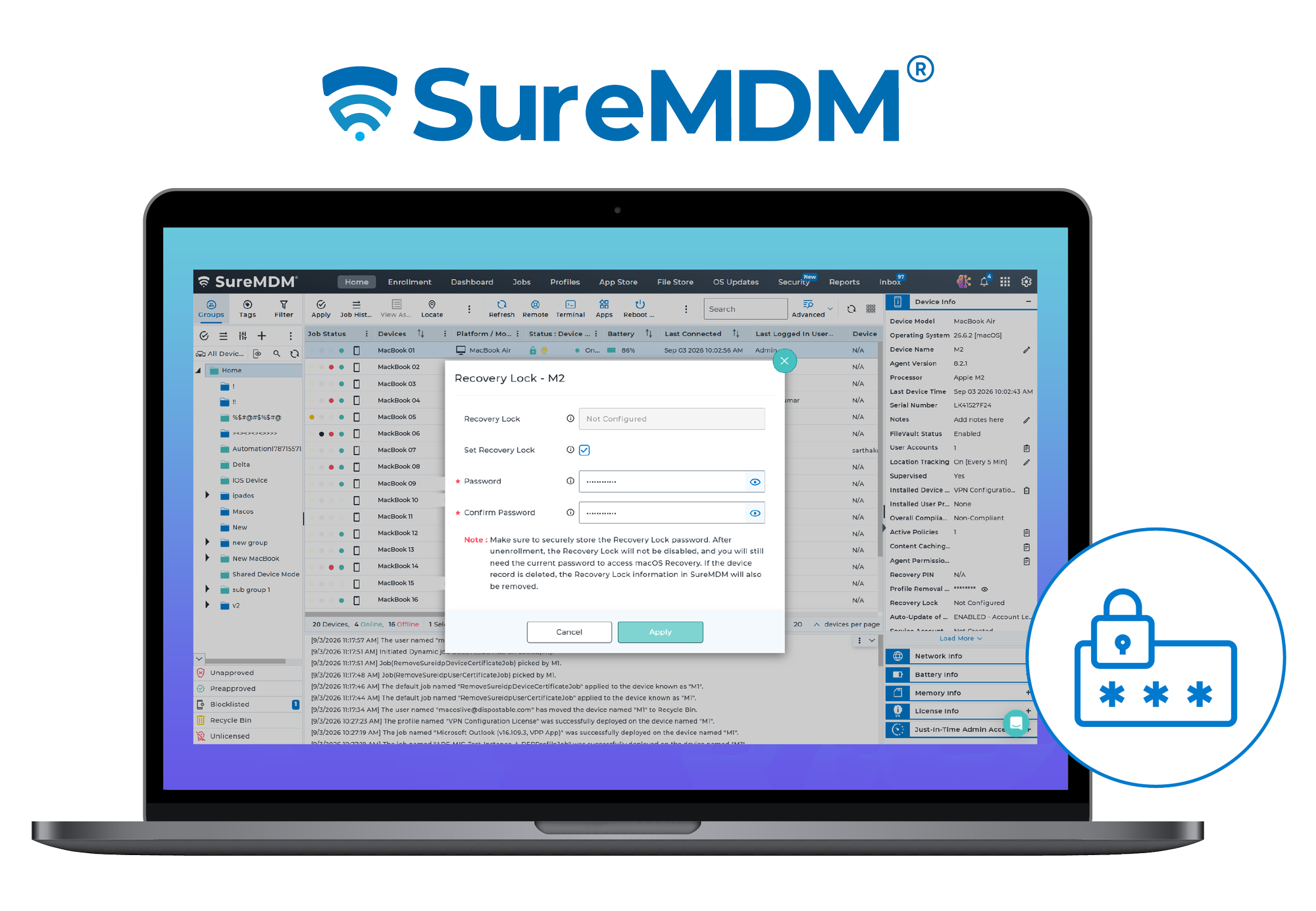
Recovery Lock Management for Apple Silicon Macs
For Apple silicon–based Mac devices, securing hardware-level recovery environments is critical. Admins can now remotely configure, validate, reset, and clear Recovery Lock passwords directly within or from SureMDM. Recovery Lock prevents end users from accessing Recovery Mode and performing actions such as resetting or reinstalling macOS without the Recovery Lock password.
Other Apple Device Management Enhancements
- Apple DDM Updates:
- Software Update Management (macOS, iOS, tvOS): Take complete control of Apple software updates using DDM. Centrally manage update deferrals, automated update actions, Beta OS management, and Rapid Security Responses with clear visibility into update status and compliance.
- Automated Device Enrollment:
- Platform SSO with Microsoft Entra ID (macOS): Simplifies macOS ADE enrollment. Users sign in using Entra ID credentials during Setup Assistant to automatically create local Mac accounts. Necessary Microsoft Company Portal components deploy automatically.
- Return to Service (RTS) & App Preservation (iOS): Enables unattended, automatic re-enrollment after a full wipe using pre-selected Wi-Fi profiles. Preserve Managed Apps lets you retain managed apps during a wipe so they restore post-enrollment without needing reinstallation.
- Enhanced ADE Profile Mapping (macOS, iOS, tvOS): Set default enrollment profiles or assign specific profiles for targeted sets of devices based on organizational requirements.
- Policy Management:
- Convert Unmanaged to Managed Apps (iOS): Take centralized management control of third-party apps directly from the Application List without uninstalling or reinstalling them.
- 1-Click Google Chrome Enterprise Deployment (macOS): Deploy the latest stable and secure version of Chrome to Mac endpoints in a single click via static/dynamic jobs or the SureMDM App Store.
- Network Fence Management (macOS & iOS): Trigger automated actions or apply configurations based on connected SSID.
- Time Fence Management (macOS & iOS): Trigger automated actions or apply configurations based on custom schedules or working hours.
- Notification Policy Jobs (macOS & iOS): Set up custom alerts for events like low battery, network drops, SIM swaps, or unenrollments—delivered via SureMDM, push notifications, email, SMS, or webhooks.
- Device Data Usage (macOS): Monitor network consumption on devices directly from the SureMDM Console. View LAN, Wi-Fi, and combined usage trends across billing cycles to identify consumption patterns and better manage network usage.
Wrapping Up
With these latest enhancements, SureMDM continues to make Apple device management more flexible, secure, and easier to scale. From managing apps and software updates to securing shared devices and controlling macOS recovery environments, IT teams can address more Apple management needs from a single platform. As Apple environments continue to grow and evolve, SureMDM helps organizations stay ahead with the tools they need to manage devices efficiently while maintaining security and control.