How Do You Improve Printing Efficiency, Reliability, and Output Quality?
At 42Gears, we believe in simplifying the management of printers — and giving you the right tools to succeed. That includes the freedom to choose the best printers for your organization without the hassle of managing them. That is why 42Gears now officially supports Citizen printers.
This isn't just about adding another brand. It's about empowering you with more options, more flexibility, and more control over your operational workflow.
Citizen printers are known for their speed, precision, and long-lasting reliability. Whether you handle high-volume printing, labels, or receipt generation, SureMDM covers it. Things Management Technology extends SureMDM to the printers on your network — so you can manage them like any other smart endpoint.
Citizen Printer Management with SureMDM
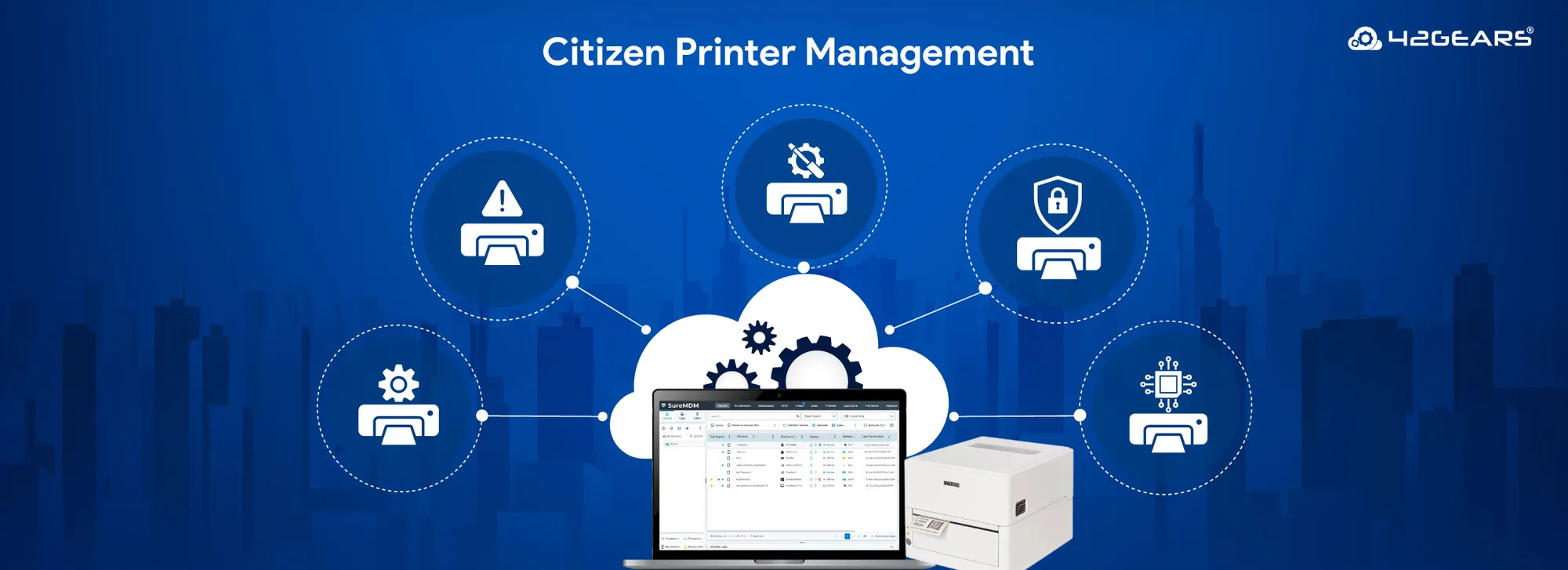
SureMDM lets you enroll enterprise Citizen printers and monitor and configure key device properties remotely and in real time. Organizations stay ahead of potential device issues, optimize performance, and reduce downtime for their Citizen printers.
Supported Device Properties for Citizen Printers
SureMDM supports a wide range of printer properties, giving businesses comprehensive visibility and control. The most important properties you can monitor and adjust include:
1. Print Quality and Speed Adjustments
- Print Darkness: Fine-tune the intensity or boldness of the print to ensure quality output.
- Print Speed: Adjust the printing speed (measured in Inches Per Second, IPS) to determine how fast the printer prints — ideal for high-volume environments.
2. Media Handling
- Max Media Length: Define the maximum label or receipt length the printer can handle per job to avoid print overflow errors.
- Paper End Level: Configure the printer's sensor sensitivity to detect when media is low or out, preventing paper jams and ensuring smooth operation.
- Media Sensor: Set label, gap, or mark detection settings for accurate printing and positioning.
- Rewinder Auto Online Delay: Control the delay before the rewinder activates.
- Rewinder Torque: Adjust the rewinder motor strength — low, medium, or high — based on label size.
3. Error Reporting & Notifications
- Error Reporting: Receive instant alerts on print failures such as paper jams, out-of-paper conditions, incorrect media size, or connectivity problems. Alert options include on-screen display, buzzer alert, LED indicator, error printout, and software notification.
- Buzzer Select: Choose how and when the printer should alert the user — beep on errors, warnings, or events (ON), or disable sound alerts (OFF).
4. Environmental and Operational Settings
- LCD Brightness: Adjust the brightness of the printer's LCD screen (as a percentage) for better visibility in various lighting conditions.
- Standby Timer: Set standby times for efficient energy consumption when printers are not in use, saving costs and reducing environmental impact.
5. Printer Security
- Settings Lock: Prevent unauthorized changes to printer configurations, ensuring consistent operation.
- Keyboard Lock: Disable the control panel buttons to secure the printer from unauthorized use.
6. Firmware Management
View the printer's current firmware version and remotely upgrade its firmware to keep devices up to date.
Configure Once, Deploy Everywhere
Industry-Wise Use Cases: How SureMDM Enhances Citizen Printer Management
1. Retail Industry: Checkout Systems
Challenge: In a retail chain with multiple locations, printers are essential for generating receipts, labels, and tickets. Frequent jams or slow printing during peak hours cause checkout delays and customer frustration.
Solution: With SureMDM, IT teams remotely monitor print speed, paper levels, media length, and error reports — detecting issues like jams or connectivity problems before they impact operations.
2. Logistics and Warehousing: Barcode and Shipping Label Printing
Challenge: Logistics operations depend on label printers for efficient shipping. Misconfigurations or unauthorized access often lead to media handling errors that cause shipment delays.
Solution: SureMDM helps maintain consistent printer configurations across warehouses, IT teams can reduce label misprints, prevent configuration-related disruptions, and keep shipping operations running smoothly.
3. Healthcare: Patient Records and Medical Labels
Challenge: Hospitals face frequent printer connectivity and alignment issues that lead to delays or illegible labels for patient IDs and prescriptions.
Solution: SureMDM allows IT teams to remotely configure print darkness, media detection, and error reporting settings across supported Citizen printers. This helps maintain consistent printing configurations for patient identification labels and prescriptions while making it easier to identify and address printer-related issues.
These examples show how SureMDM turns printer management from a reactive task into a proactive process.
Smarter Citizen Printer Management with SureMDM
Managing enterprise printers doesn't have to involve manual configuration and on-site troubleshooting. With SureMDM, organizations can remotely manage supported Citizen printers, configure device properties, monitor printer status, and deploy settings across multiple devices from a centralized console.
Whether you manage receipt printers in retail stores, label printers in warehouses, or printers in healthcare facilities, SureMDM streamlines printer administration, maintains configuration consistency through Things Management Technology, and minimizes operational disruptions.