Remote Control Softwarefor IT Pros
Trusted by thousands of customers as their preferred Remote Access solution for troubleshooting of mobile devices and desktop computers.
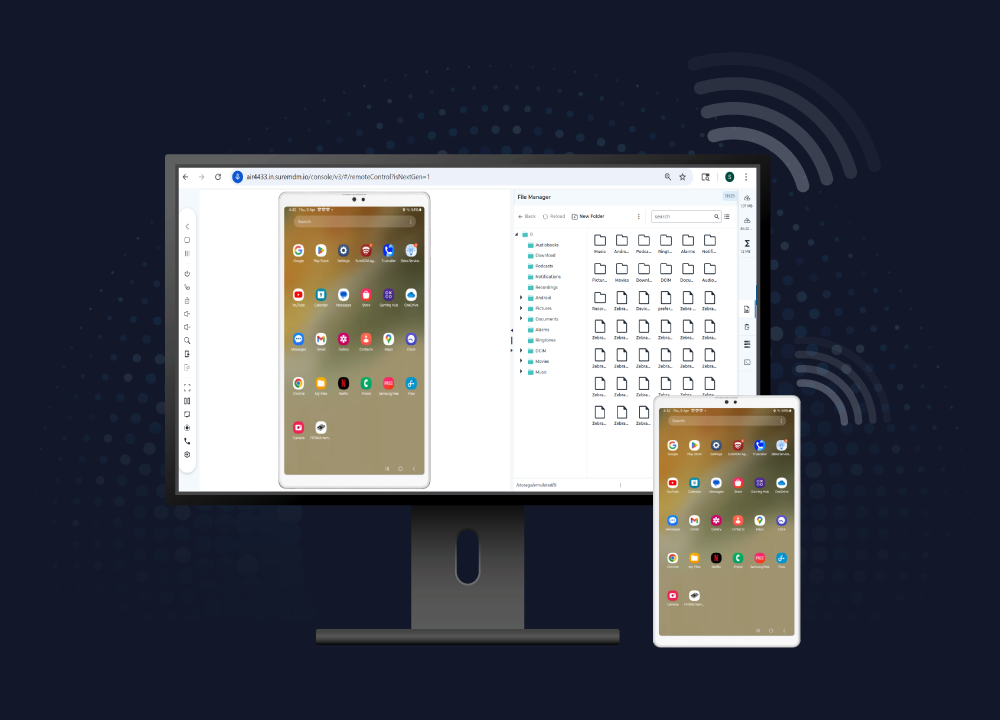
Understanding MDM Remote Control Solutions
Mobile device management remote control software provides IT professionals with comprehensive control over enterprise devices. Whether managing Android smartphones, iOS devices, or Windows computers, administrators can take complete remote control of these devices directly through their web browser, eliminating the need for physical access.
Key Factors
- IT teams report faster resolution times using MDM remote control tools
- Reduction in on-site visits after implementing remote control solutions
- Improvement in employee satisfaction with remote IT support
Benefits of MDM Remote Control Software
1
Remote Troubleshooting
If a mobile device or computer user is experiencing a problem, the IT technician can use a browser to remotely log into the user’s device or computer and perform diagnostic and remedial operations. Remote Access capability avoids the need for the IT team to physically visit the user’s location or get the device shipped to the service center for troubleshooting and repairs.
2
Real-Time Training
Some computer or phone-based tasks might be hard for newcomers, but very easy for experts. In such situations, the manager or an expert can take control of the user’s tablet, smartphone, or computer using MDM remote desktop features, and show the step-by-step actions required to perform the task.
Remote Access Features
High Performance
SureMDM Remote Access is a highly reliable remote desktop software that works on virtually all types of browsers and desktop platforms.
Concurrent Remote Control Sessions
IT technicians can initiate multiple simultaneous remote control sessions from a single computer.
File Transfer
Upload and download files to and from the device during the remote access session. For example, IT admins can download any log files before raising a support ticket, or they can clean devices by remotely deleting any unnecessary files.
Pause Streaming on Inactivity
To save bandwidth, the remote screen streaming is paused after 2 mins of inactivity by default. This setting can be changed or disabled as needed.
Process Viewer
View the list of currently active apps and processes on a device, and see additional information such as the process ID, CPU usage, and process name.
Robust Security
All screen sharing occurs over industry standard secure communication technology.
Role Based Access
Allow or deny specific remote access features to your IT staff. For instance,
Capture Screenshots
Take screenshots of the device screen any time during the remote control session. This may be required for auditing reasons, or may be useful when creating a support ticket in case the issue is not resolved immediately.
Collaborate Instantly with Two-Way Calling
Leverage real-time voice communication between admins and end users to accelerate troubleshooting, minimize downtime, and boost team efficiency.
FAQs
Find answers to common questions about our service.
Why Choose SureMDM Remote Control Solution?
The ability to take remote control of mobile devices and computers can be a powerful tool in the hands of any IT team. By using a remote control and remote access software, IT admins can fix issues right from their computers sitting in their own offices. As a reliable and powerful alternative to TeamViewer and LogMeIn, SureMDM Remote Control and Remote Access capability is actively used to support millions of mobile devices and computers around the world.