
In the high-stakes world of IT device management, two things are non-negotiable: control and clarity. Whether you're pushing a critical update to thousands of endpoints or rolling out a configuration tweak for a specific team, you need a mobile device management solution that is flexible, intelligent, and built with scale in mind.
You’ve probably dealt with:
- Jobs like OS updates, text message being pushed to the wrong devices because of overlapping filters
- Confusion around which group has which job/profile deployment
- Deployments failing silently, with no clear way to trace the problem
- The hassle of manually reapplying jobs when devices move between groups
These are the day-to-day frustrations that eat up your time and energy.
That’s why we’re excited to introduce a powerful update to SureMDM: Job/Profile Assignments to Groups and a Comprehensive Deployment Status Dashboard
Let’s dive into the details.
Smarter Job and Profile Assignments for Device Groups
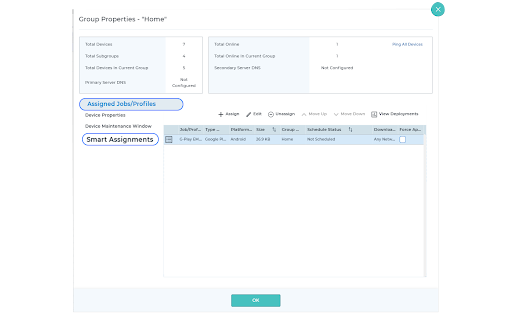
We’ve reimagined how jobs and profiles are assigned to device groups. The previously “Default Jobs and Profiles” is now Assign Jobs and Profiles — a name that reflects a smarter, more intentional deployment strategy.
IT admins can now easily assign jobs/profiles to device groups from the group properties section of the SureMDM console. But that’s not all.
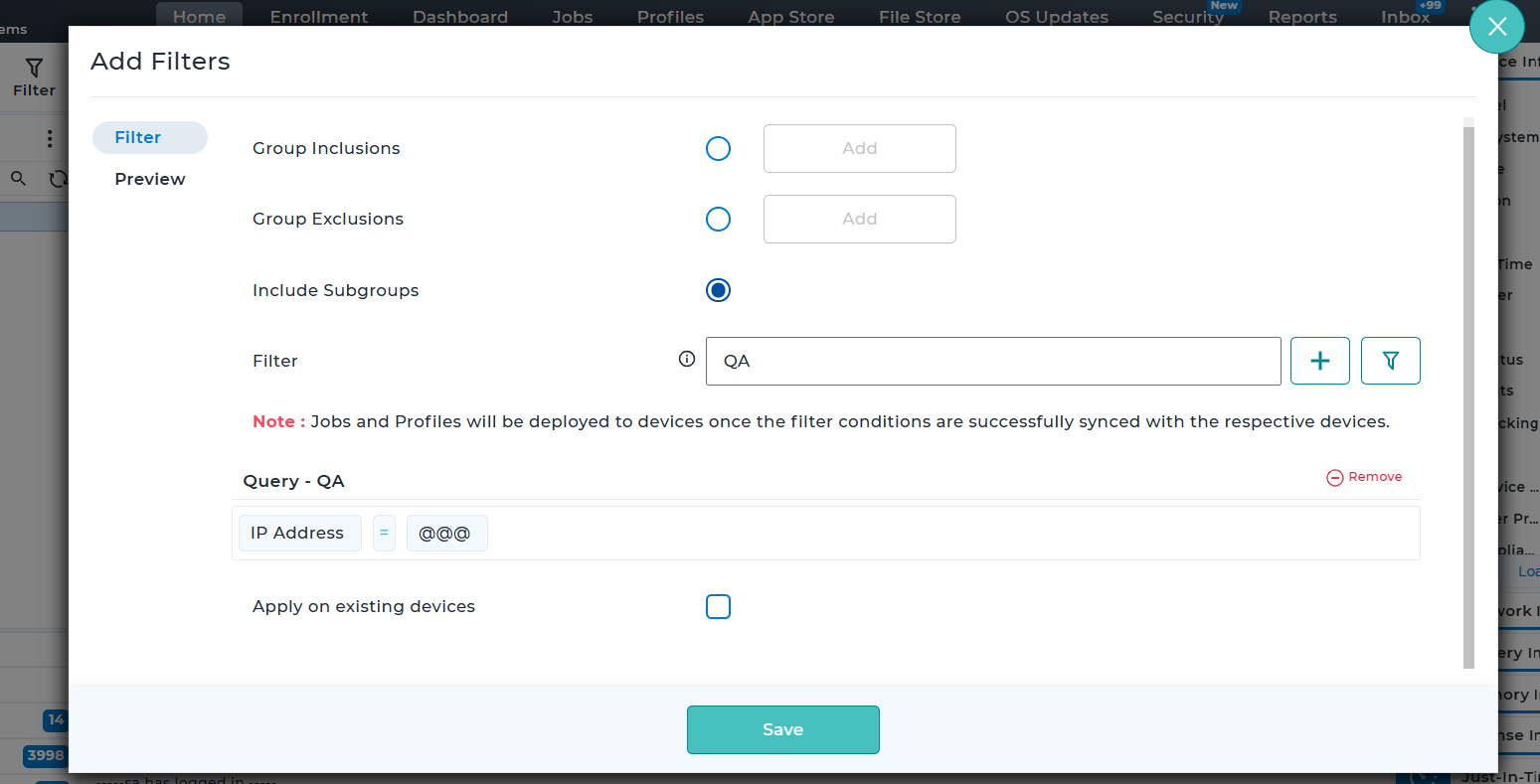
With Smart Assignments, admins can assign jobs or profiles based on advanced filter logic. You can now apply conditions using device parameters like:
- OS version
- Device model
- Custom properties (like device location)
You can use a saved filter, or even create one on the fly while assigning a job/profile.
💡Use Case: Let’s say you want to push a test script only to Android devices located in your Bangalore office. Just head to the Bangalore subgroup under the Testing Team, create a filter on the fly (e.g., “Location = Bangalore”), and assign the job.
Assign Once, Apply to Multiple Groups
Not only from the group properties, from the Jobs or Profiles section, you can now:
- Select a job/profile
- Assign it to multiple groups simultaneously
This is a game-changer for admins managing large fleets spread across departments or geographies.
View Job/Profile Assignments at the Device Level
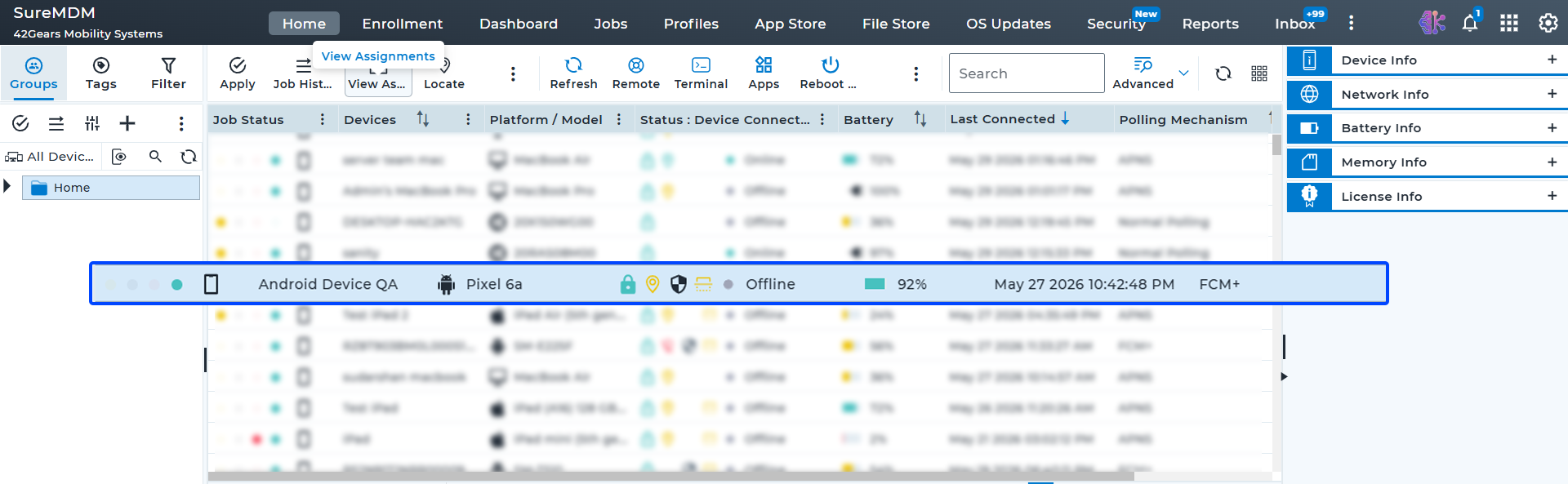
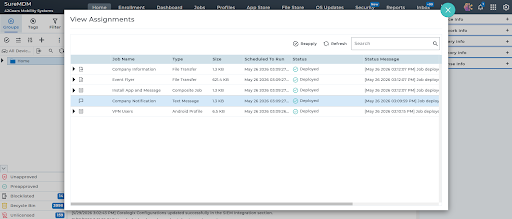
We’ve added a View Assignments section for each Android device.
Think of it as a window into the “why” behind a job deployment — was it applied manually or because of a group-level assignment?
You’ll now be able to:
- See all assigned jobs and profiles linked to a device
- Reapply, retry, or revoke assignments from here (based on job type)
- Keep a clear record of what's deployed through assignments, separate from manual deployments
Introducing the Deployment Status Dashboard
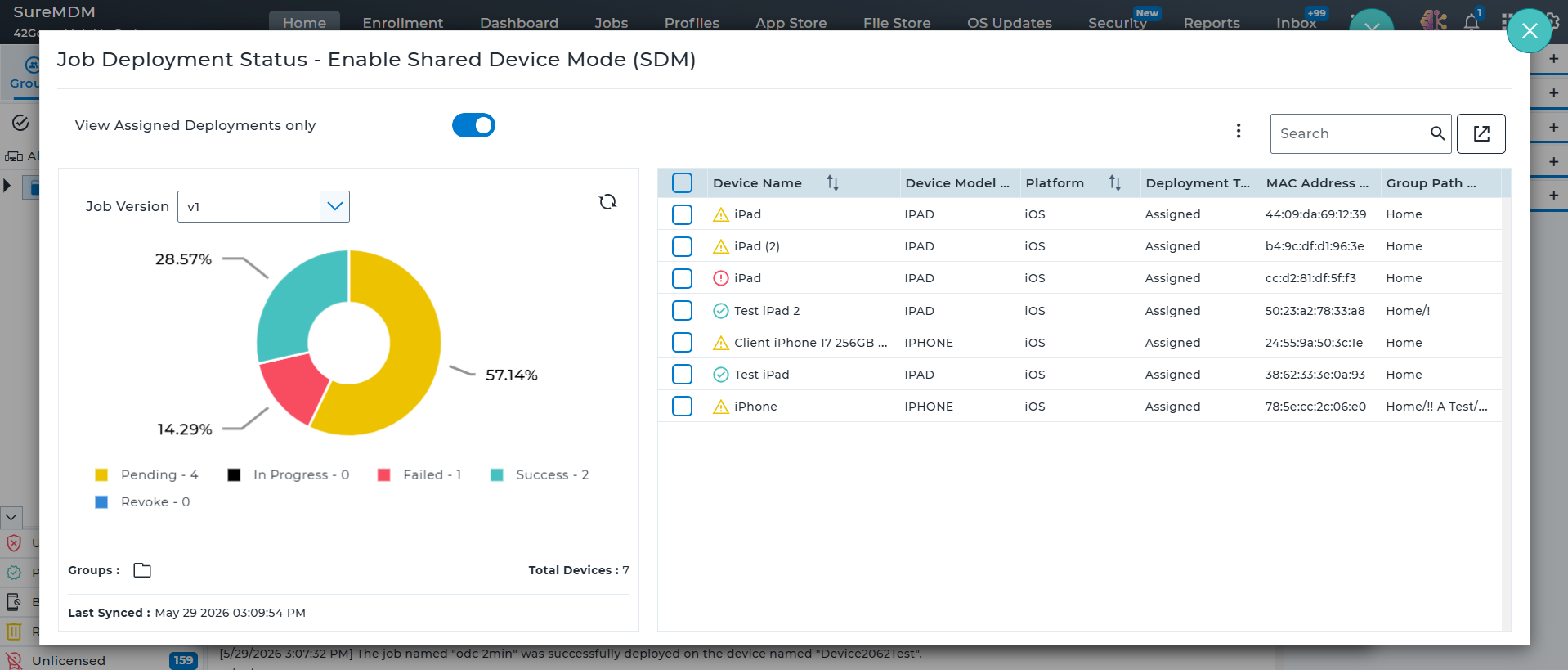
Visibility is key — especially when rolling out critical updates. Our new Job and Profile Deployment Dashboard shows you the real-time status of your job and profile deployments across all devices. Here's what you can track:
- Deployment by job version – Know how many devices have each version.
- Status breakdown – See counts for:
- Pending
- In Progress
- Success
- Failed
- Filter by group – Check deployment status for each group or subgroup.
- Filter by job version – Useful when you’re rolling out new versions in phases.
Take Action Directly from the Dashboard
Click on any section (like “Failed”) and:
- View the list of affected devices
- Assign a tag to them for easy tracking
- Perform actions later like reapply, reassign, or remove for jobs deployed via assignments
This ensures failed or outdated deployments don’t stay unnoticed or unresolved.
Pre and Post-Deployment Scripts
To add even more flexibility, you can now include Pre and Post Scripts for:
- Install Application Jobs
- File Transfer Jobs
Want to clean up folders before an app installs? Or configure something after the install is done? These scripts make it easy. SureMDM is one of the few solutions to offer this level of scripting control, giving you more ways to automate workflows.
Benefits for IT Admins
Here’s how these updates make your device management workflows better:
1. Faster, Safer Deployments
No more guesswork or risky manual steps. Assign jobs using smart filters and roll them out confidently.
2. Simplified Management at Scale
Assign a job once and apply it to multiple groups — ideal for large organizations with consistent policies across departments.
3. Granular Visibility & Troubleshooting
With the Deployment Dashboard, you always know what’s happening — and can act fast if something fails.
4. Time Saved on Repetitive Tasks
From creating filters on the fly to bulk retry/reapply, everything is built for speed and consistency.
5. Better Auditability
Device-level assignment views and deployment histories help with audits, compliance checks, and accountability.
Wrapping Up
These enhancements are purpose-built to help IT admins:
- Automate device-specific deployments at scale
- Reduce human error with filter-based assignments
- Gain real-time visibility into job deployment status
- Troubleshoot faster and take action directly from one place
With smart job/profile assignments and a powerful deployment dashboard, SureMDM gives you the visibility, flexibility, and control you need to manage devices at scale — with less effort and more confidence.