If in case SureLock, SureFox and SureVideo looses its Activation Information and goes back to trial mode after any kind of reboot post activation, there is an easy way to fix it. Just follow below mentioned steps:
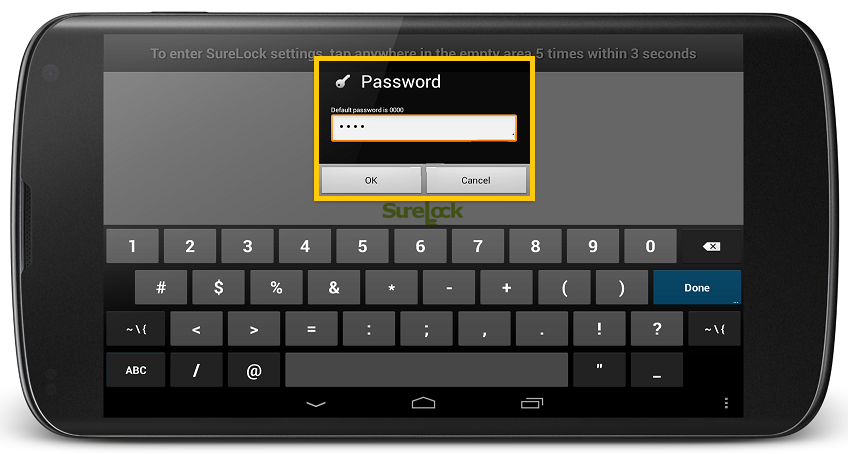
1. Access SureLock/SureFox/SureVideo Amin Settings by tapping on the SureLock/SureFox/SureVideo Home Screen 5 times within 3 seconds
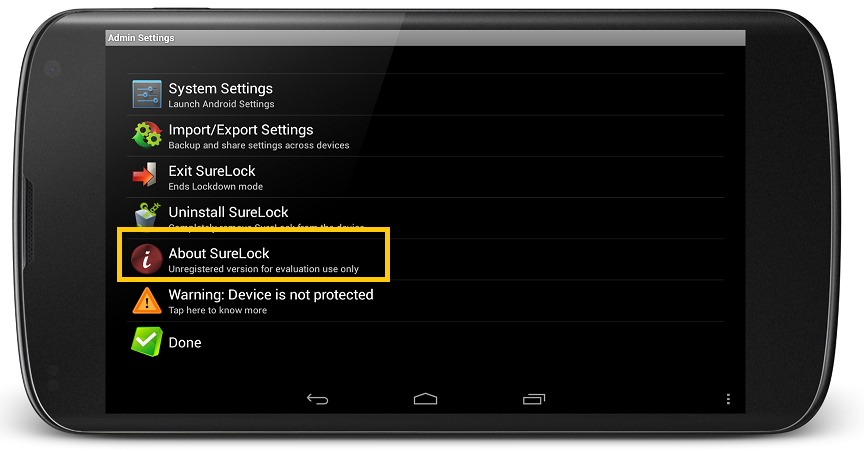
2. On Admin Settings screen, tap on About SureLock/SureFox/SureVideo
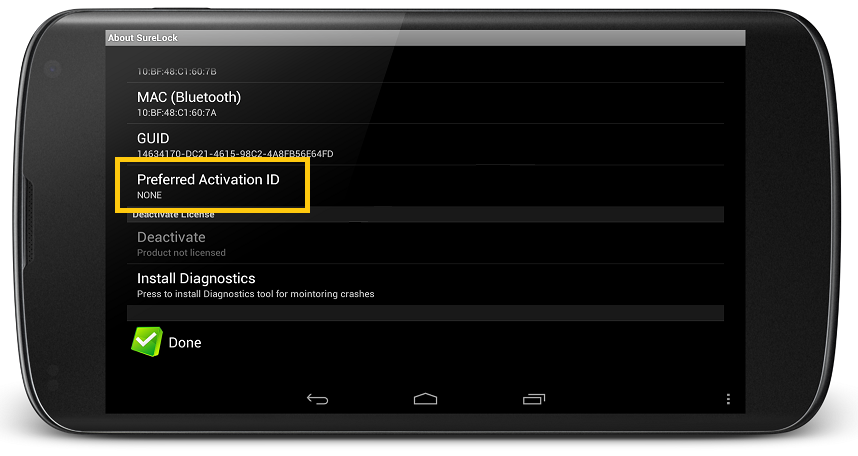
3. On About SureLock/SureFox/SureVideo screen, Tap on Preferred Activation ID
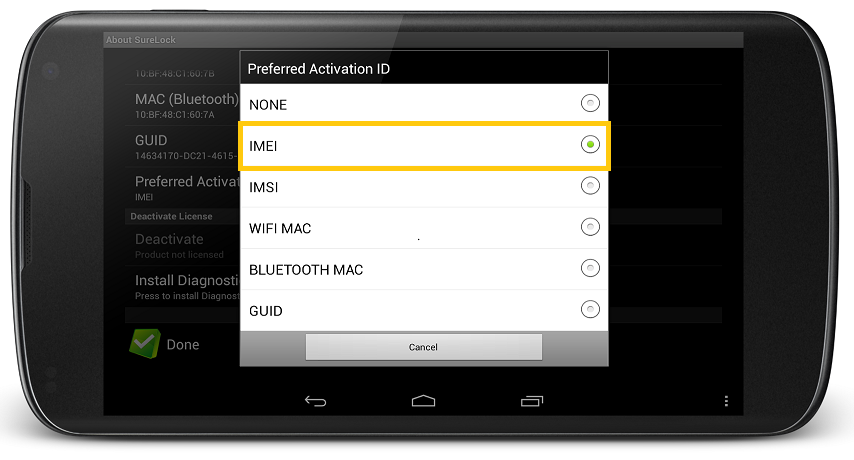
4. On Preferred Activation ID prompt, tap and select IMEI
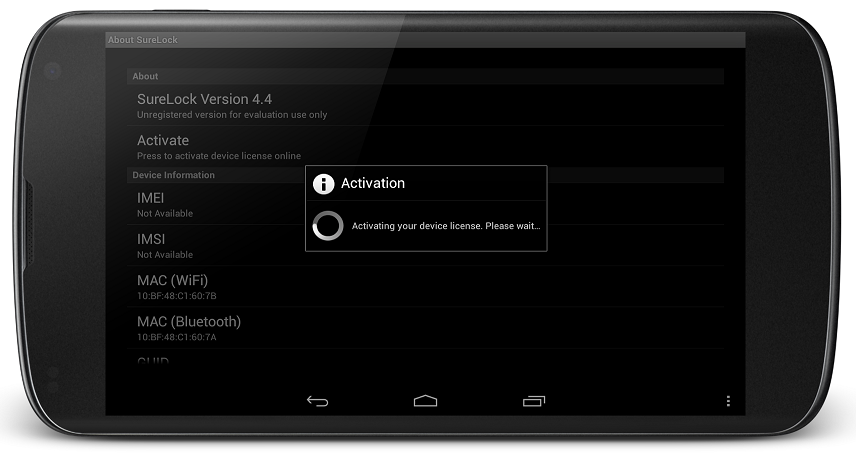
5. Now once back on the About SureLock/SureFox/SureVideo screen, tap on Activate
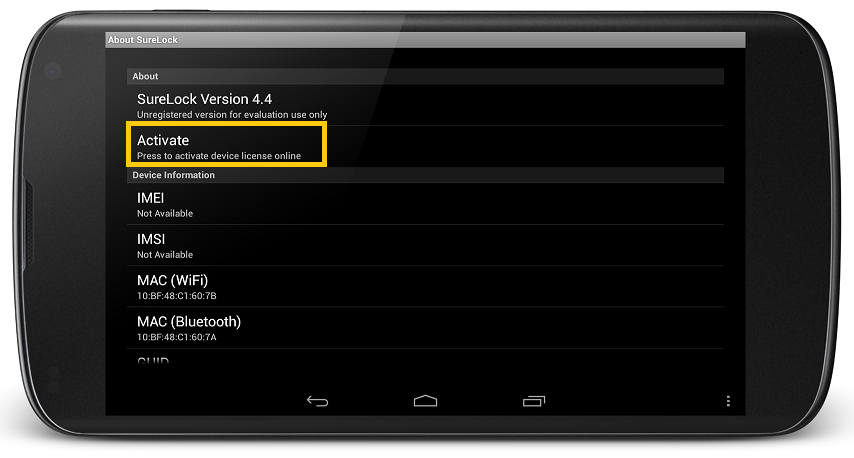
6. Enter the Activation code on Enter Activation ID prompt and tap on Activate to start the Activation Process
Even after following the mentioned steps you are not able to fix the activation concern, contact us at techsupport@42gears.com.