| Applies to: | |
| Product | SureFox |
| Platform | Samsung Android |

Disabling Other Home ScreenDisabling Safe Mode Disabling Factory Reset Disabling Multi Window Disabling USB Disabling Hardware Keys
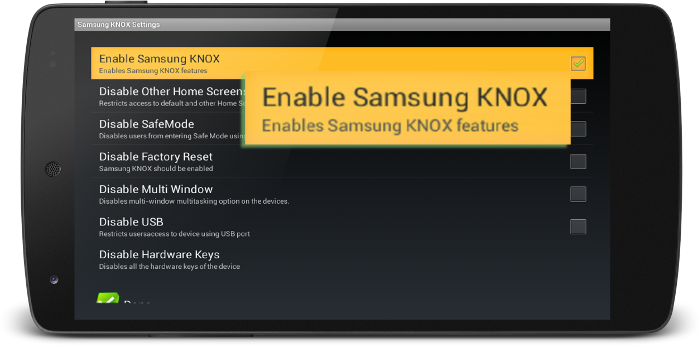
Enable Samsung KNOX, you can enable following lockdown features without rooting:
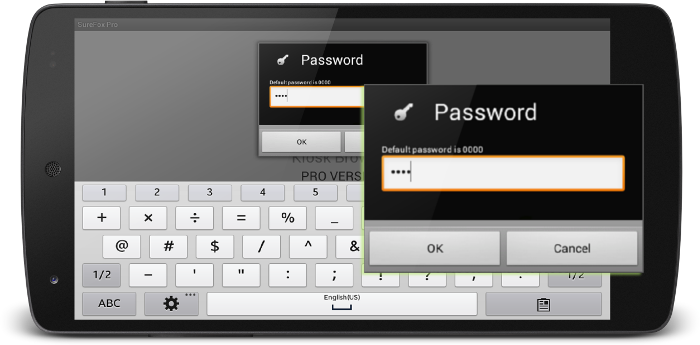
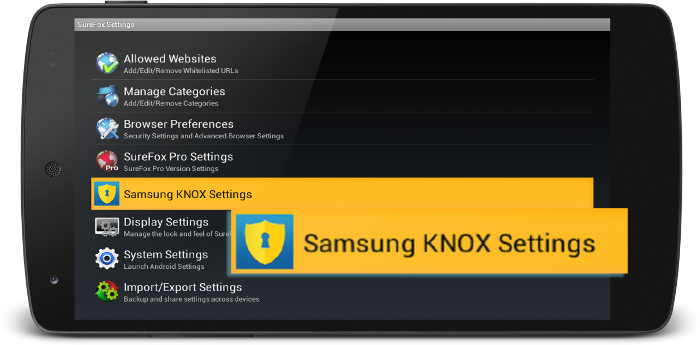
To access Samsung KNOX options in SureFox,
| Features | Details |
| Disable other Home Screen | Disables all other installed Home Screen along with device's Default Home Screen. |
| Disable Safe Mode | Disables users from entering Safe Mode using hardware keys on the device. |
| Disable Factory Reset | Disables users from resetting device to factory settings. This is much helpful if you have allowed Settings as an allowed application and do not want the users to factory reset the device to come out of lockdown. Once this option is enabled, Factory Reset option gets grayed out. |
| Disable Multi Window | Disables multi-window multitasking option on the devices. |
| Disable USB | Disables USB usage of the device for following two uses: -Mass Storage - restricts access to stored files on the device -USB Debugging - restricts access to device using Command Prompt |
| Disable Hardware Keys | Disables all the hardware keys of the device. |
SureFox Settings