Whether it is a Trade Show Booth or a Information Kiosks at a mall, videos does say a lot than standard static slides running on the display. SureVideo can help you achieve this with its simple setup and functionality. Download and Install SureVideo
SureVideo
SureVideo
SureVideo Home Screen
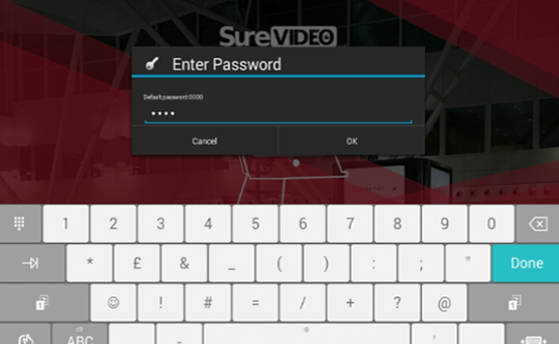
SureVideo default password as 0000(four zeros). On successful Login, Main Menu
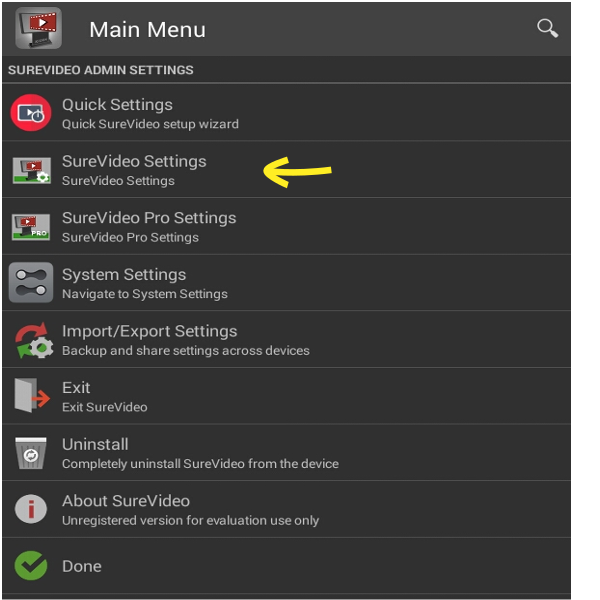
SureVideo Settings screen, tap SureVideo Settings
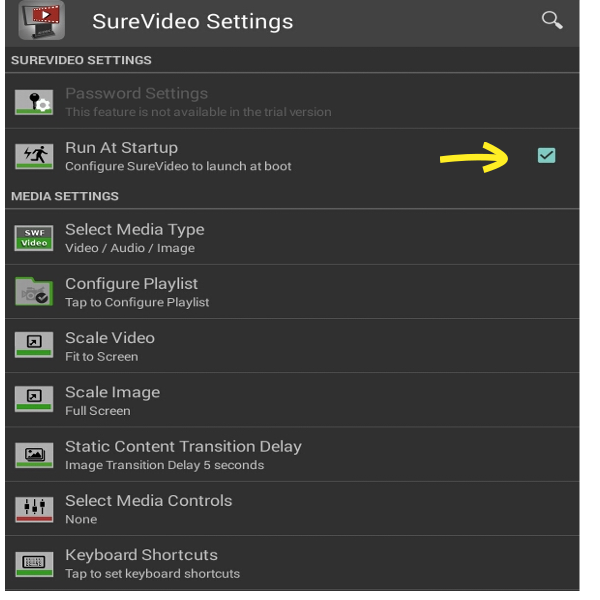
SureVideo Settings screen, tap and enable Run at Startup
Done
SureVideo
SureVideo Home Screen
SureVideo default password as 0000(four zeros). On successful Login, Main Menu
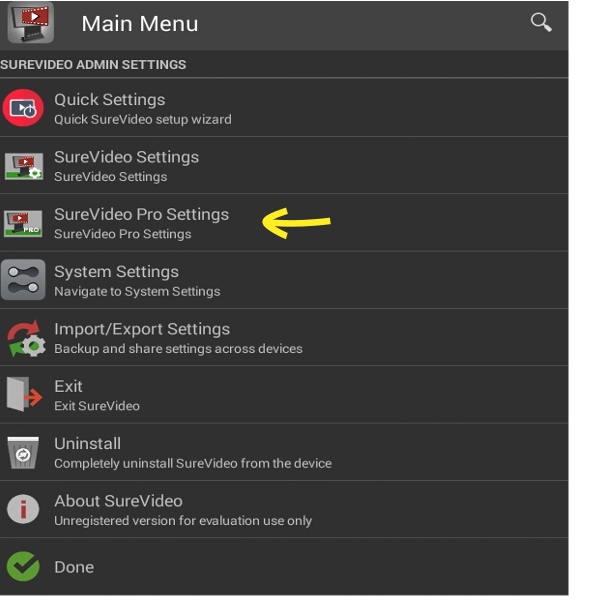
SureVideo Settings Screen, tap SureVideo Pro Settings
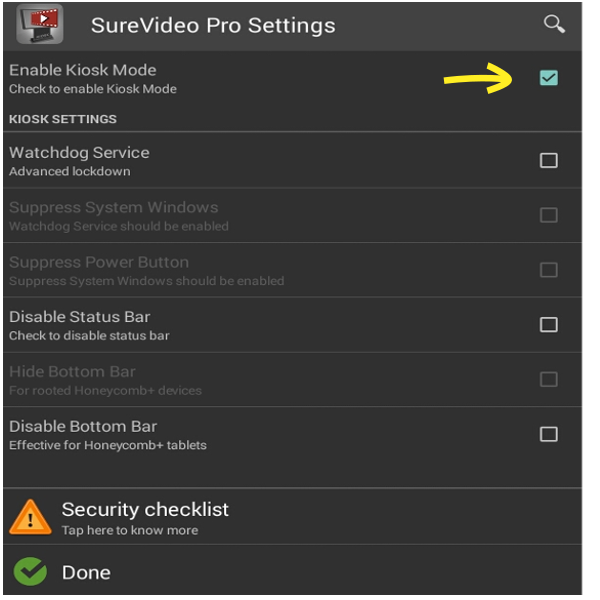
SureVideo Pro Settings Screen, tap and enable Enable Kiosk Mode
Done