Android smartphones and tablets provide portable, convenient and powerful platform for businesses. Android 4.0 onwards, Google introduced a bottom bar in Android UI with few buttons on it. This bar helps users multitask and navigate through device application and settings. Different device manufacturers like Samsung, Asus have extended this bottom bar with even more options like Mini Apps Tray.
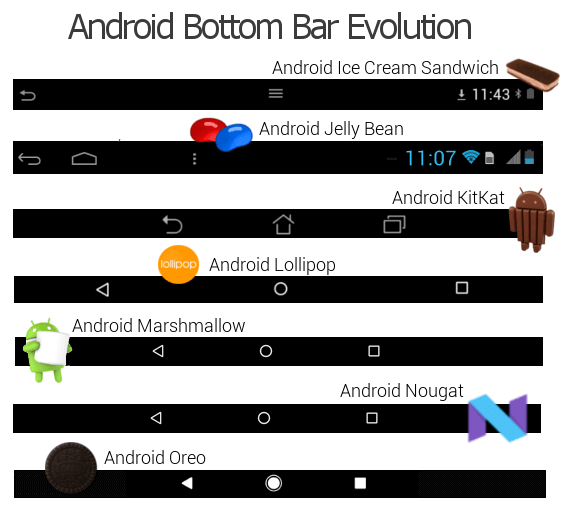
While the bottom bar is a great tool for consumers giving them quick navigation pathways through their Android device, it doesn’t fit very well with lots of enterprise use cases. For scenarios like public kiosk, digital signage, where the device is intended to be used for a dedicated purpose, running a particular application all the time, bottom bar gives access to prohibited sections of Android settings. This can lead to non-functional deployment and device misuse.
The easiest way to prevent this is to completely hide the Bottom Bar on the device. SureLock Kiosk Lockdown can completely hide Android bottom bar on Samsung devices, devices with root permissions and devices with signature permissions.For list of such manufacturers and our technology partners, please refer this.
Hidden Bottom Bar option not only hides the bottom bar but also allows your applications to make full use of available screen space.
Here are the steps to hide your Android device’s Bottom Bar:
- Download and install SureLock from here.
- Launch SureLock.
- Tap SureLock Home Screen 5 times within 3 seconds to launch the password prompt.
- On the password prompt, enter SureLock default password as 0000(four zeros) to launch Admin Settings screen.
5. On Admin Settings screen, tap SureLock Settings > Hide Bottom bar.
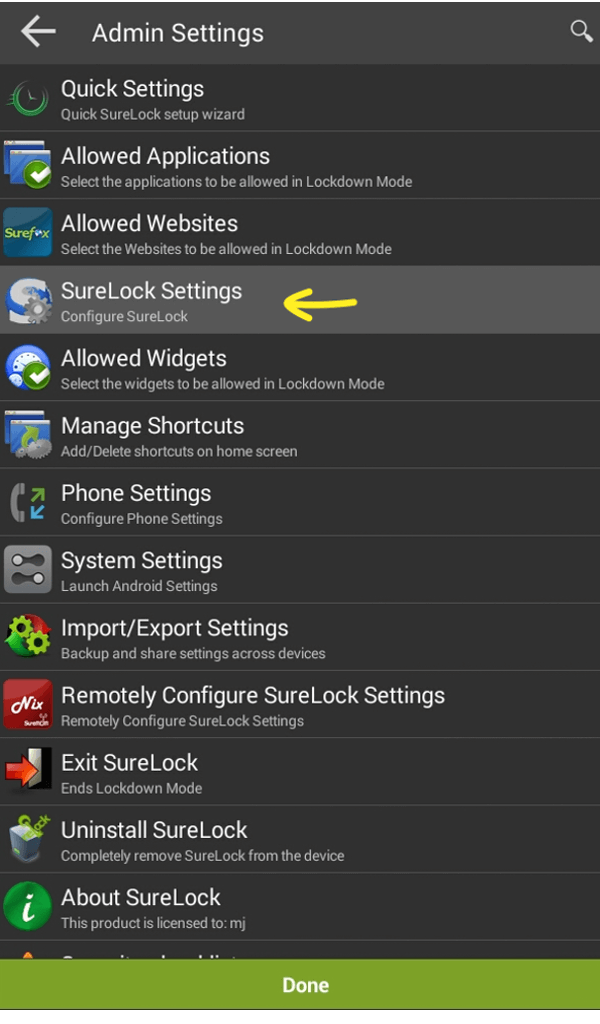
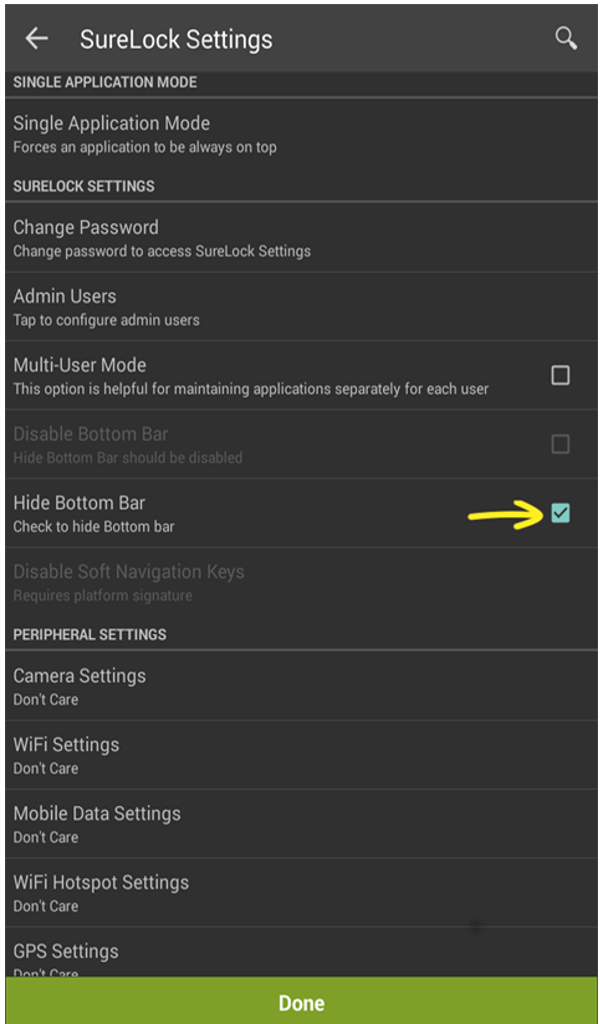
6. Tap Done to complete.
Now, the bottom bar will be hidden and all the applications will run in the Full-Screen mode including SureLock.
Note: For Samsung devices, ensure Enable KNOX option is selected.
Please refer this, for other advanced lockdown features available in SureLock for Samsung devices.