| Applies to: | |
| Product | SureLock |
| Platform | Windows 7 & 8 |
 Control + Alt + Delete is a powerful key combination to terminate a running program/task or restart a computer/Windows device. Blocking this key combination becomes crucial when your Windows 7 or Windows 8 device is being used as a kiosk.
SureLock blocks this key combination with its Keyboard Filtering feature.
To block Control + Alt +Delete1. On SureLock Home Screen, tap anywhere 5 times within 3 seconds to launch SureLock Password Console
2. On password prompt, enter default password 0000 (four zeros) and tap/click on OK
3. On successful login, you will be on the SureLock Settings Main Menu
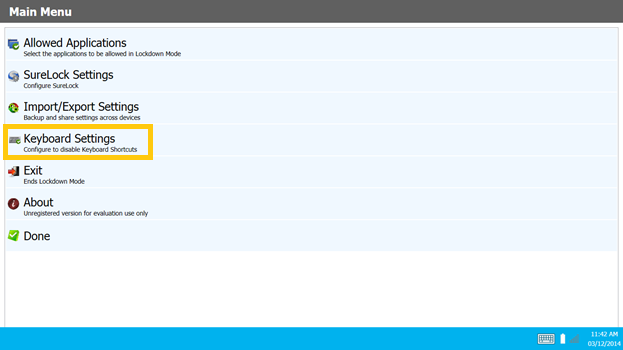
4. On Main Menu, tap/click on Keyboard Settings
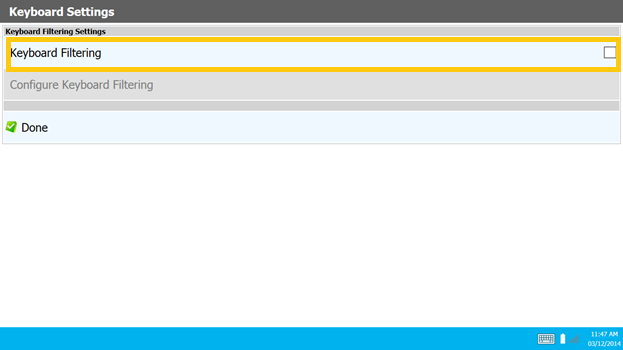
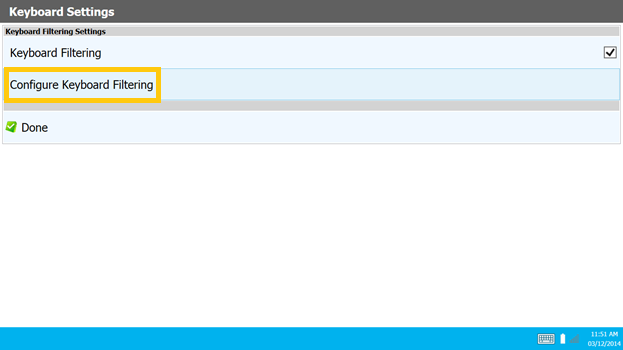
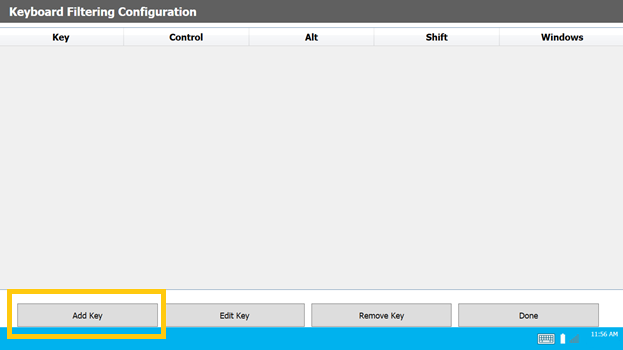
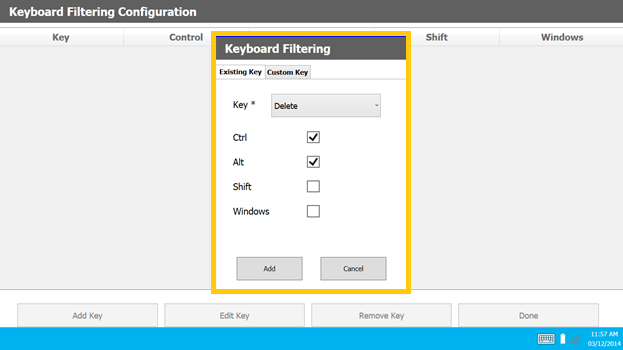
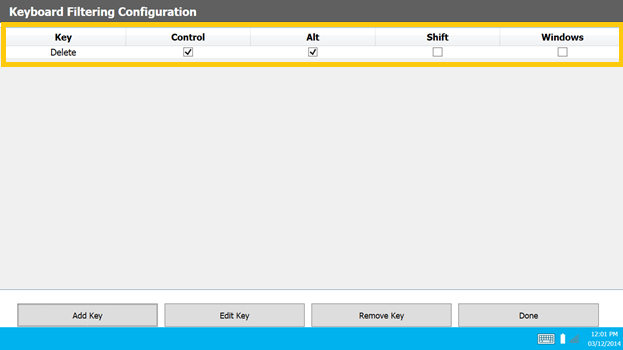
11. Now, the keyboard combination of Control + Alt + Delete

Read more about our products: