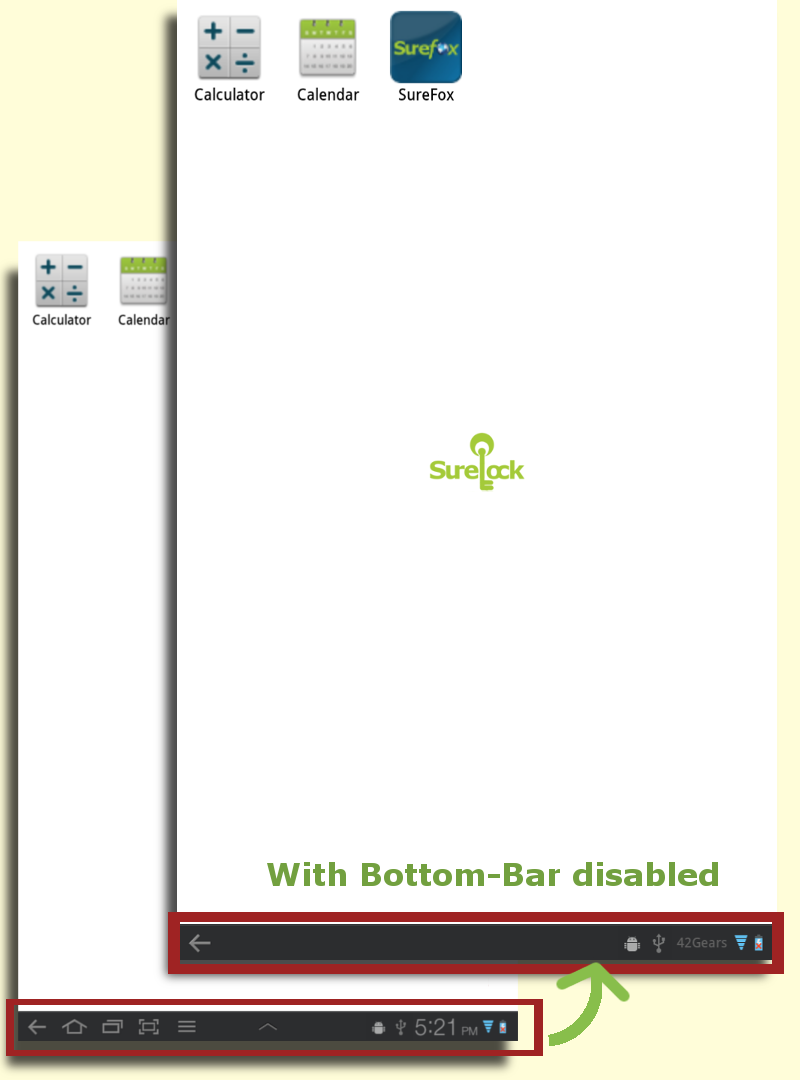
Wondering how to disable that annoying system bottom bar present in HoneyComb (Android 3.0), IceCream Sandwich(4.0) and JellyBean(4.1, 4.2) Tablets! Well, SureLock comes with option to disable the bottom bar in tablets running Android 3.0 or higher which allows you to run your favorite applications in full-screen which complies with SureLock's settings(To make your application compatible with SureLock's full-screen implementation, there might be a few changes required in your application too. Contact us for details) . Here's how you can get away with bottom bar.

Before & After Disabling Bottom Bar
- Launch SureLock on your Tablet and access the SureLock's Settings Screen using admin password
- Go to "SureLock Settings"
- Enable "Disable Bottom Bar" option and Click on Done. (SureLock might prompt to set it as device administrator to enable this feature)
- There you go. Bottom bar gets disabled when you visit Homescreen.
Disabling bottom bar can be quite helpful in scenarios where end-users are provided with restricted usage of devices and complete kiosk experience is required.
If you have rooted Android device, click here to know how to hide the bottom bar.
Author: Panshul Srivastava
42Gears Mobility Systems
To learn more on how to secure and manage Android and Windows Mobile/CE devices efficiently, visit us at www.42gears.com