| Applies to: | |
| Product | SureLock |
| Platform | Windows 7/Windows 8 |
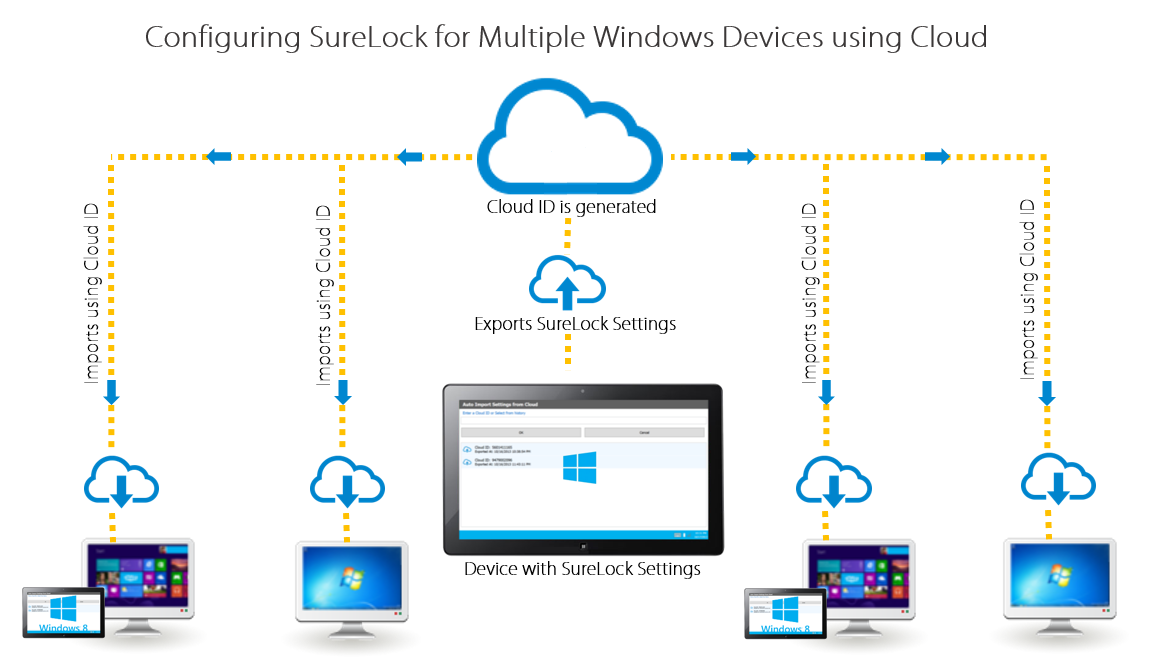
Export/Import SureLock Settings using Cloud
Export/Import SureLock Settings using Cloud option:
SureLock Screen 5 times and use your password to enter SureLock Settings
SureLock Settings Main Menu, tap on Import/Export Settings
Import/Export Settings screen, tap on Export to Cloud
Export Settings to Cloud screen, tap on any one of the following options:
- Create New Cloud ID
- Use Existing Cloud ID
SureLock Settings
Import SureLock Settings from Cloud
SureLock Screen 5 times and use your password to enter SureLock Settings
SureLock Settings Main Menu, tap on Import/Export Settings
Import/Export Settings screen, tap on Import From Cloud
Import Settings from Cloud
SureLock Settings
SureLock Settings using cloud. To learn more about SureLock for Windows, click here