| Applies to: | |
| Product | SureLock/SureFox/SureVideo |
| Platform | Android/iOS |
42Gears
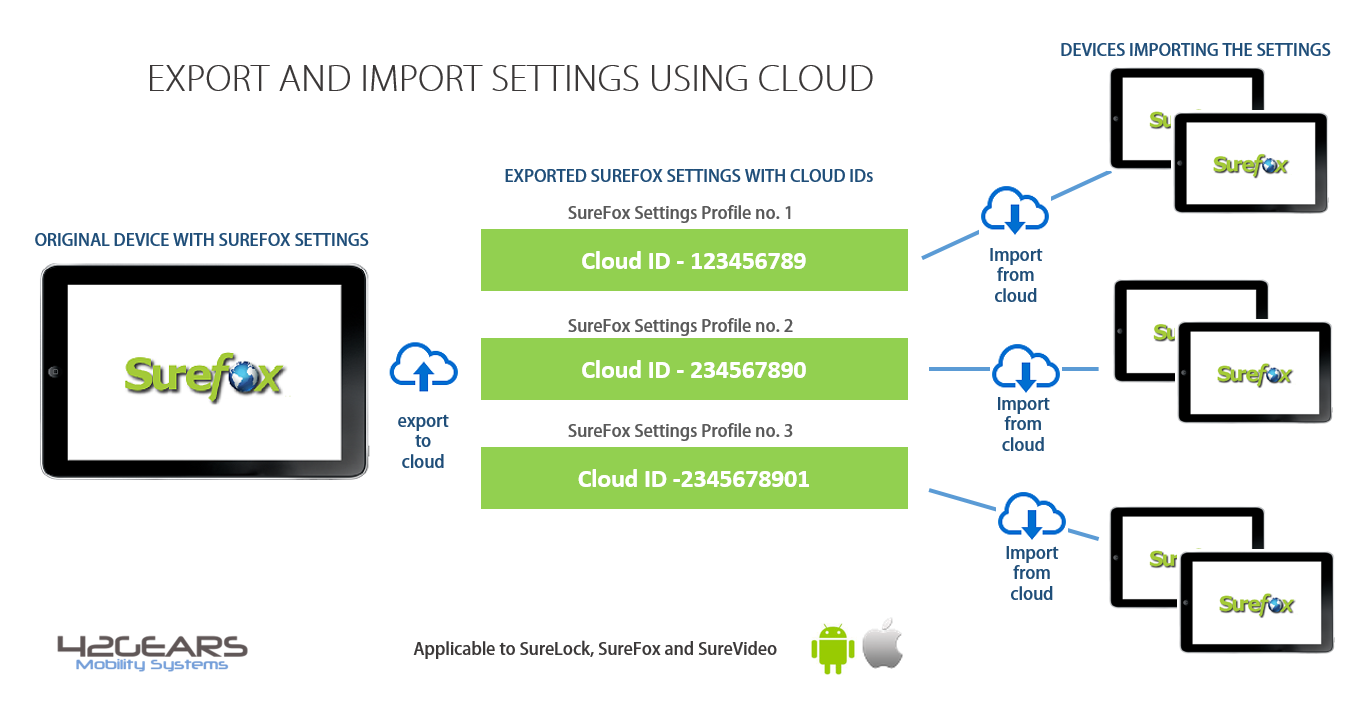
1. Access your Admin Settings by tapping 5 times within 3 seconds on the SureLock/SureFox/SureVideo Homescreen
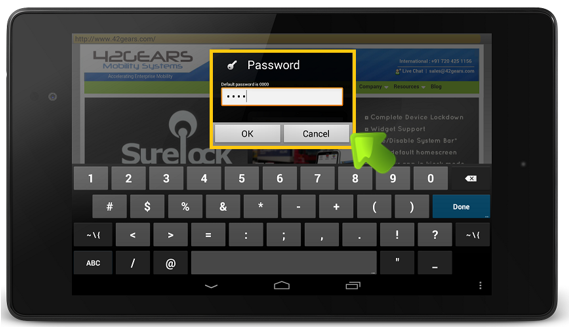
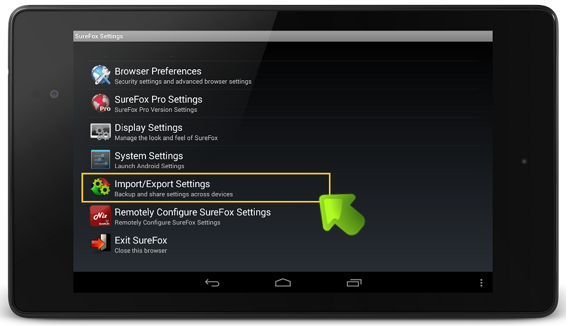
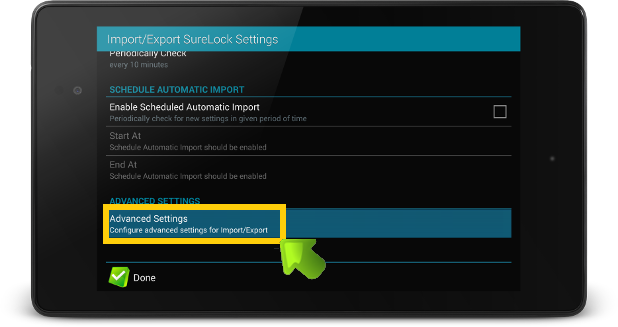
4. On Advanced Settings screen, tap and enable Export Activation Code
 Important: If the product is already activated, enabling Export Activation Code will export the settings with the activation code. If the product is not activated, click here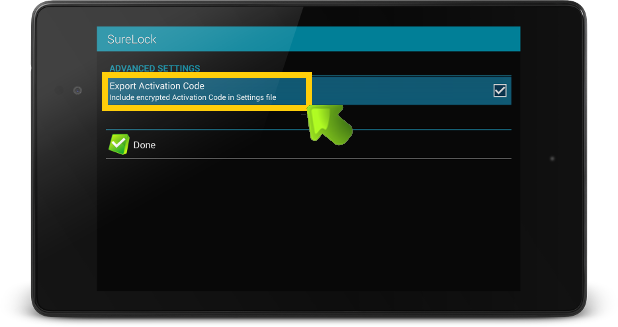
5. Click on Done to complete and return to Import/ExportSettings
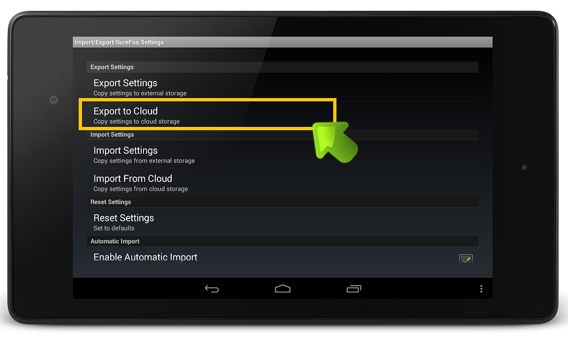
6. On Import/ExportSettings screen, tap on Export to Cloud
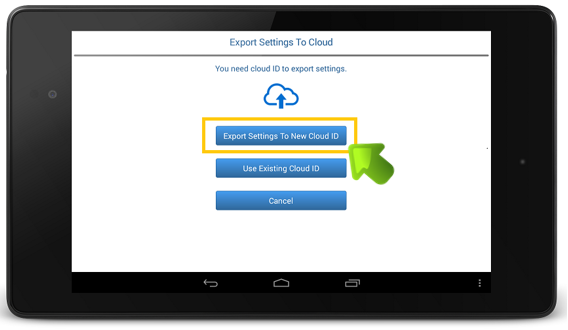
7. On Export Settings to Cloud, tap on Export Settings to New Cloud ID
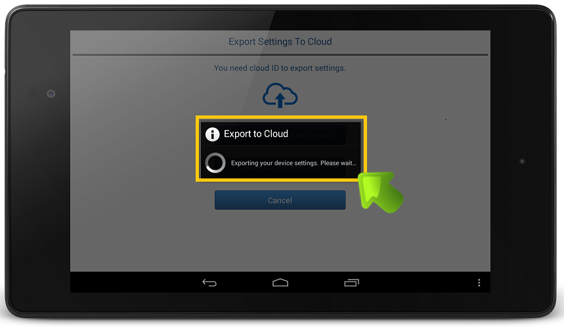
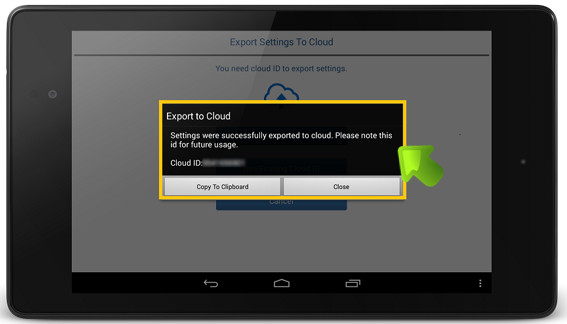
8. Settings will get exported to the cloud
Follow below mentioned steps to Import Settings to cloud:
1. Access your Admin Settings by tapping 5 times within 3 seconds on the SureLock/SureFox/SureVideo
2. On the SureLock/SureFox/SureVideoAdmin Settings screen, tap on Import/Export Settings
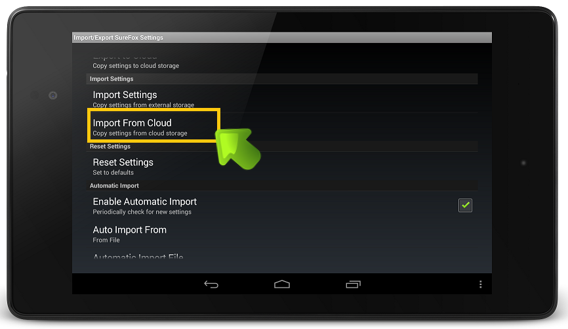
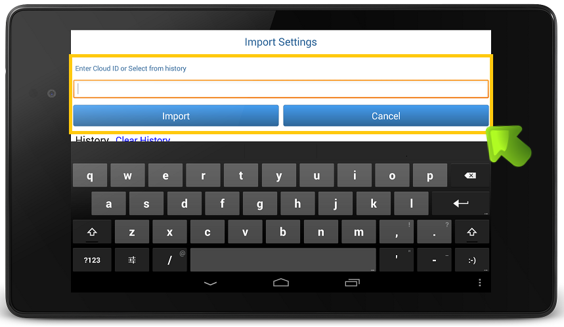
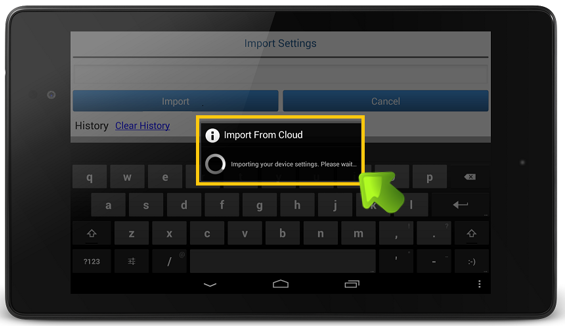
3. On Import/Export Settings screen, tap on Import from Cloud