Mobile Technology in Restaurant Business
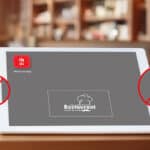
Use of tablets is on the rise everywhere. Even the restaurant industry is finding great potential in using tablets with an aim to increase revenues, increase customer loyalty and provide faster service and response times.
Restaurants have started to deploy tablets to take orders and entertain guests while they wait for the order to be delivered. They can play games or update their social status on Facebook or Twitter and let their friends know the food they are enjoying. And at the end of their meal, payments can be processed quickly with a credit-card reader attached to the tablet.
Advantages are enormous. It has been observed that people order more food if they can instantly order it without waiting for the server. Customers can view the full menu and tap on the food items that they want to order. No need to wait for the server to take your order. Order information is instantly transferred to the kitchen thereby reducing ordering time. Server’s job is to only deliver the food to the table.
Tablets also make it possible to deliver visuals (photographs and videos) of the food and beverages being served by the restaurant. The customers get a first-hand idea of what they are going to get. They probably can also see reviews of the items by the past customers.
Besides the imminent benefit to the guests, the restaurant can enjoy more benefits. Since the orders are digitally accepted, the order information from all customers is collected in a structured way and is stored into a database. This data can be used later for statistical purposes (say to accurately determine which food is in maximum demand on Friday evening). Technology enables Real time information collection and processing in real-time.
Use of mobile technology is surely going to benefit the $604 billion restaurant industry, helping both the customers and the restaurant businesses.
42Gears Mobility Systems is the leading vendor of mobility managament tools helping companies manage and secure their fleet of mobile devices such as Smartphones and Tablets. Learn more about our products.
Viewing local web pages in SureFox Browser
SureFox allows you to display local html files in Android Phones and Tablets. Just follow the steps below to use SureFox kiosk browser in local-mode
- Copy all the html content(html files, images, flash files, css, etc) into the SDCARD on the device
- Launch SureFox, enter the Admin mode and go to the 'Allowed URL' setting
- Enter the URL strictly as : "file:///sdcard/path/file.htm" where path specifies the local folder's location on your SDCARD where the actual file is located.
- Enter the display name for the file you would like and click OK to save the settings
An example is displayed below:

Adding Local Files
This method is highly useful for displaying custom web pages in Kiosk Mode without worrying about internet connectivity on the device.
To learn more on how to run your web-applications on Android Tablets & Smartphones in Kiosk mode, visit us at www.42gears.com/surefox
Author: Panshul Srivastava
42Gears Mobility Systems
Single Most Effective Tip to Protect Smartphones
Mobile phones getting lost or stolen is a common occurrence. Almost 37% smartphone users have had this experience in the past. Loss of phone also means loss of privacy or critical business data which could cost more than the phone itself.
People will continue to lose phones but fortunately there is a secret to make sure that atleast the personal or business data does not fall into the wrong hands. And the secret is.... Passwords. Yes! Setting a Strong password (see the emphasis on "strong") can give you a peace of mind.
Not having a strong password is as good as not having one at all. I am sure you have heard about Murdoch phone hacking scandal. Reset your password if it is among the commonly used passwords. Have a look at top 10 stupid passwords.
If you are responsible for looking after IT assets of a company you must make it mandatory for employees with mobile phones and tablets to have a strong password set on their devices. Enforcing this simple and effective security policy should become a top priority for all companies. It's worth it.
SureMDM Product Handouts
Software product handouts work and here is the one we created for SureMDM. Note: These are not high resolution images.
Why am I unable to uninstall some application from my android phone?
There are few applications available on android marketplace, which when try to uninstall gives error message like below

The error message above is totally unintuitive and gives no idea what went wrong and what can possibly be done to successfully uninstall the app from the device. I hope in future Google puts in better error reporting for such situation.
Some applications, especially the ones under business administration category, require device administration privileges. Usually during install or during execution, these apps prompt the user to grant “Administrator” privilege. Once granted, these applications become capable of performing privileged tasks like locking the device, erasing data on device, reset the password on device, etc.
In addition, Android doesn’t allow direct uninstall of such application. Any attempt to uninstall such apps would result in screen similar to above. I guess this is to make sure that user doesn’t accidently remove such vital privileged apps (a better error message wouldn’t have harmed
).
In order to uninstall such apps, we first need to deactivate it as a device administrator. Go to Settings ->Location and Security->Select device administrator screen

Uncheck the app you wish to uninstall, confirm the prompt to deactivate.

Once done, now you can go back to “Manage Applications” and uninstall the application.
Prakash
SureMDM: Mobile device management made easy
Keeping track of “Under-Repair” mobile devices using SureMDM
So your employee has reported a problem with the mobile device (e.g barcode scanner not working, display is broken etc). Many times the device has to be sent to a service/repair center where thorough diagnosis and repair is performed.
How do you manage the device when it goes for repair. Most people don't have any solution and some use solutions that are very specific.
We understood this problem, worked on it and came up with a new feature that takes SureMDM to a new level. Now SureMDM is not just a mobile device management solution, it also provides complete device service and repair management functionality.

Mobile device repair
If an employee reports an issue with the mobile device the IT person can assign easily create a new ticket under SureMDM and drag the mobile device to the "Repair Center" bucket. The ticket consists of details about the problem with the device, fault code(s), name/address of service center where the device is going for repair, the person who reported the problem, date of reporting etc.
Once the device comes back from the repair, the ticket can be closed. Notes can be added while closing the ticket. Closing the ticket restores the device back to the group where it was earlier.
Mobile devices go for repair multiple times during their life time. SureMDM provides repair history of all the mobile devices. Management team can use this information to negotiate the maintenance contracts with the service or repair provider companies as they now know what their actual service needs are.
To try mobile device service and repair management and other features of SureMDM, register for a FREE account at http://www.42gears.com. You will be amazed at how easy it is to use.
Great news! 42Gears joins Microsoft BizSpark Program
42Gears has joined Microsoft BizSpark Program which is great for early-stage startups like us. Biggest advantage is the availability of development tools licenses and production licenses of server products along with support and visibility. Read more about the program here.
Sales increase in December
Exactly opposite to our expectations and projections, sales have gone up nicely in December. It actually is turning out as the "best" month ever. We expected decision makers (for purchases) to be out of office for long vacation at this time of the year, but the results tell a completely different story. Probably we have convinced the ones who are at work. It might be due to a few things that we have recently, especially the following:
1. Streamlined the online purchase process making it clearer and easier.
2. Released an updated version of SureLock Studio with new features and some important improvements, like better support for WM 6.5.
Hope the sales momentum continues next month and forever.
Happy Christmas and Happy New Year!